


Skip to content
Built in Paderborn · Hosted in the EU · GDPR-compliant[email protected]+49 5251 6940120

Recorded once.All the wayto the invoice.

Business software for companies in every industry: HR, scheduling, time tracking, CRM, payroll and invoicing on the same records – what is recorded once flows through to billing without retyping. Our focus industry is security, with the guard logbook, guard tours and the guard register.

28.5 hours less admin every monthWorked example: security company with 40 employees

Animation: Securo Hub as a system map. The hub in the centre, every module around it. Six processes run from module to module in turn: from the schedule to the invoice, from enquiry to contract, a new employee starting, a customer request becoming a task, from alarm to improvement for our focus industry security, and the AI assistant recording a sick note and assigning cover.

From the schedule to the invoice

Invoicing: Billing run: invoice to the client

In use atBSG GmbHLDS Sicherheit GmbHProtect-OneAST-Sicherheit

What actually takes the load off your business

Four places where most of the time gets lost today – and what they look like in the hub. Real screens, sample data of a demo company.

Workforce

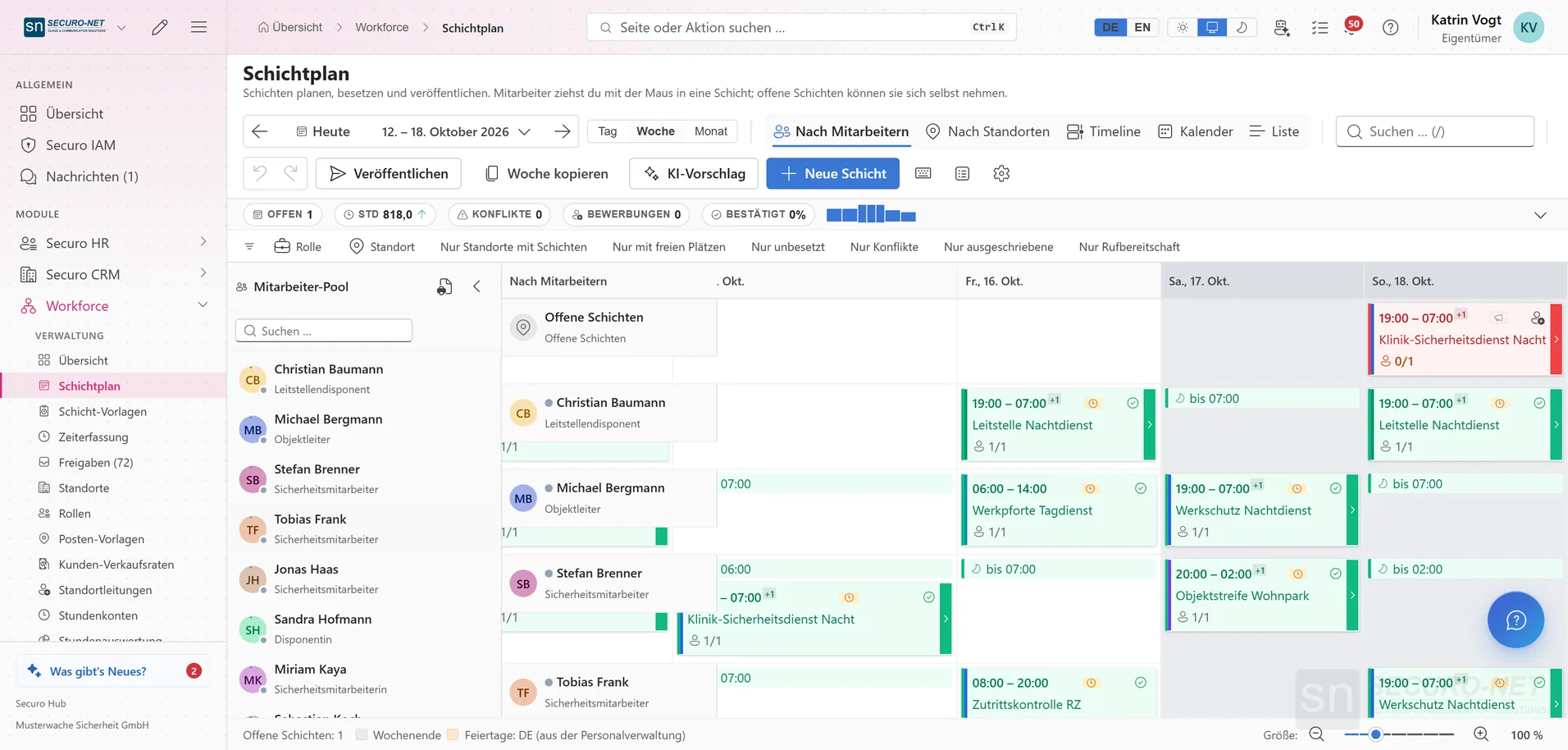
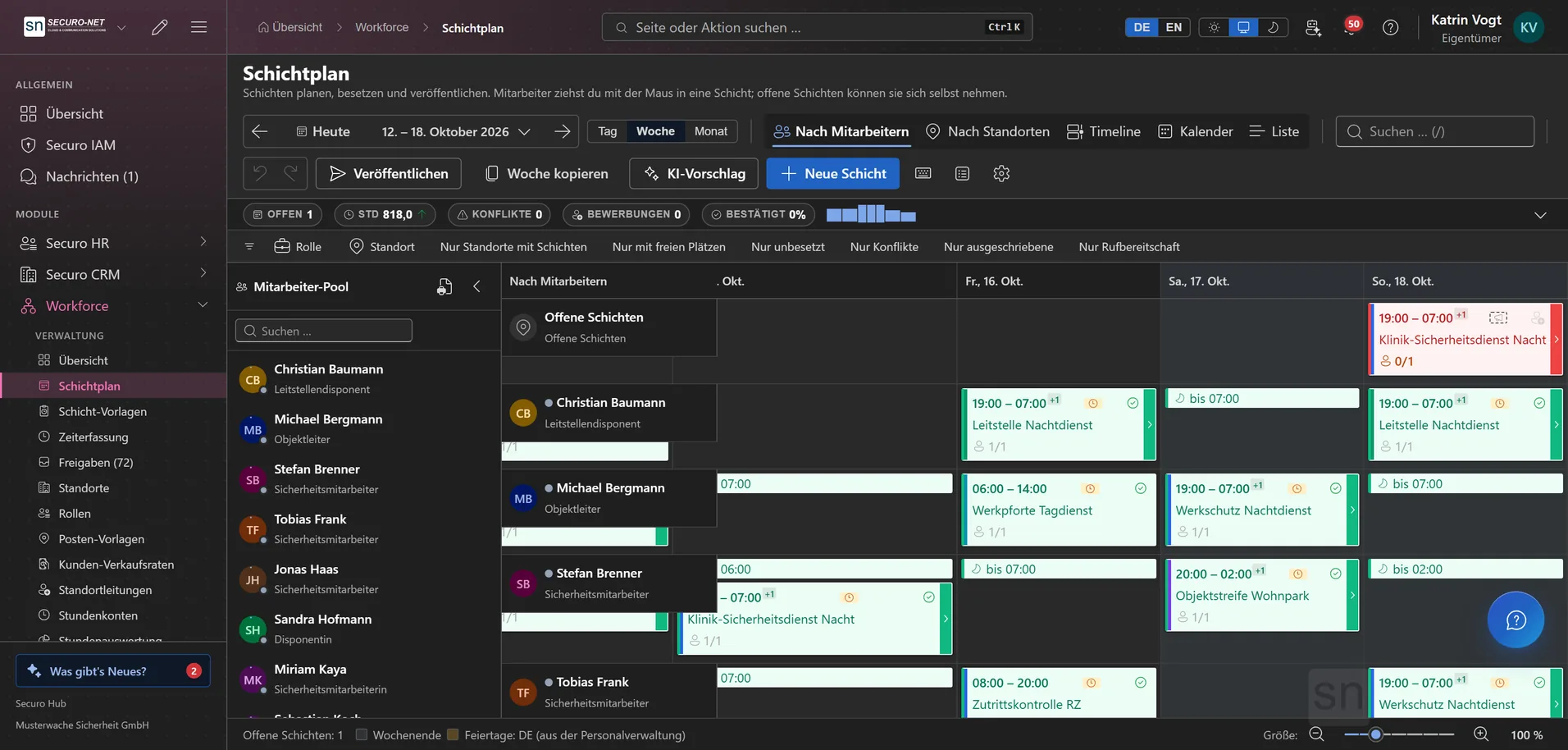
Plan without retyping afterwards

Create shifts in the schedule, request assignments via push, see rest periods and missing qualifications right away. What is planned gets clocked in the app and flows straight into the hours report.

  • Assignment requests accepted right on the phone
  • Warnings for rest periods and expired proofs – nothing is ever blocked
  • Hours report and site report for your client
See Workforce
Weekly schedule in the “By employee” view: one row per employee, coloured shift cards with times and sites, toolbar at the top.Weekly schedule in the “By employee” view: one row per employee, coloured shift cards with times and sites, toolbar at the top.
Focus: security · guard logbook & guard control

Records you can produce at any time

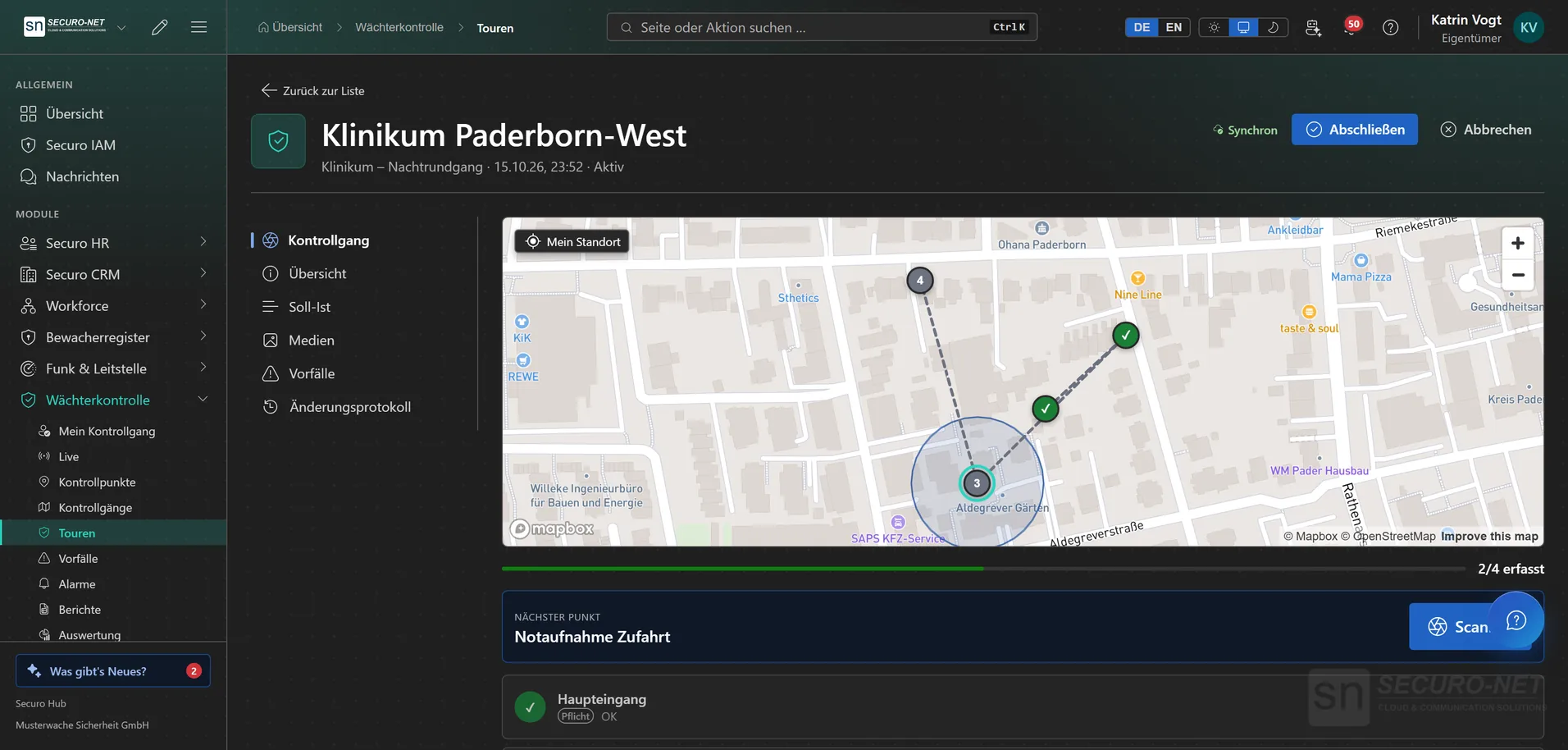
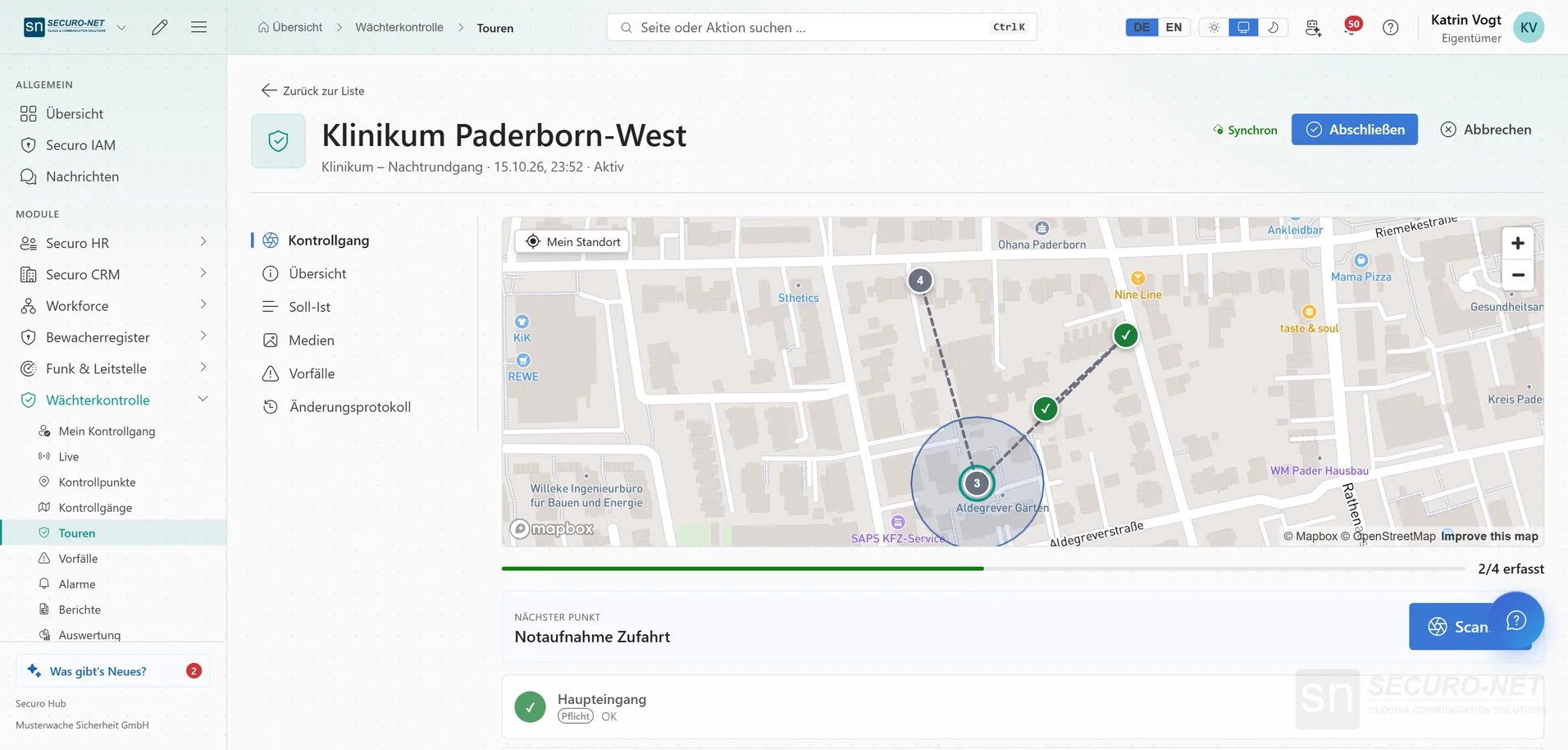
Guard tours with NFC and GPS, dead-man and panic button in the app. Every logbook entry is chained to the previous one – with a verification link your client can check it themselves.

  • Live view of running guard tours
  • Logbook chained tamper-evidently, verification page via QR code
  • Entries for clients in the customer portal
See the guard logbook
Detail view of an active patrol at a hospital: map with the route, two ticked checkpoints, the next point highlighted and a progress bar.Detail view of an active patrol at a hospital: map with the route, two ticked checkpoints, the next point highlighted and a progress bar.
Payroll & invoicing

From clock-in to gross pay and invoice

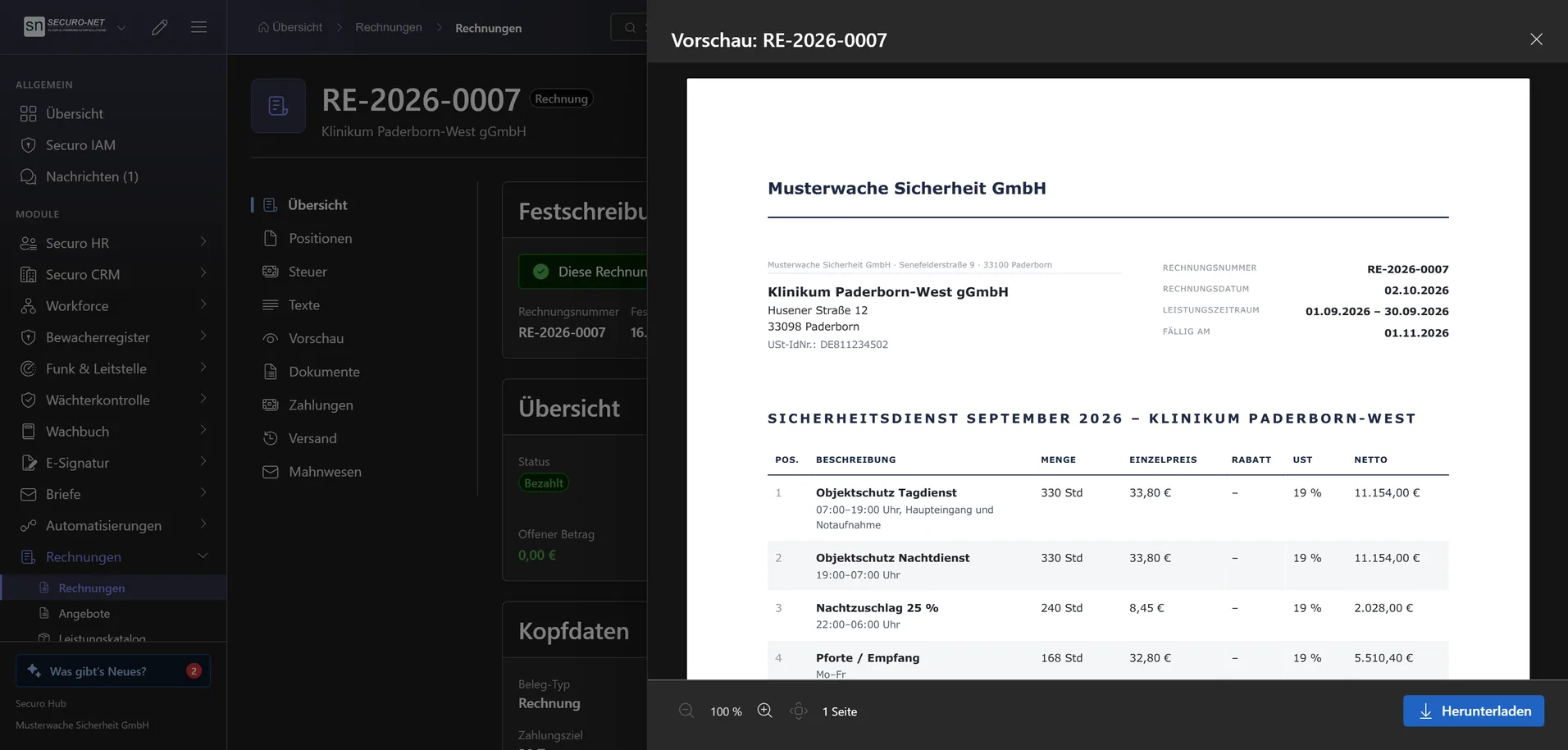
The hub calculates night, Sunday and holiday premiums from the approved hours. The billing run turns them into invoices – at the rate that applied on the day of the shift.

  • Hand-over to DATEV Lohn & Gehalt or via your own export template
  • XRechnung and ZUGFeRD, dunning and early-payment discount
  • Sales rates with premiums per location
See invoicing
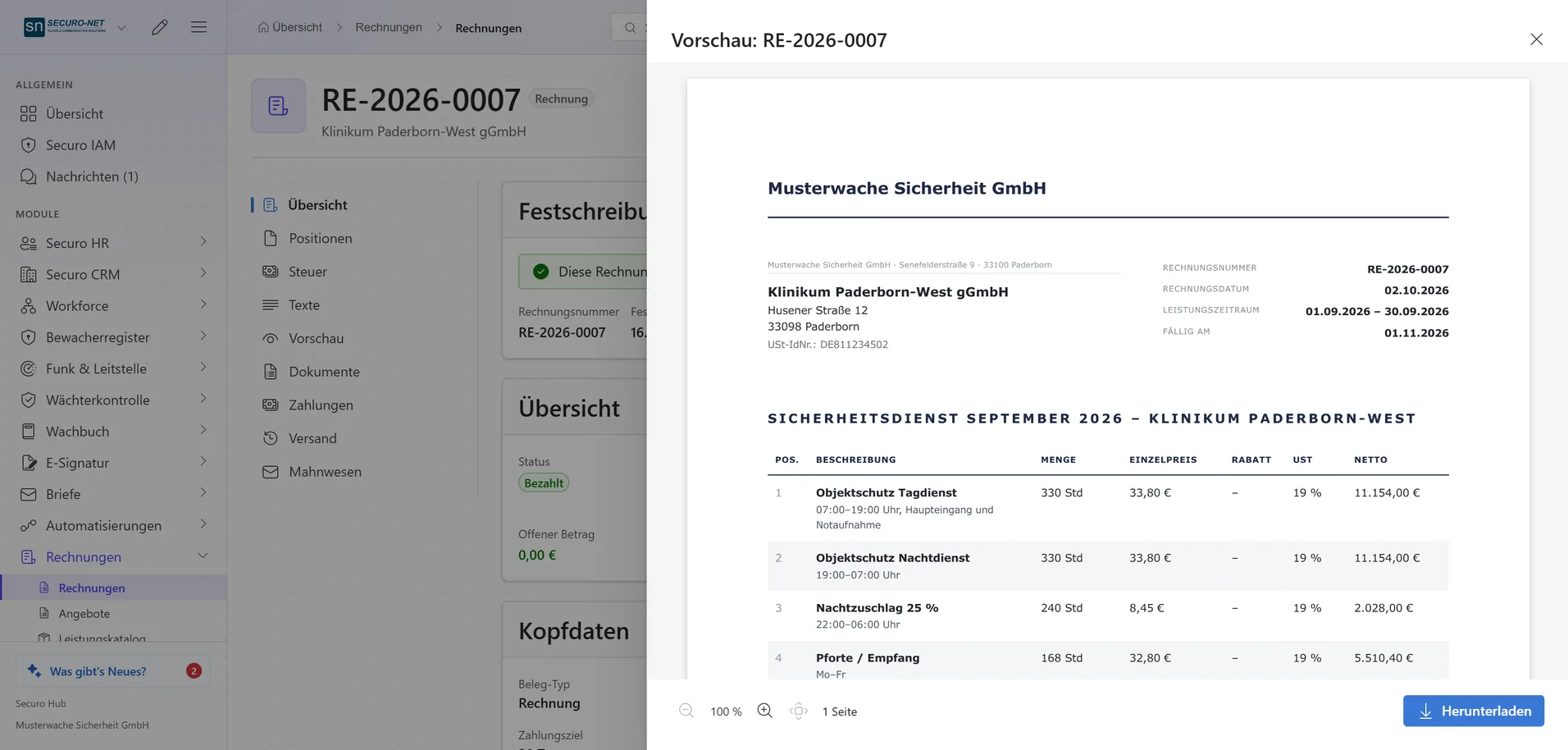
Invoice to a hospital with an open PDF preview: letterhead of the sample company and line items for day and night service, night surcharge and reception.Invoice to a hospital with an open PDF preview: letterhead of the sample company and line items for day and night service, night surcharge and reception.
AI assistant

Say what needs doing – the assistant enters it

A sick note, new employees from a spreadsheet, a quote: Securo AI prepares it, you confirm with one click. Finalising and sending stay with you.

  • Works with your organisation's data
  • Asks instead of guessing
  • Every action only after your confirmation
See the AI assistant
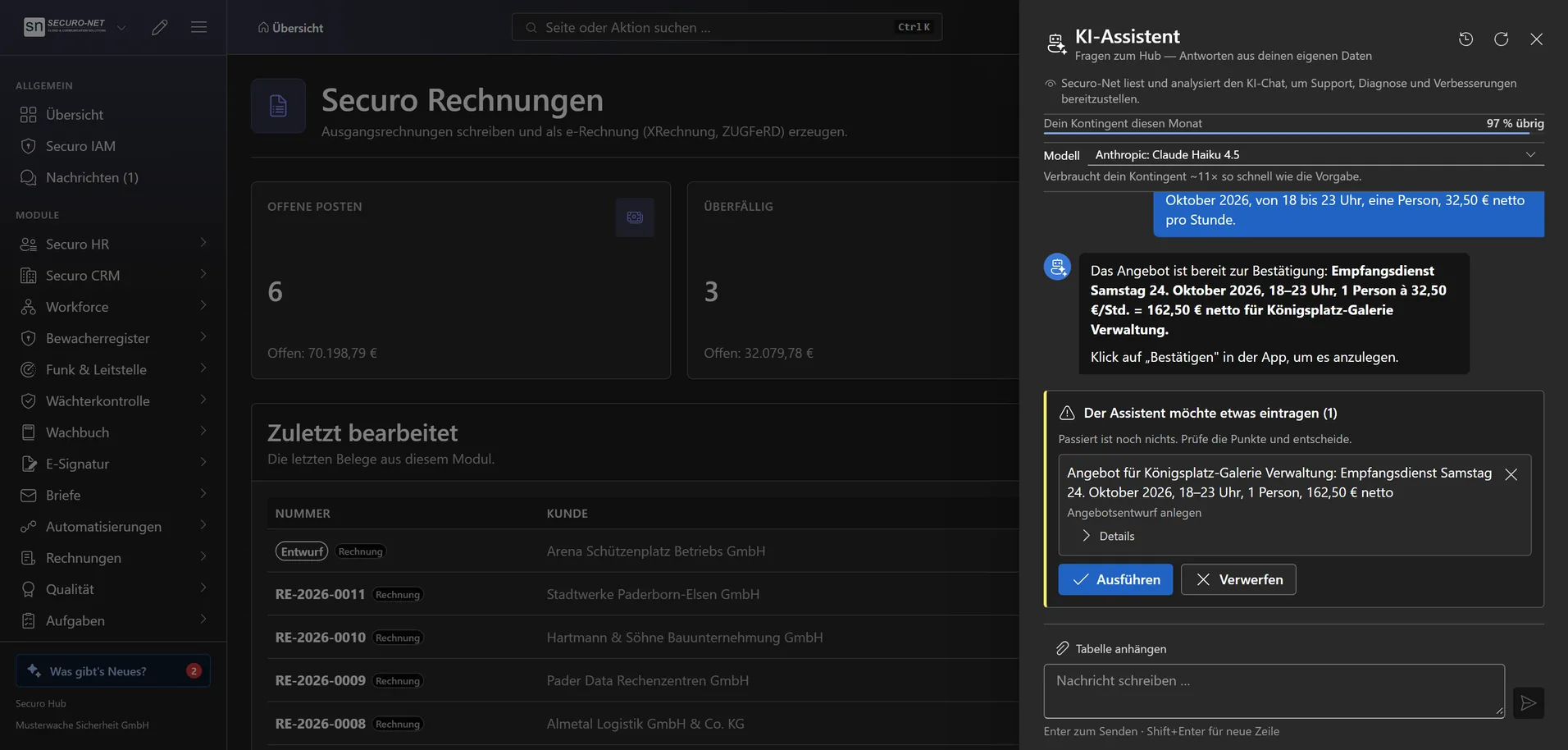
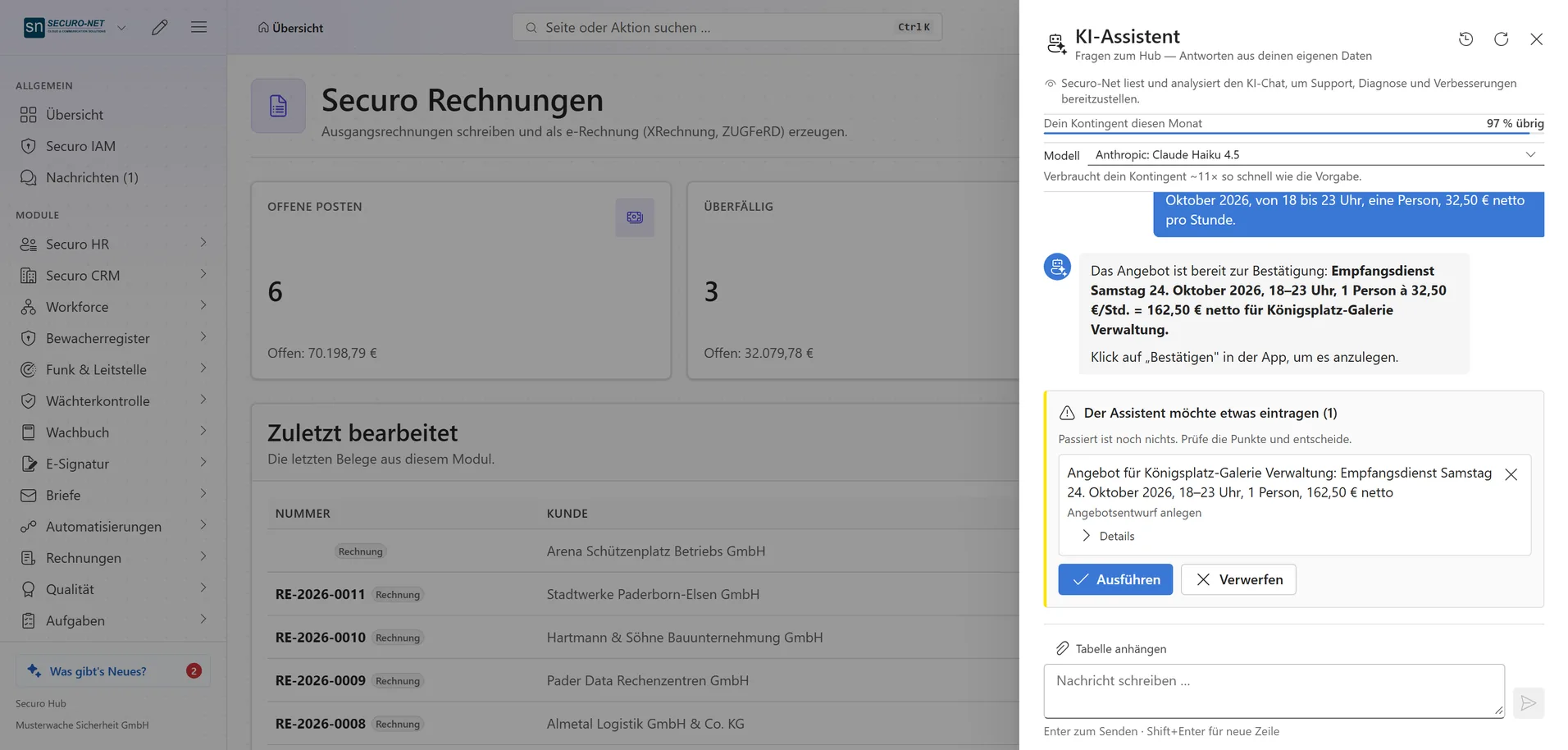
Open AI assistant next to the invoice list: asked for a quote for an extra reception shift, it shows a proposal with “Run it” and “Discard” buttons.Open AI assistant next to the invoice list: asked for a quote for an extra reception shift, it shows a proposal with “Run it” and “Discard” buttons.

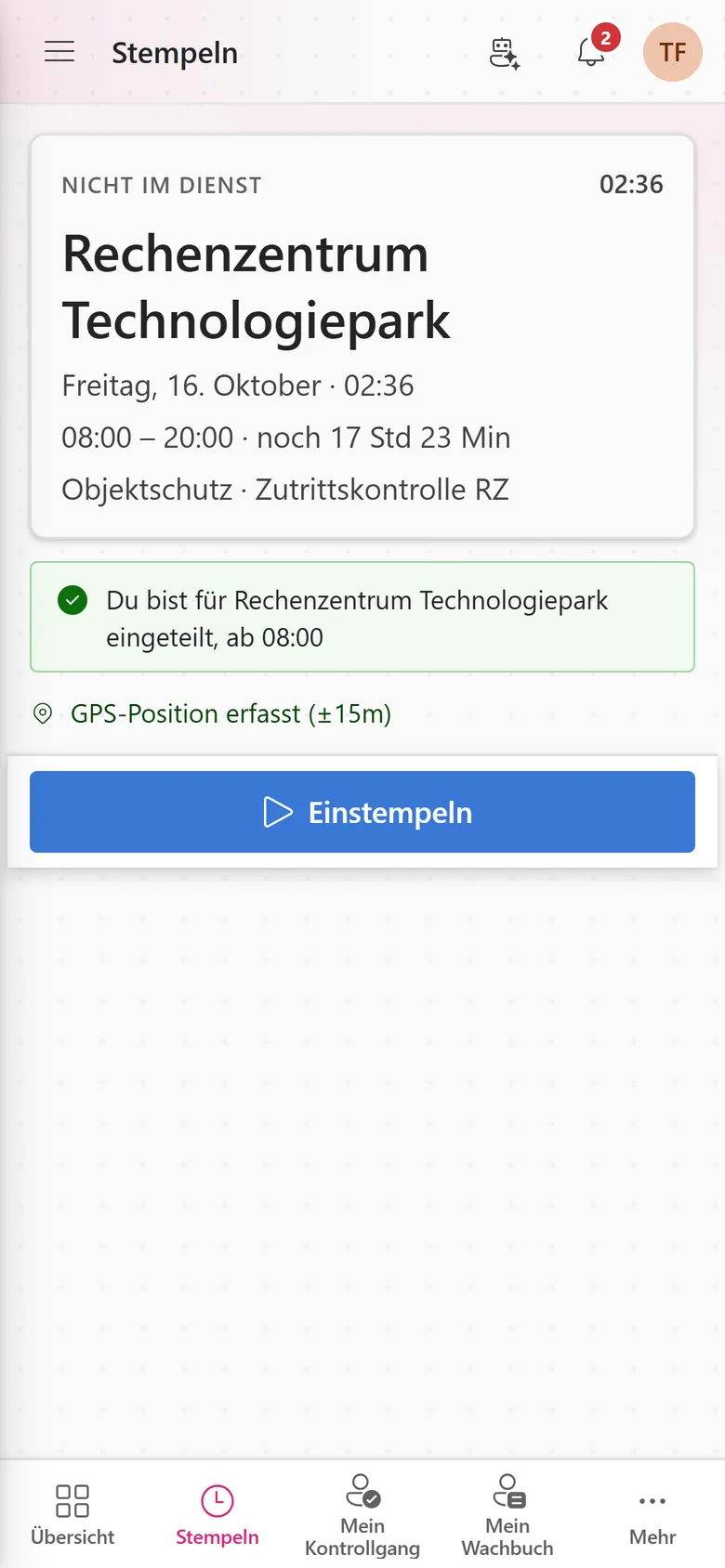
The app for the team in the field

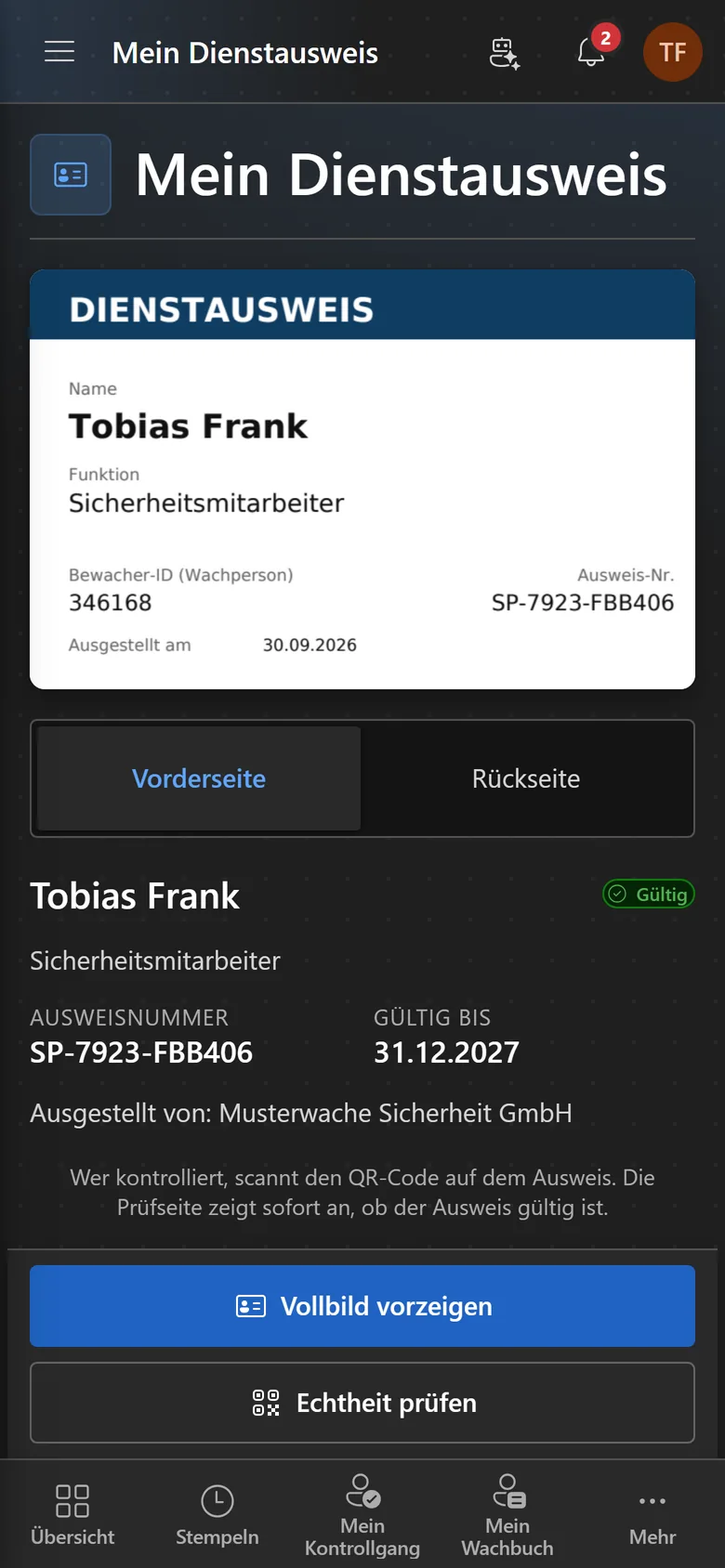
Whoever is on site doesn't need a desk: shifts, clocking in, guard tours, the logbook and the ID card live in the Securo Hub app – with the same login as in the browser.

  • Clock in with your location at the site – even without signal
  • Guard tour with NFC, dead-man and panic button
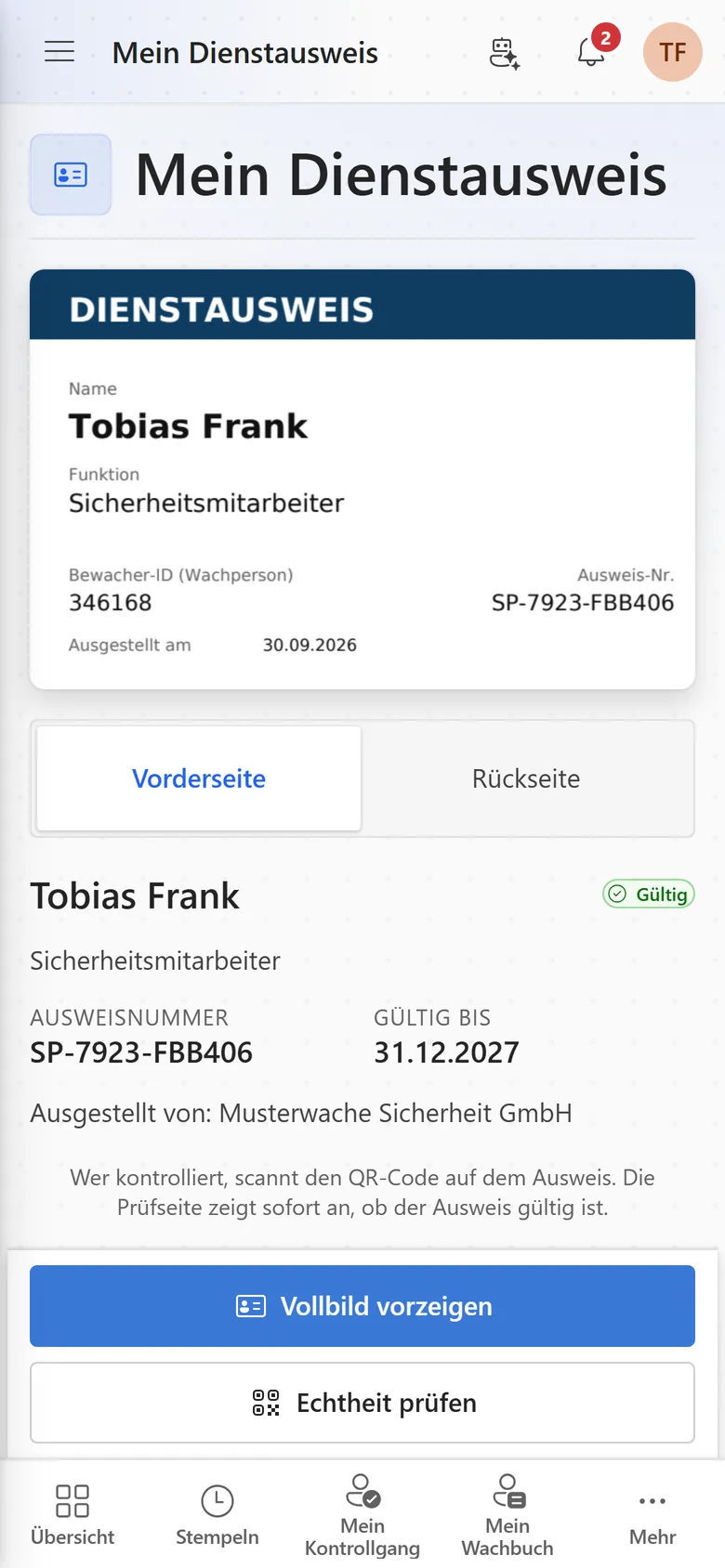
  • Digital ID card, verifiable via QR code
  • Assignment requests and notifications via push
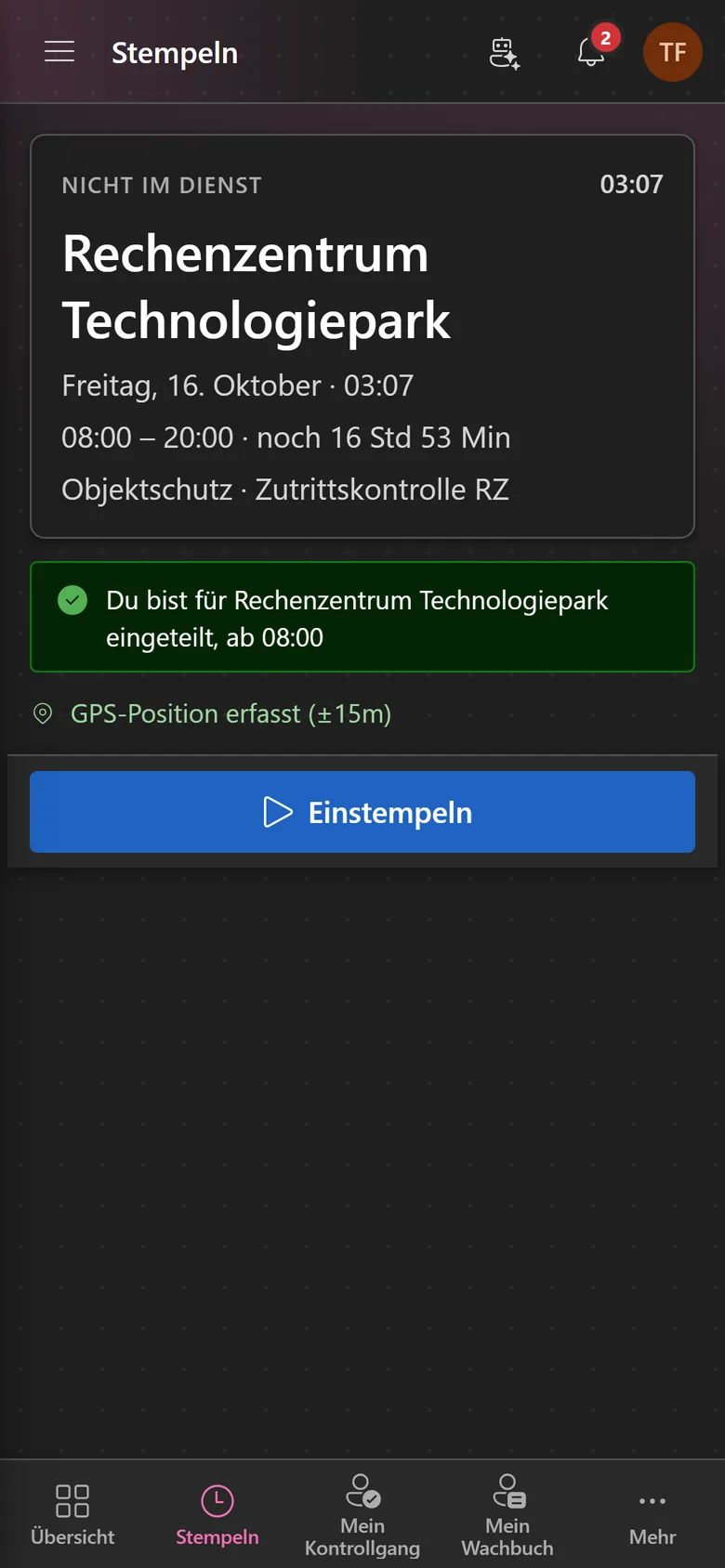
Phone view “Clock in”: card showing “Not on duty”, the data-centre site, shift time 08:00–20:00, assignment notice, GPS position and a large clock-in button.Phone view “Clock in”: card showing “Not on duty”, the data-centre site, shift time 08:00–20:00, assignment notice, GPS position and a large clock-in button.
Phone view “My ID card” with the front of the badge, status “Valid”, card number, valid until 31.12.2027 and buttons to show it full screen or verify it.Phone view “My ID card” with the front of the badge, status “Valid”, card number, valid until 31.12.2027 and buttons to show it full screen or verify it.

What customers say

Two of them came from other scheduling tools.

„Securo is made for the security industry. After working with another large provider that never delivered key features despite repeated requests, we finally found a solution tailored to our industry from A to Z. The support is excellent: requests are answered fast, competently and in full. We were especially impressed that features we asked for were built exactly to our needs within days.“
Dzenis Ramic · BSG GmbH
„Great software, clear and everything a security company needs. We've tested many scheduling tools but never found the right one — until now. We'll keep using Securo and recommend it.“
Pascal · LDS Sicherheit GmbH
„A great tool that makes the work easier.“
Andreas Stüttgen · AST-Sicherheit
5.0Customer rating
23Modules available
100%EU hosting
Product tour

Six views from a working day

No illustrations, no staged mockups — these are screens from Securo Hub. The tour advances on its own; use the list to jump straight to a stop.

Weekly schedule in the “By employee” view: one row per employee, coloured shift cards with times and sites, toolbar at the top.Weekly schedule in the “By employee” view: one row per employee, coloured shift cards with times and sites, toolbar at the top.

The week per employee with shifts, role colours and confirmations. Assign shifts by dragging or from the suggestion list and publish the plan once it is ready.

Workforce module
Worked example

What the switch saves you every month

Not a promise — a calculation you can check: task by task, in hours per month. Pick your industry and headcount.

Choose an industry
Employees

Guarding, patrol and control room – the operation the Hub was originally built for.

Building and changing the schedule

−8 h
Today12 h

Copy last month's spreadsheet, collect availability over WhatsApp, keep qualifications in your head. Every drop-out is re-entered in three places.

With Securo Hub4 h

Generate the plan from a template. Rest periods and mandatory qualifications are checked as you assign, and expiring certificates stand out in advance; swaps and availability run through the employee app.

Collecting and retyping timesheets

−5.5 h
Today7 h

Gather paper slips from every site, decipher them, retype them into a spreadsheet, chase the missing ones by phone.

With Securo Hub1.5 h

Hours are captured on the phone at clock-in and clock-out. Only exceptions reach the approval inbox – the rest is already booked.

Paper duty log: order, deliver, collect, archive

−4 h
Today4.5 h

Reorder books, drive them to the sites, bring full ones back, store them for ten years. When a client asks about an incident, someone finds the page, copies it and emails it.

With Securo Hub0.5 h

The entry is created on the phone during the shift – with timestamp, photo and location, logged tamper-evident. The client sees the entries for their site in the customer portal.

Showing the three tasks with the biggest gap. The result covers all 6 tasks in this industry.

Full calculation with all assumptions
Securo Hub

One system instead of five disconnected tools

Personnel files, scheduling, time tracking, payroll preparation, invoicing, guard register and duty log sit behind one login in Securo Hub and share the same records. Move a shift in the schedule and you do not re-enter it in time tracking.

German rules live in the product, not in a manual: rest periods and mandatory qualifications are checked as you assign a shift, breaks and maximum working hours under the ArbZG in the approvals – not when you close the month.

Modules can be booked individually – some once per organisation, others as a seat per user. If you need several, take a bundle priced per employee.

Available

HR

Personnel files, absences, qualifications, recruiting, payroll documents and social-insurance filings.

Available

Workforce

Shift planning, shift marketplace, time tracking and time accounts through to the hours statement for your client — with built-in checks under German working-time law.

Beta

Payroll

Gross wage calculation with tariffs, premiums and site rates — through to handover to your payroll office.

Available

Guard control

GPS and NFC patrols, lone-worker protection and unbroken proof of service.

Available

Guard logbook

A digital duty log: record occurrences in a tamper-evident log, still verifiable years later.

Available

Radio & dispatch

Push-to-talk over cellular, dispatch in the browser, a situation map, recorded radio traffic with AI transcripts, and SOS.

Beta

Guard register

View security staff and company data straight from the German guard register — and check third-party guard IDs.

Available

CRM

Customers, contacts, contracts, deals and pipeline — with e-mail from your Microsoft 365 mailbox and group structures.

Available

Invoicing

Quotes, invoices, dunning, e-invoicing and automated billing straight from the schedule.

Beta

Appointments

Add-on to the CRM: public appointment booking with Outlook sync and website forms — consultations, site visits, callbacks. In the Hub under “Appointments” in the CRM menu.

Beta

E-signature

Sign electronically with simple and advanced signatures — with identity verification and a public verification link.

Available

Letters

DIN 5008 business letters and mail merges — from draft to physical delivery.

Available

Quality

ISO 9001 from gap analysis through audits to the certificate — including DIN 77200.

Beta

Fleet

Vehicles, trip log, taxable benefit, dispatch, costs and deadlines.

Beta

Tasks

From a fast notepad to projects with board, sprints and timeline — with a calendar and Outlook sync.

Beta

Support

A helpdesk for email, widget, live chat and callbacks — with macros, deadlines in business hours, a knowledge base and reporting.

Beta

Automations

Recurring processes as workflows — triggered by module events, a schedule, a button or from outside.

Beta

AI assistant

Answers questions about the hub — and with Securo AI proposes shifts, master data, quotes and invoices that you confirm with one click.

Beta

Integrations

Connect external services — Stripe, Microsoft 365 and data migration from the planner.

Beta

Telephony

Microsoft Teams inside the hub: recognise callers, keep a call list — and with Securo Telefonie · Pro, take calls right in the browser.

Beta

Messages

Internal direct messages and groups with file attachments — no separate licence needed.

Available

Notifications

Shift reminders, approvals and alarms — via push, in-app and email, configurable per notification.

Beta

Forum

Industry-wide exchange between companies — with a marketplace for staff, jobs, subcontractors and equipment.

Securo Hub and Microsoft 365

Your IT consents once at Microsoft, and the Hub detects your tenant itself; your organisation decides what the connection may be used for. After that, each person connects their own account: shifts, absences and tasks appear in their own Outlook calendar, online booking checks busy times, emails to customers go out from the CRM via their own or a shared mailbox, and Teams telephony is enabled with one click. Signing in with Microsoft is a separate step that each person links themselves.

Microsoft Entra ID

Sign in with Microsoft

Outlook & Exchange

Calendars and email in the CRM

Microsoft Teams

Telephony in the Hub

Securo Hub

Calendars, email and telephony without a second set of records

Common questions

Let's talk about your operation

Bring your current schedule along. In half an hour you see it inside the Hub – and know what the switch would mean for your operation. You talk to us directly, not to a sales team.