
Invoicing
Copying hours from the schedule into invoices by hand is the most expensive step of the month. Here approved shifts become invoice drafts per location — surcharges included.
Every feature
30 features, grouped by area of work. Every one of them exists in the product.
Writing invoices
Write invoices
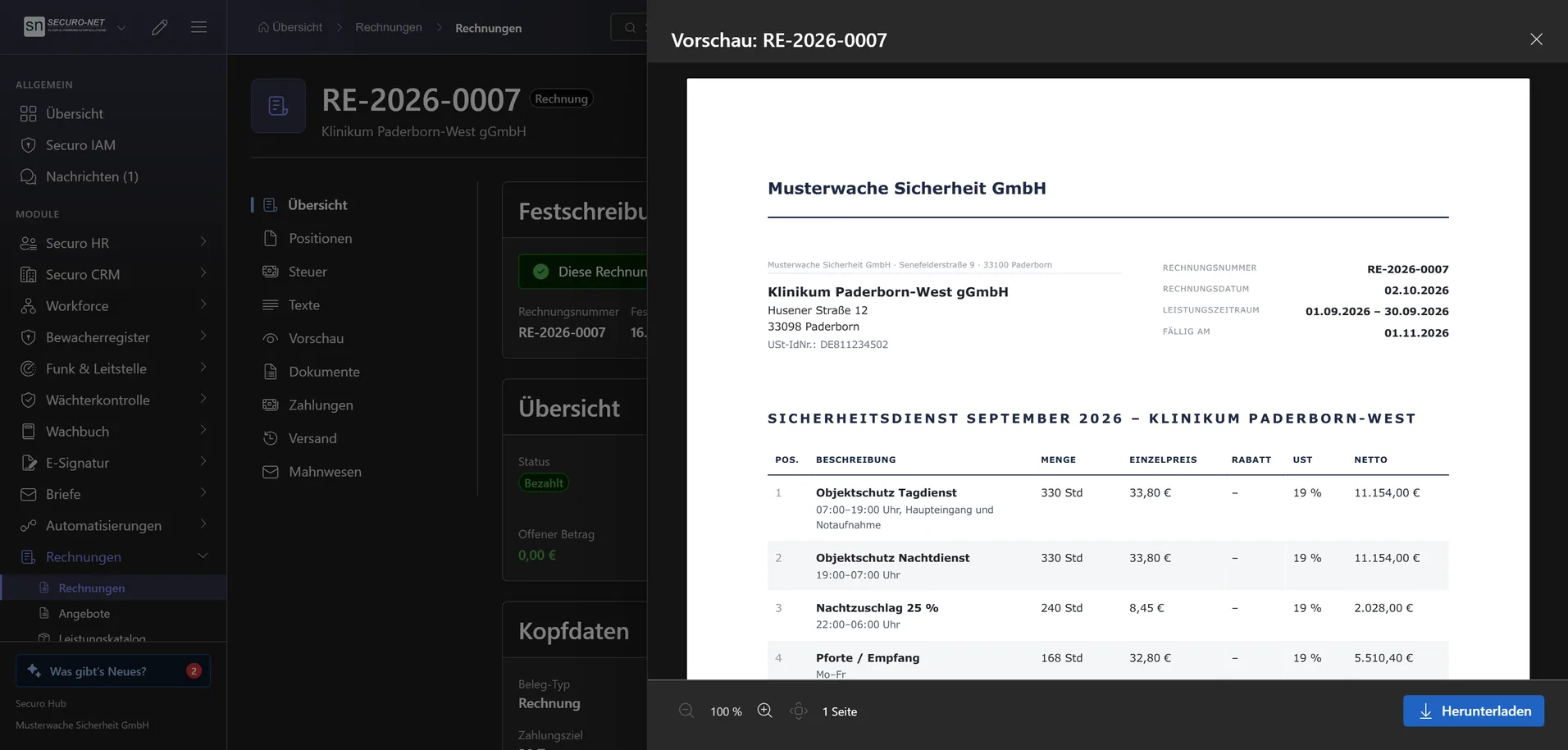
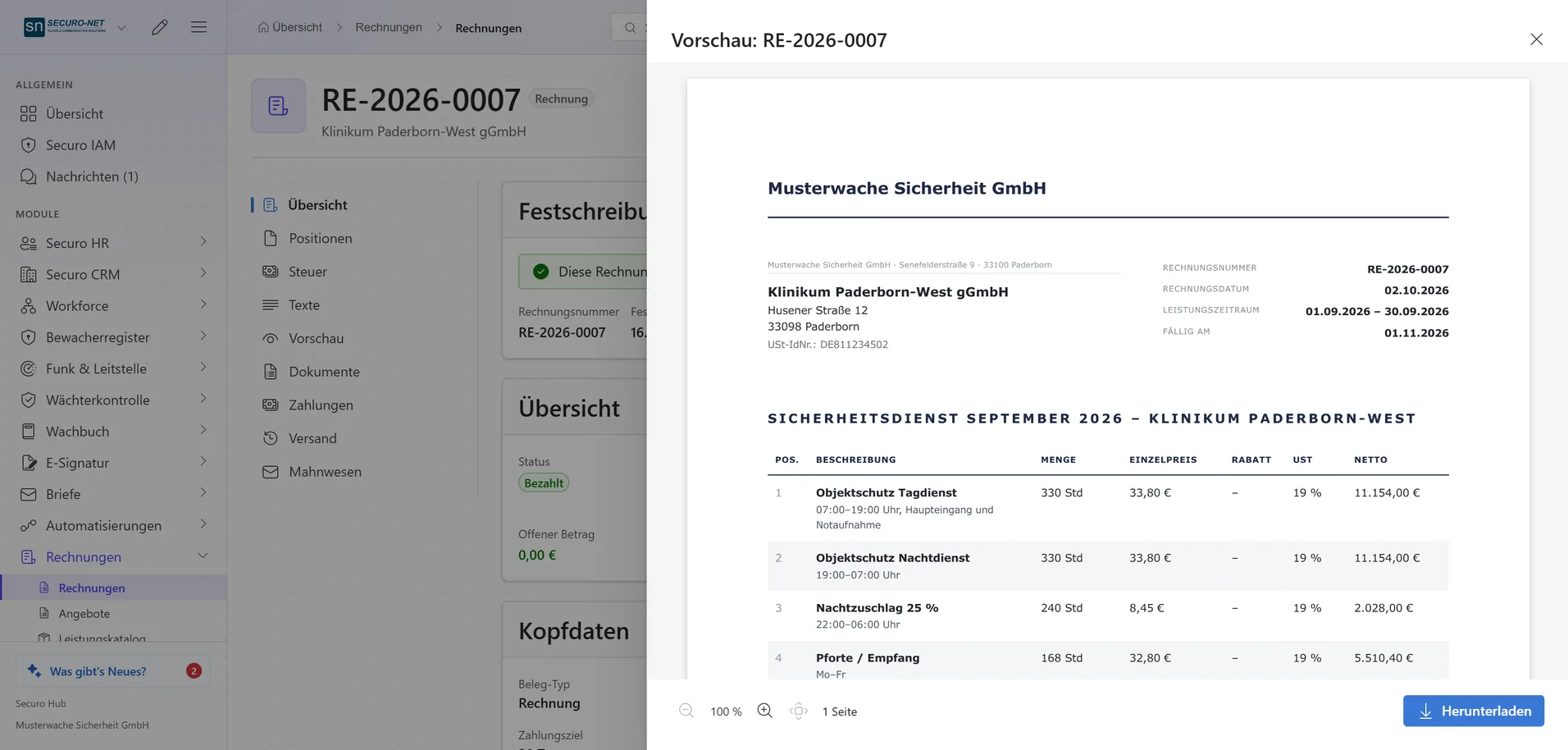
Create outgoing invoices as drafts, review and finalise them — from then on the document is immutable. Invoice date and service period are prefilled, “Previous month” sets the billing month in one click, and “Copy” turns October's invoice into November's.
Line items & tax
Items with title, description, quantity, discount and tax per document. The tax treatment — domestic, reverse charge, export or small business — is derived from the customer's country and VAT ID rather than asked for.
Service catalogue with quick entry
Store what you bill regularly once, with price, unit and tax rate. When writing, the name is enough — the entry fills in the line; “Security service 40 x 45.00” adds quantity and price in one go.
Advance and final invoices
Bill advances before the work and deduct them in the final invoice with a tick. The document shows “Less advances” and the amount due; a final invoice fully covered by advances never becomes overdue.
Texts per document with preview
Subject, introduction, closing text and payment note per invoice or quote: “Standard” from the document design, “Own text” or “None”. The “Preview” tab shows the PDF right in the Hub.
Quotes
Quotes
Create and finalise quotes: the quote gets its number and the PDF goes to the archive — nothing is sent, you pass it on yourself. “Revise” reopens it under the same number, “Withdraw” takes it back.
From quote to invoice
Record the acceptance and convert the quote into an invoice draft — automatically on acceptance if you like. The history keeps every finalised version together with its PDF.
Optional lines
Mark add-on services as “Optional”: they appear on the quote but are shown separately and not counted in the total. When converting to an invoice you decide whether they come along.
Patrol-shift calculator
“Calculate proposal” works out the planned hours per location and role from the schedule and fills in ready quote lines at the customer's sales rate — night or holiday surcharges as lines of their own. With Securo Invoice Pro.
Quote defaults
Validity period, number prefix, automatic conversion into an invoice and expiry behaviour for all new quotes.
Sending, payment & dunning
Sending by email
Send the invoice as PDF, XRechnung or ZUGFeRD — the customer's e-invoice format is preselected. If mandatory e-invoice details are missing, the Hub says so beforehand; “Send PDF only” helps in a pinch.
Finalise & send in bulk
Tick up to 200 drafts and bill them with “Finalise & send”. It runs on in the background; failures are listed with their reason, and no invoice goes out twice.
Record payments
Book incoming payments with amount, date, method and reference — partial ones too. The status switches to “Partially paid” or “Paid” by itself; a wrong entry is corrected with “Counter-book” without erasing the trail.
Online payment via Stripe
With a connected Stripe account customers pay open invoices by card or SEPA direct debit — in the Hub or via a payment link without login. Incoming payments are matched to the document automatically.
Early payment discount & GiroCode
An early payment discount with percentage and period per invoice or as a default for all; the document shows the date and deduction. With a valid IBAN the invoice carries a GiroCode for the bank transfer.
Dunning
After the payment term, three reminder levels as PDF — with fee, late payment interest and your own texts per level — sent to the customer by email. Only what is truly outstanding is chased. With Securo Invoice Pro.
Cancellation & credit note
Finalised invoices are cancelled or corrected with a credit note — both refer to the original. A partial credit note reduces the outstanding amount; the rest stays due.
Automated billing
Billing from the schedule
Approved shifts become invoice drafts per location, one customer at a time — each shift at the sales rate of its day. A service list without employee names can be attached. With Securo Invoice Pro.
Actual, planned or guaranteed hours
Per location you choose what gets billed: the hours clocked, the hours planned — or the higher of the two. With a guarantee the difference appears automatically as its own line; planned and guaranteed need a sales rate.
Surcharges in billing
If the sales rate carries surcharges for night, Saturday, Sunday or public holidays, each location and type gets its own line — such as “Nachtzuschlag 25 %” with the surcharge hours from the schedule.
Special prices & flat rates
Special rates, discounts and flat fees per customer or location — travel, special deployments, materials.
Recurring invoices
Monthly, quarterly, yearly or on your own rhythm the invoice is created by itself — with “Create as draft only” for review, otherwise finalised straight away. With Securo Invoice Pro.
E-invoicing & accounting
ZUGFeRD & XRechnung
Invoices in the EN 16931 e-invoicing format — machine-readable for the recipient, readable for humans. “Validate e-invoice” lists every error one by one before the document goes out.
Reports for your tax adviser
VAT report per tax rate and a DATEV posting batch for SKR03 or SKR04 — what your accounting actually asks for.
Number ranges & tax rates
A separate sequential number range per document type — gapless, the way a tax audit expects it. The number is only assigned on finalising.
Outstanding items at a glance
The start page shows outstanding and overdue invoices with the open amount, plus the drafts — one click opens the matching filtered list.
Document design & defaults
Document design
Eight layouts, twelve typefaces, colours, logo and touches such as a colour band or a watermark on drafts — one design for invoice, quote, credit note, cancellation and reminder, with a preview before saving.
Custom footer
Up to four columns with placeholders for bank details, tax and register data — on every page in the same spot, with “Page 1 of 2” if you like.
Multiple brands
Subsidiaries or brands under one legal roof — each design with its own logo and colours, chosen per document. New designs start as a copy of the default design.
Issuer & defaults
Your company as the invoice issuer with a validated IBAN, plus payment term, invoice language, e-invoice format and small-business rule as defaults for new documents — set up once.
More views from Invoicing
Screens from day-to-day operation — demo data, but no retouching afterwards.
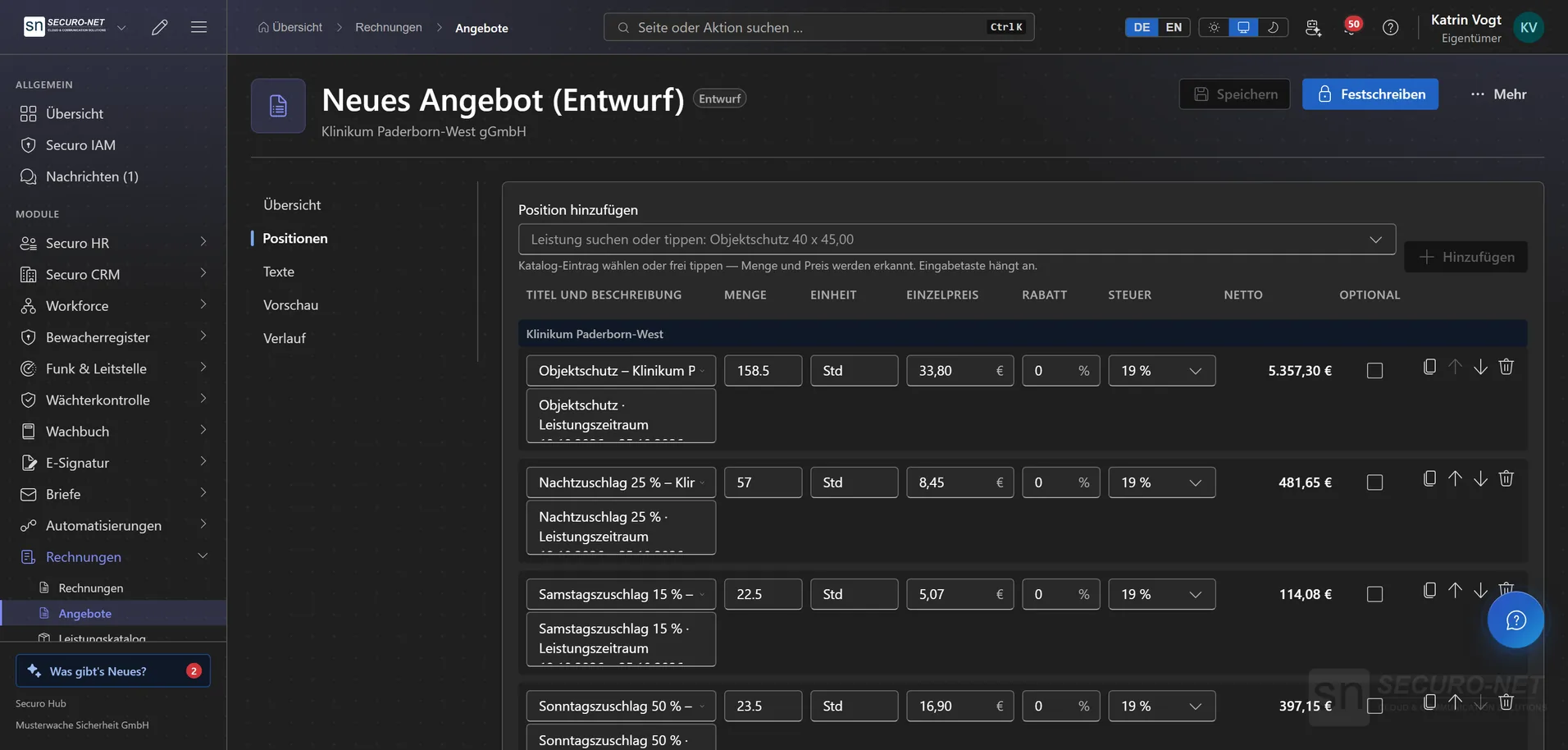
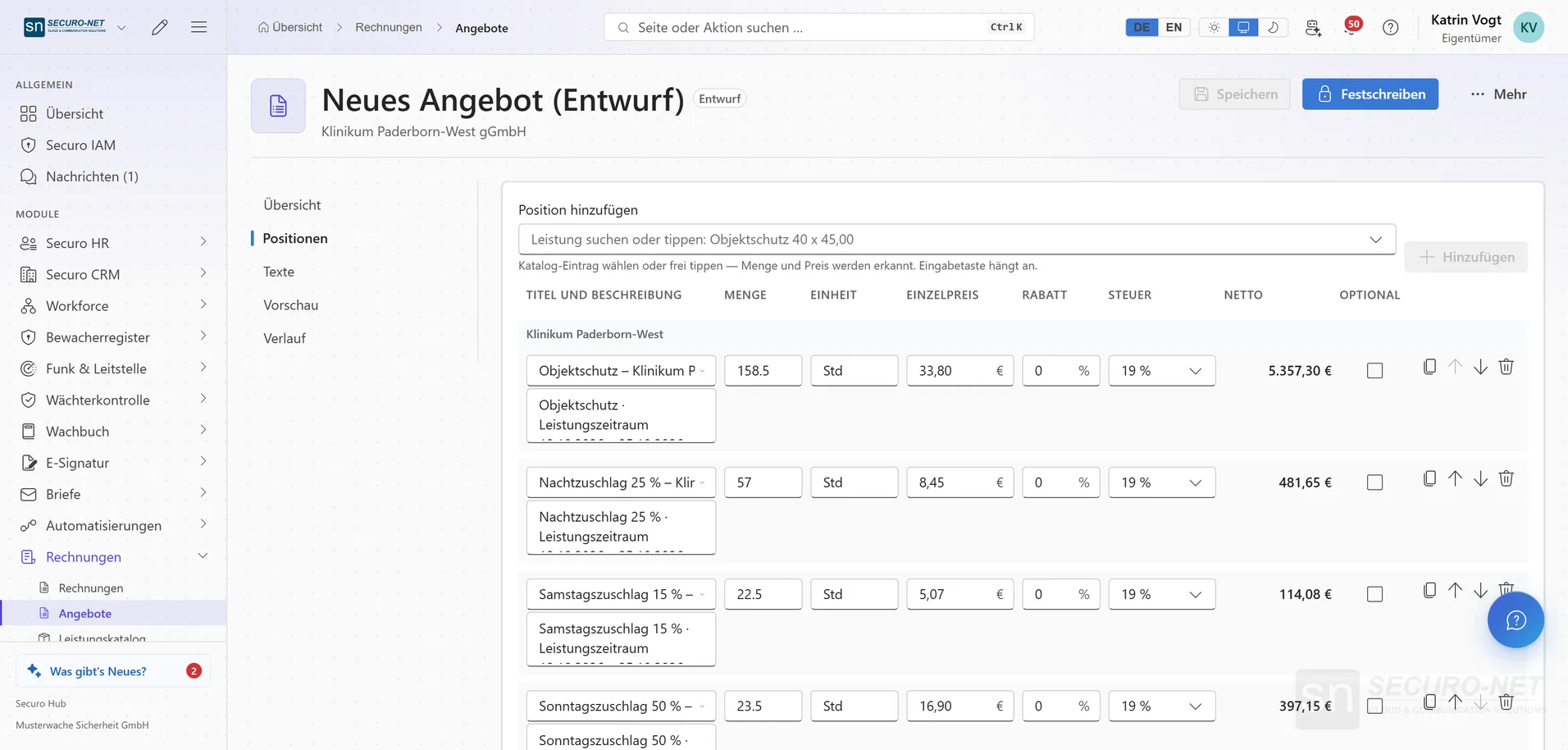
Quote with patrol-shift calculator
The line items come from the schedule: planned hours per location and role at the customer's sales rate, night, Saturday and Sunday surcharges as lines of their own.
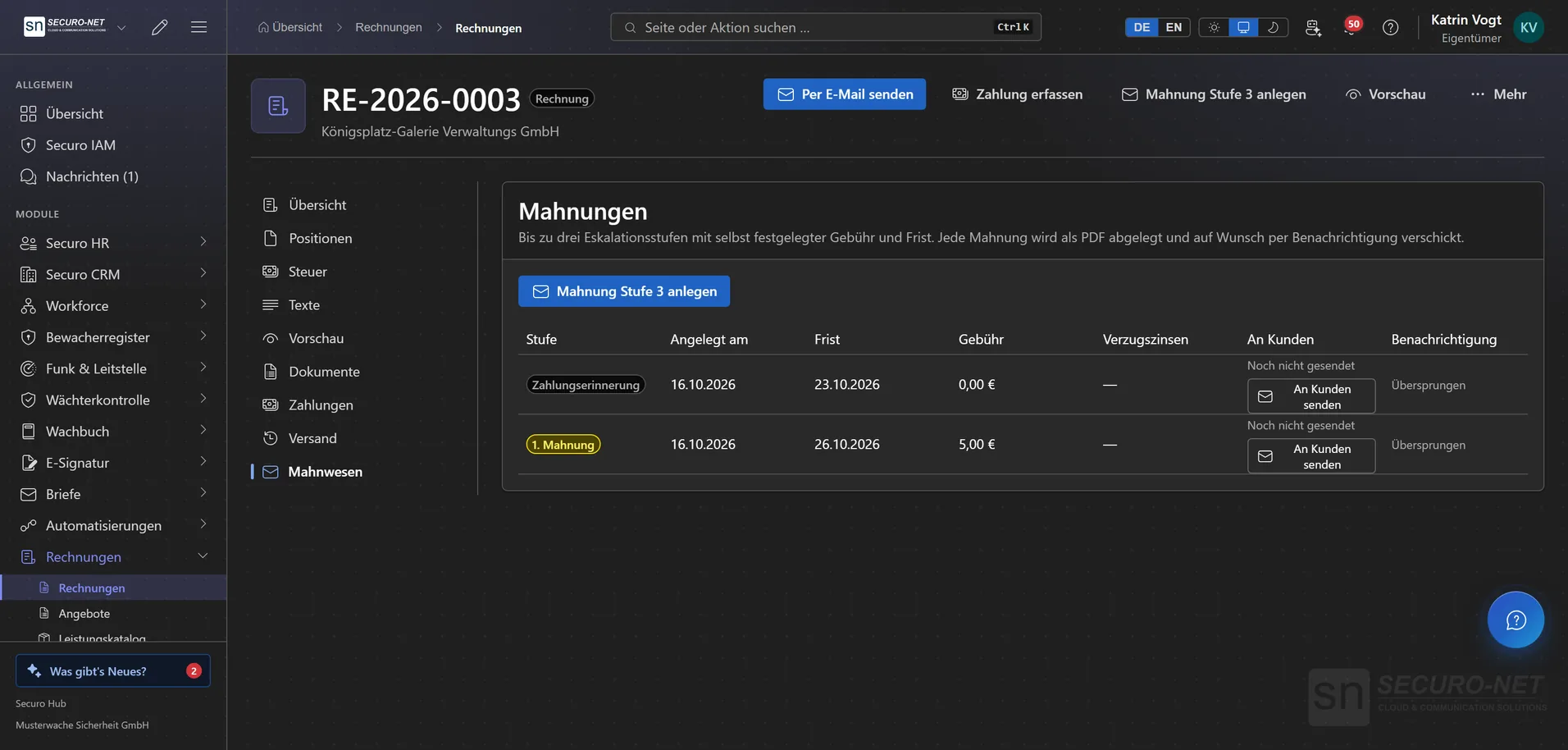
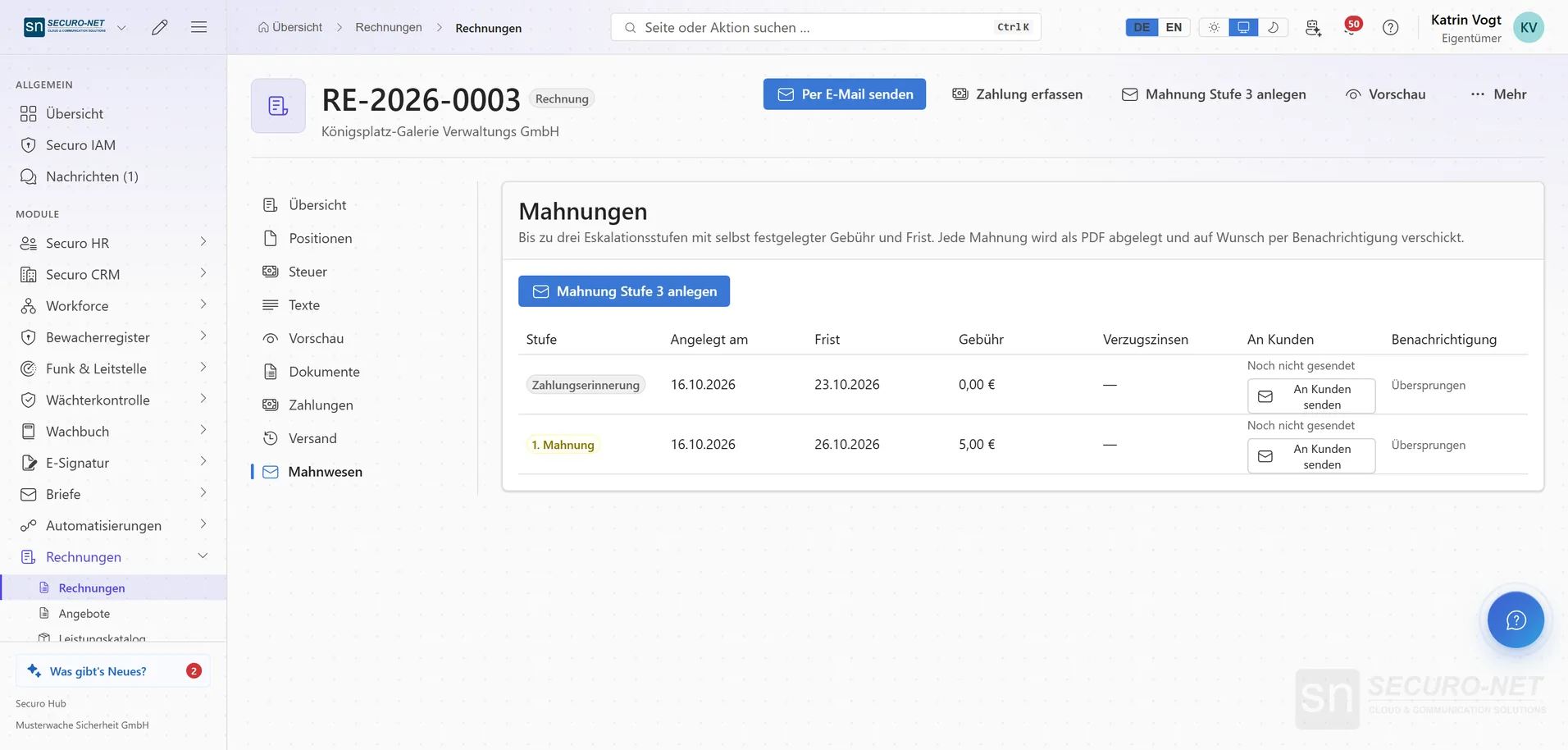
Dunning
Payment reminder and dunning letter as PDF with deadline and fee — the next level is created with one click.
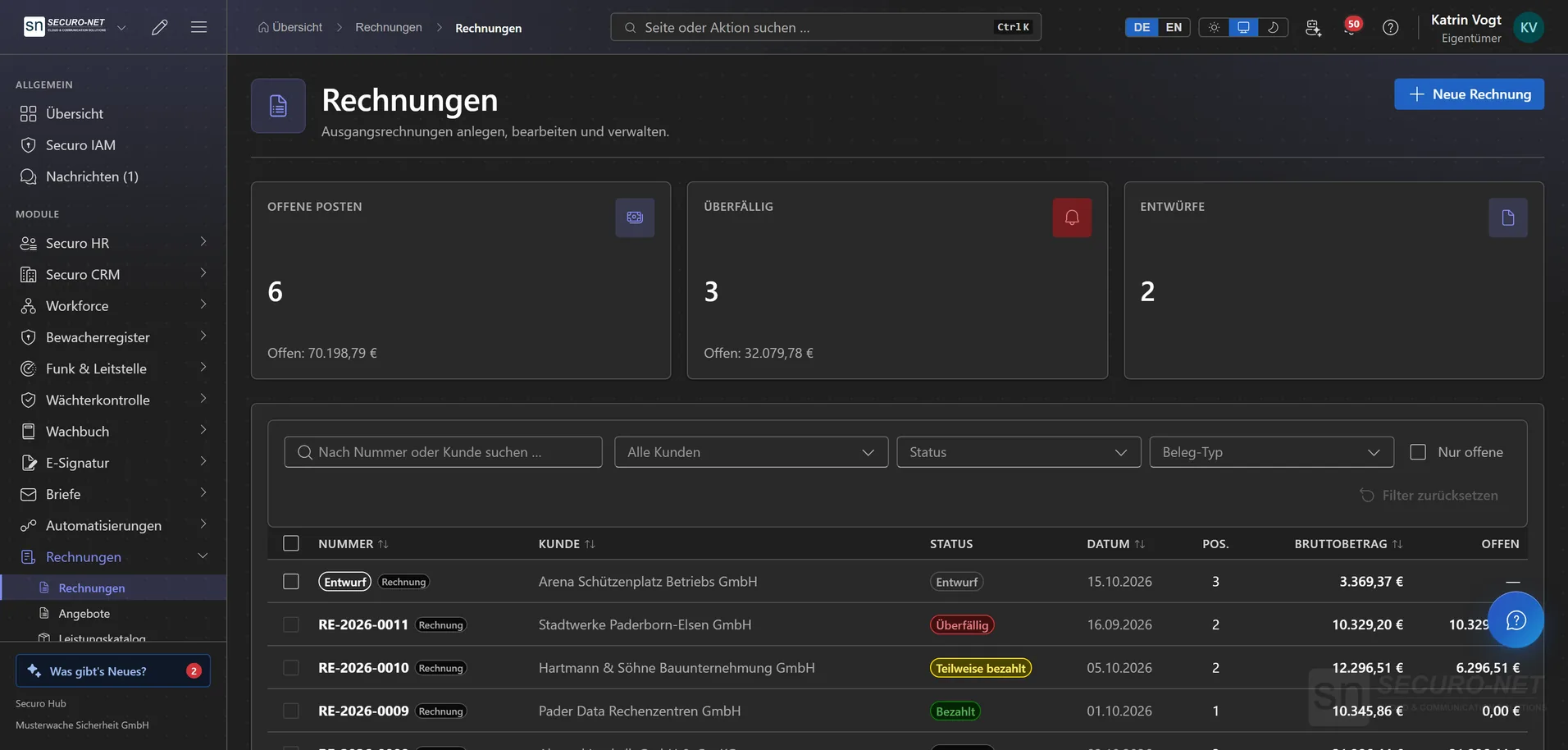
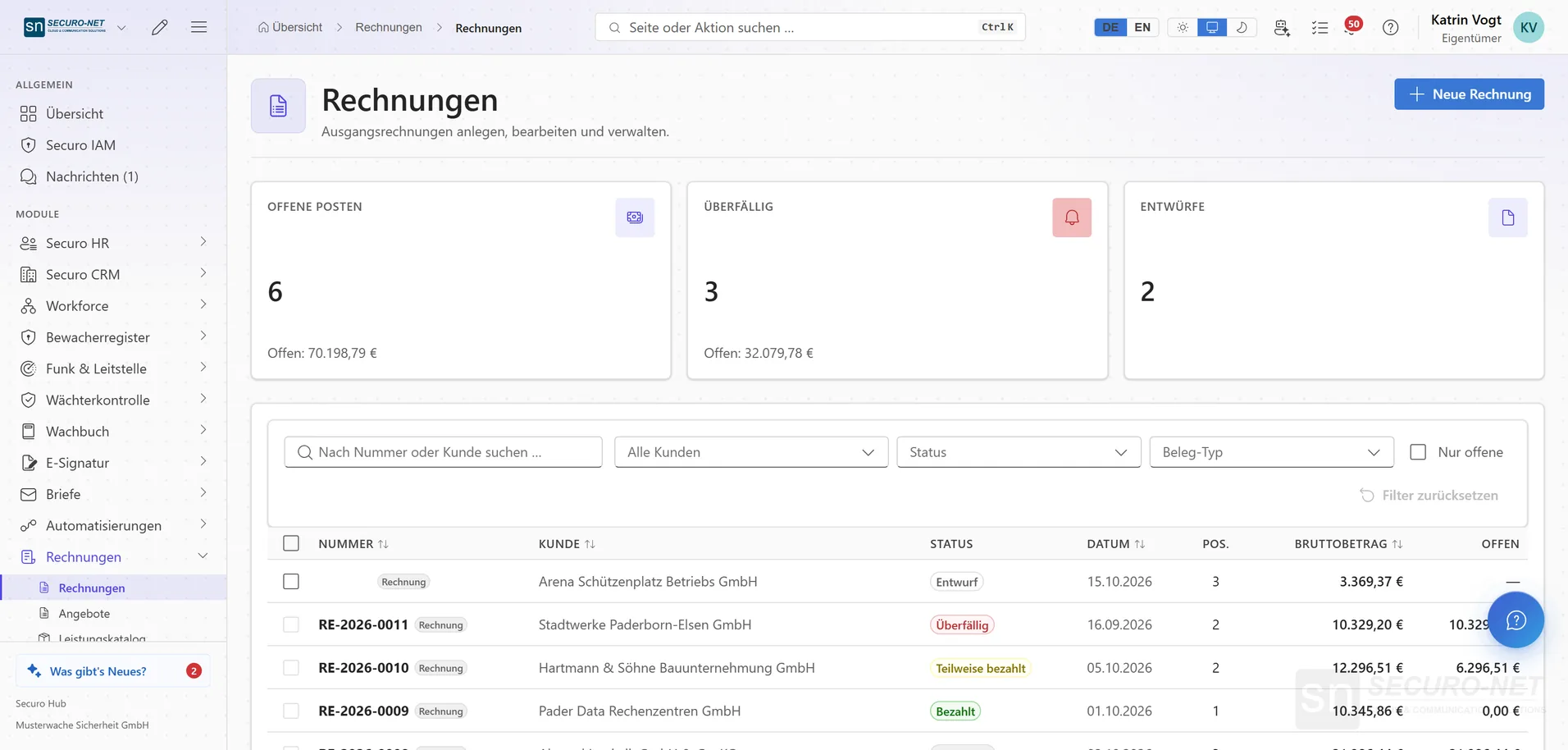
Invoices and outstanding items
Outstanding, overdue and draft invoices as tiles at the top, the list with status, date and open amount below.
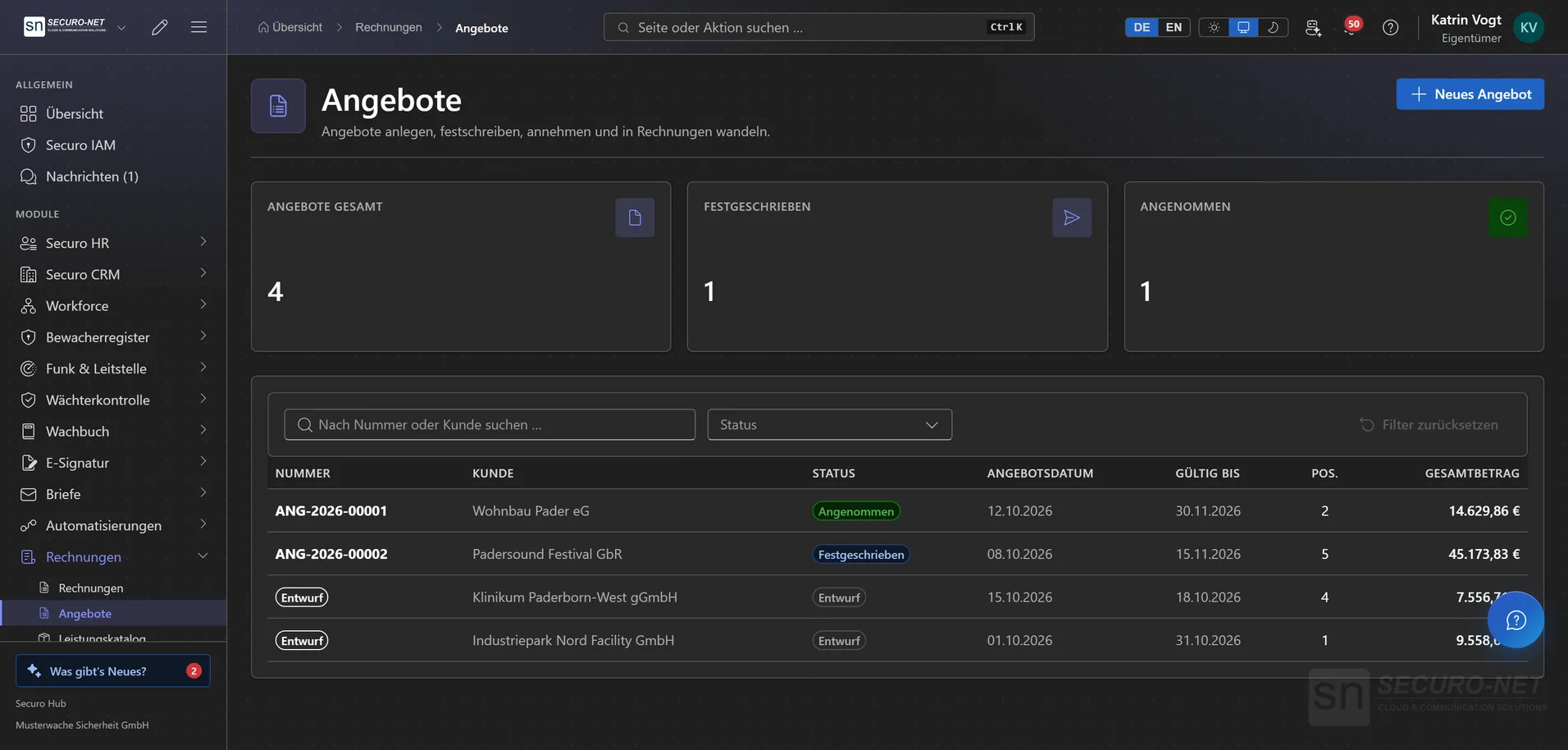
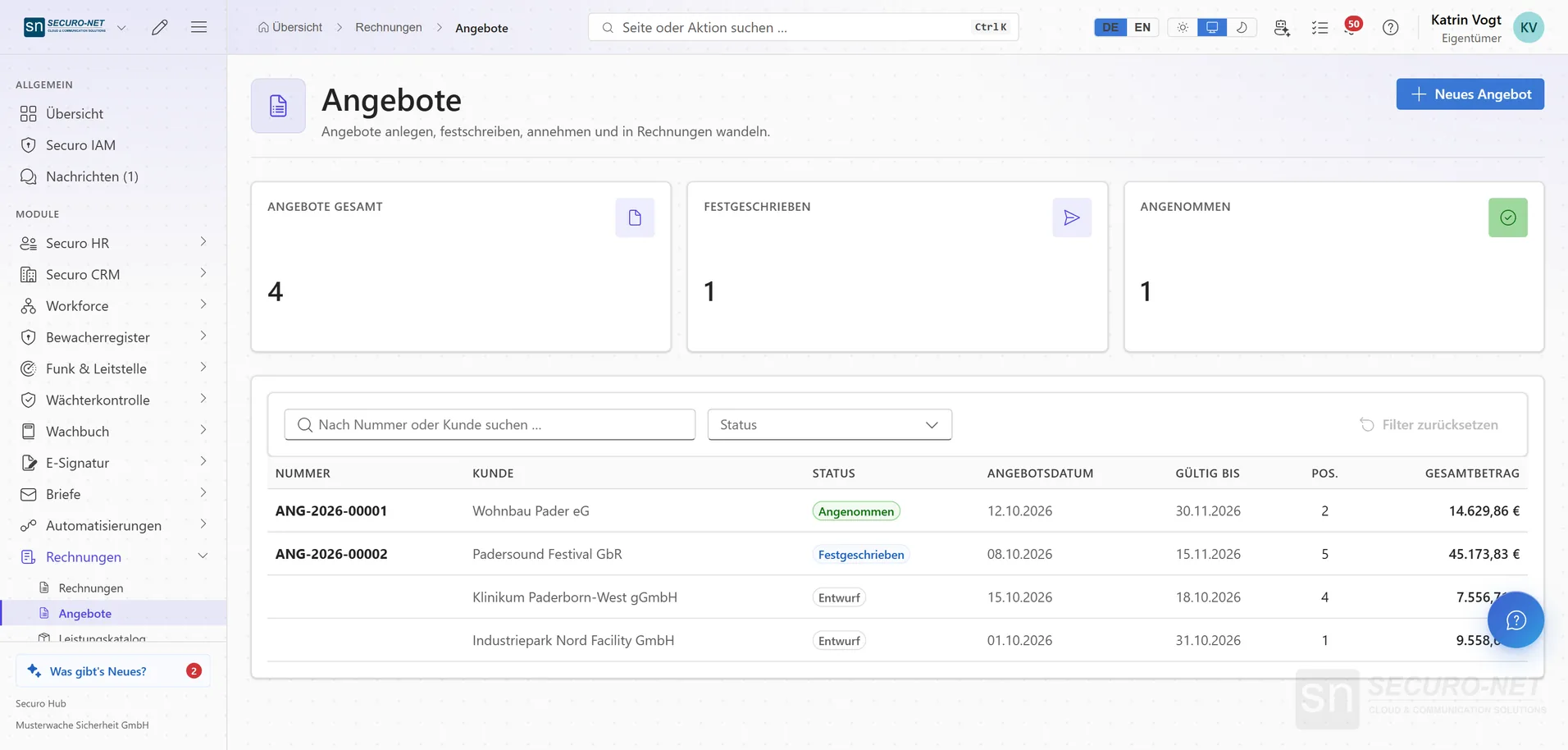
Quotes
Every quote with its status — draft, finalised, accepted — plus validity and total.
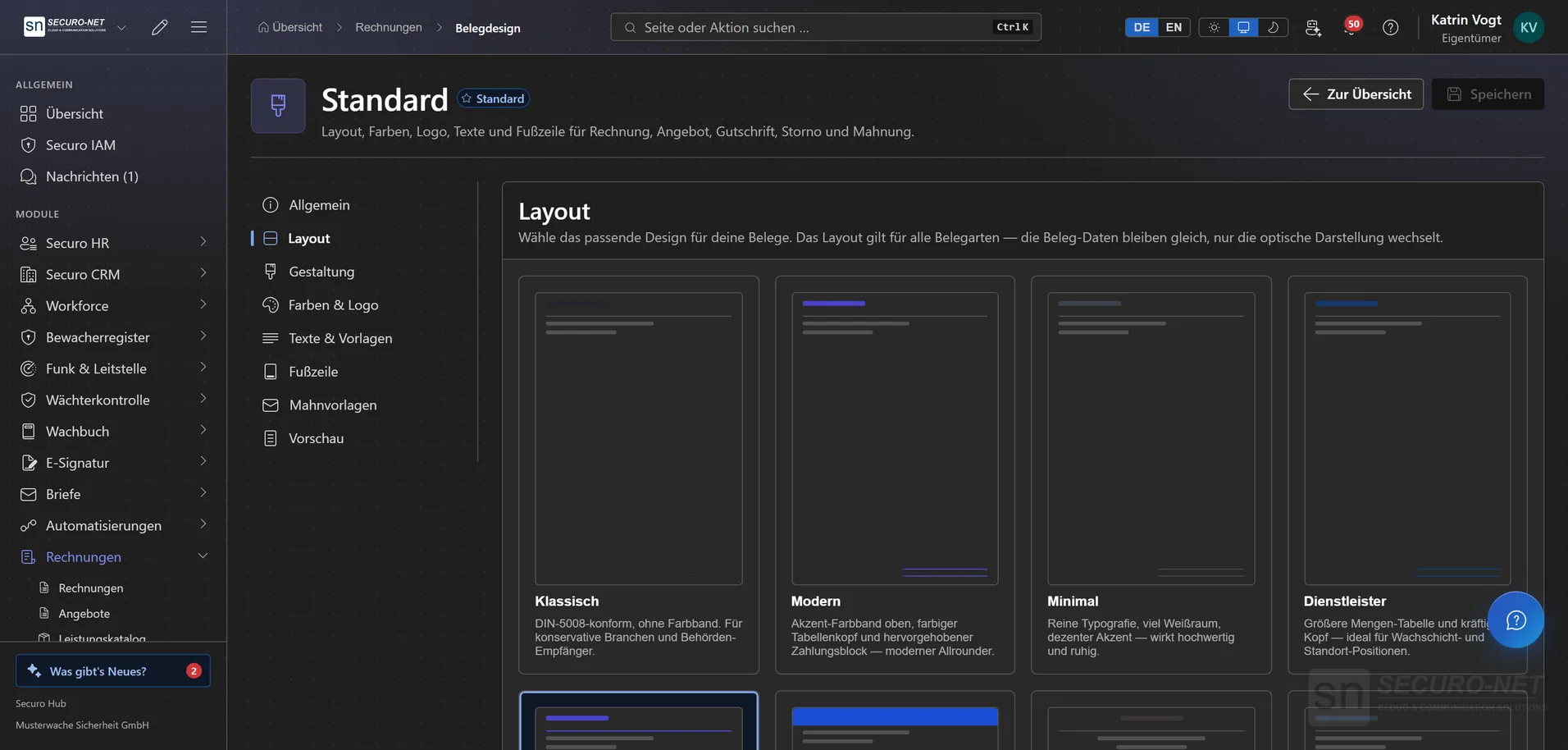
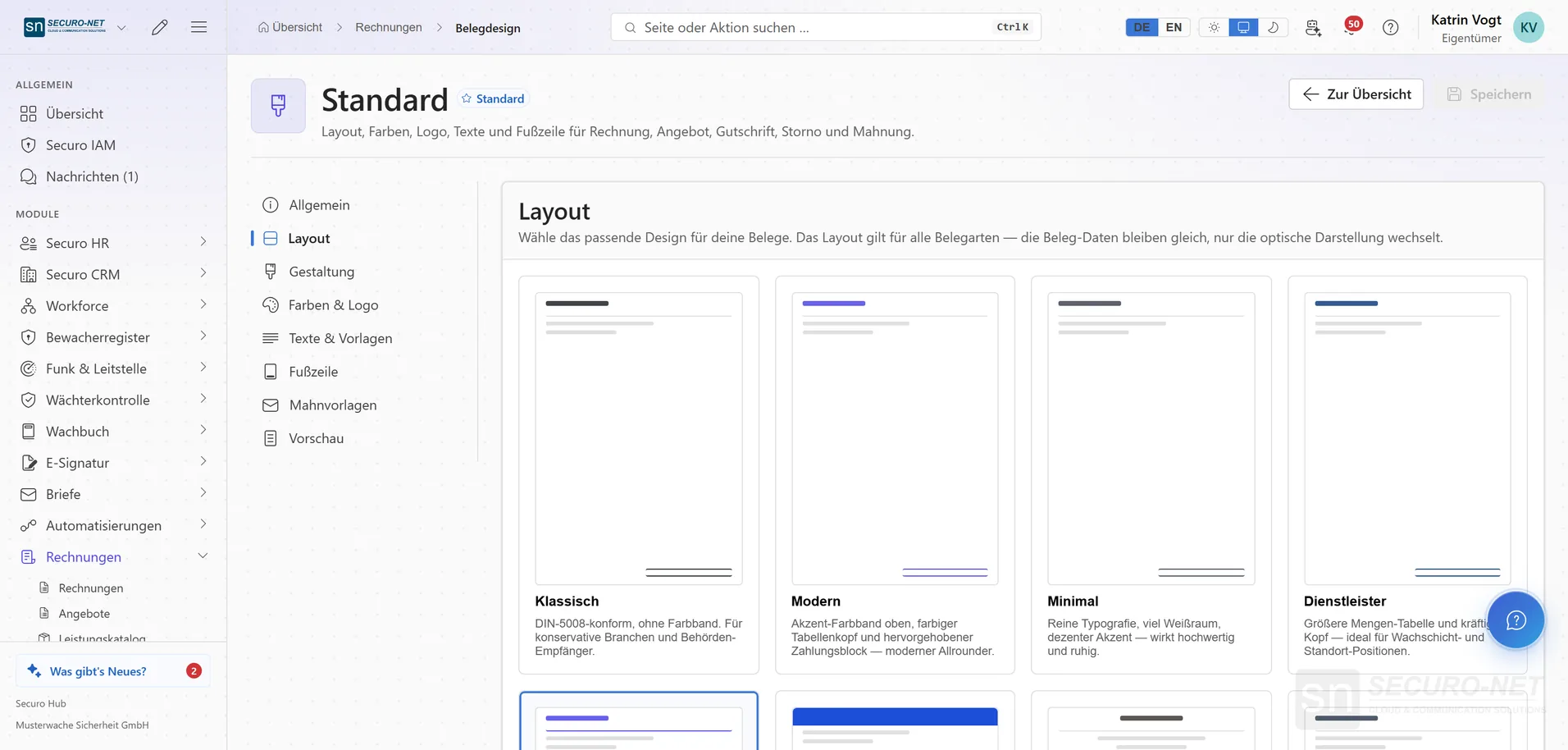
Document design
Choose one layout for invoice, quote, credit note, cancellation and reminder — from classic to service provider, plus colours, logo and footer.
Works well with
These modules share the same data — together they remove the double data entry.
CRM
Customers, contacts, contracts, deals and pipeline — with e-mail from your Microsoft 365 mailbox and group structures.
Appointments
Add-on to the CRM: public appointment booking with Outlook sync and website forms — consultations, site visits, callbacks. In the Hub under “Appointments” in the CRM menu.
HR
Personnel files, absences, qualifications, recruiting, payroll documents and social-insurance filings.
Part of Securo Hub
This module is part of the Securo Hub platform — one login, shared data, one design. Use it standalone or together with others.