
Securo Funk
Your own radio network.No masts, no frequencies.
Radios that talk over mobile networks and Wi-Fi – with talk groups, priority emergency calls, location and a dispatch console in the browser. Nationwide, as far as the network reaches. No repeaters, no frequency application, no programming cable.
Ready to talk in three steps
- 1Register radios by IMEI
- 2Open enrolment – the radios fetch their access
- 3Push groups and profiles over the air
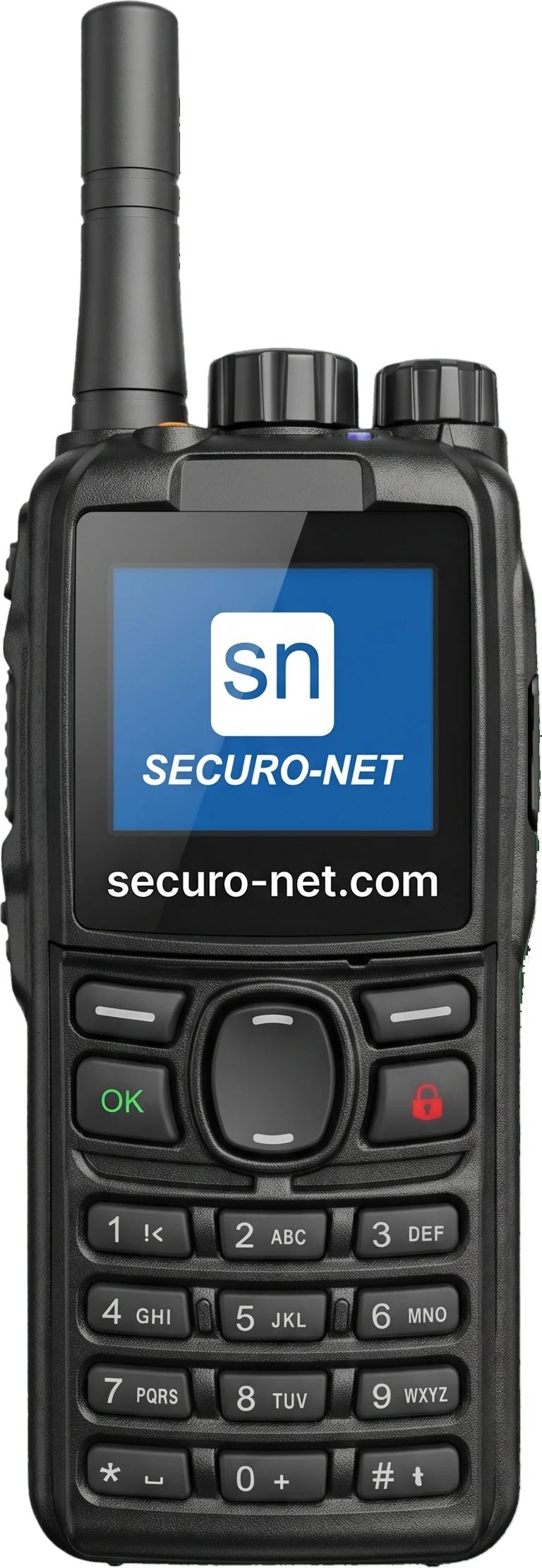
More than radio
69 features – from the radio in your hand to the dispatch console in the browser. Everything your radio has to do, and plenty radio never could.
- Group call with push-to-talkPress, speak, release – the whole group hears you.
- Ready instantlyThe talk key works even with the screen off.
- Channels on the rotary knobTalk groups as channels, sorted into folders if you like.
- Monitor a second groupKeep another group in your ear without switching.
- Private callCall one person – from the member list or by speed dial.
- Members with presenceSee at a glance who is reachable right now.
- Emergency call with priorityThe microphone opens automatically and overrides whoever is talking.
- Emergency acknowledgement on the radioThe guard sees that dispatch has the emergency.
- Status by number key“On patrol” with one key press – shown until acknowledged.
- Tasks with confirmationIf the radio was offline, the task is redelivered for up to 24 h.
- Replay the last messageWith a side key, straight from the radio's memory.
- Two-level noise filterA learning filter on the radio itself – strong against music and noise.
- Automatic level controlQuiet voices come through louder, pauses stay calm.
- Talk-time limitNo channel stays blocked because someone holds the key.
- Starts by itselfReady to talk again after restart, battery change and update.
- Radio app as home screenNothing to distract, nothing to close by accident.
- Battery warningWarning tone at 15 % and 5 % – before it goes quiet on duty.
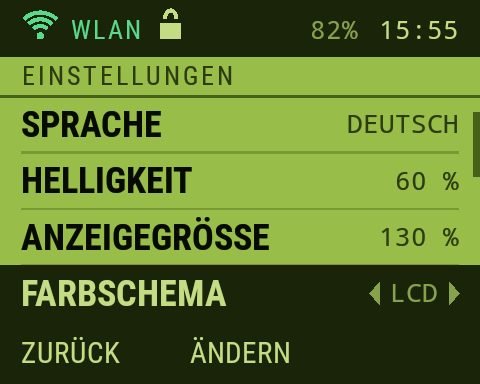
- Clear displayGroup, status and network at a glance; standard or LCD colours, German and English.
- Dispatch in the browserChrome or Edge is enough – no installation, no desk radio.
- Live radio trafficWho is talking in which group – with filter and CSV export.
- Listen and talkTalk into any group with the space bar, monitor any group.
- Broadcast to several groupsOne announcement, all areas at once.
- Emergencies with alarm toneAcknowledge and close in two separate steps.
- Map with trailPositions and routes travelled by every radio.
- Private calls in and outTalk directly to a radio – and be called by it.
- Send tasksTo one radio, with mandatory confirmation if you want.
- Highlight key statusesSelected status messages stand out in dispatch.
- Remote maintenanceMake a radio ring to find it, or mute it.
- Own windowMove dispatch to a second screen.
- Keyboard shortcutsTalk with the space bar, common actions from the keyboard.
- Seat bound to the personThe dispatch seat is protected by a key in the browser.
- Radios by IMEIThe number from the delivery note is enough – boxes can stay closed.
- Self-enrolmentA 30-minute window – switched-on radios fetch their access.
- Bulk actionsChange many radios at once – with a preview before running.
- Device profilesSettings for groups of radios such as “Site security” or “Gatehouse”.
- Locked settingsFix volume, tones and noise filter – nobody changes them.
- Central Wi-FiRadios connect by themselves – no password typing on the radio.
- Your own status messagesUp to 99 statuses, named the way your team talks.
- Speed dial by profileDecide who may call whom directly.
- Private calls can be disabledFor the whole organisation or single radios.
- Updates over the airPilot radios first, then everyone – never during a transmission.
- Automatic fallbackIf an update misbehaves, the radio returns to the previous version itself.
- Permissions per areaAssign radios, groups, location and dispatch separately.
- Radio list as CSVExport your whole fleet with one click.
- One licence for everyoneFor the whole organisation, not per seat.
- Mobile and Wi-FiTalks over both – including warehouses with company Wi-Fi.
- Roaming SIM, no network lock-ino2, Telekom and Vodafone in the radio's network selection.
- Automatic or fixed networkThe radio chooses itself – or you set the network.
- Network lightMeasures the real response time to the radio network, not just bars.
- Cell listShows which cell tower a radio is on.
- Reconnects instantlyWhen the network returns, the radio is back on air right away.
- The cause, not a puzzleThe display names what's missing: SIM, network, Wi-Fi or internet.
- Speech quality per groupEconomical, normal or high – 8, 16 or 24 kbit/s.
- TLS-encryptedBetween radio, radio network and dispatch – no scanner listens in.
- Own key per radioEach radio identifies itself afresh on every connection.
- Radio certificateRadios only connect to an approved radio network.
- Blocked in secondsA lost radio is cut off immediately.
- Fail-safeIf administration goes down, the network keeps talking with the last state.
- Location in four levelsNever, only on emergency, on certain statuses, or continuously.
- Location via Wi-FiA location per network, such as “Hall 3 · ground floor” – where GPS can't reach.
- Location with its own permissionFitting for works-council consent – not everyone sees positions.
- Retention on your rulesSet your own periods for radio traffic and locations.
- Your own radio nodeIf you prefer, the radio network runs on your premises.
- Share talk groupsWith subcontractors, organisers or first-aid services.
- Permissions per shareTheir radios, their dispatch, locations to you – chosen one by one.
- End dateAfter the operation, the share ends by itself.
- Up to 64 partners per groupLarge operations, one shared channel.
- Emergencies reach everyoneAn emergency call in the group goes to every participant.
- Internals stay internalPrivate calls and remote maintenance stay within your organisation.
The radio in action
A display that shows the right thing in every situation: who is speaking, what needs doing, whether the message got through. Pick a situation – the images are real captures of the Securo Funk interface.
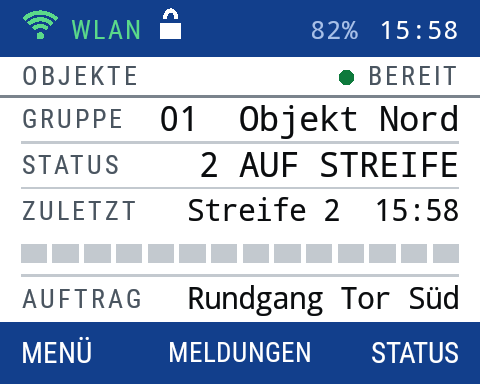
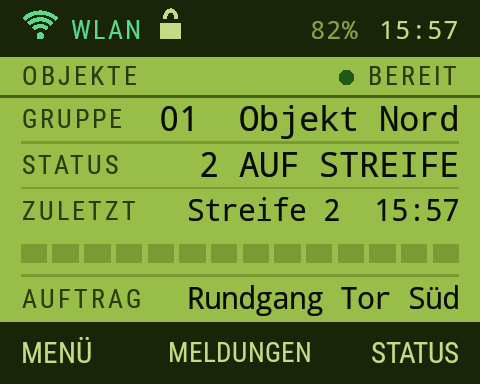
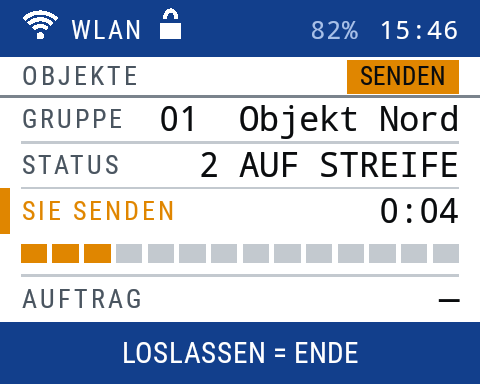
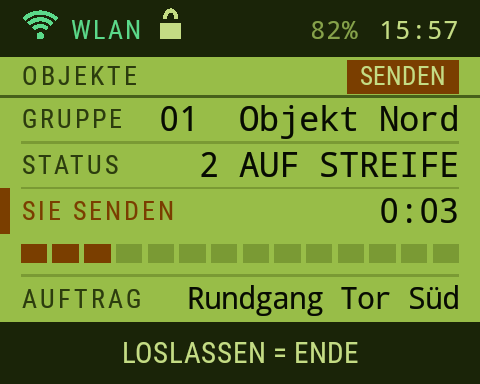
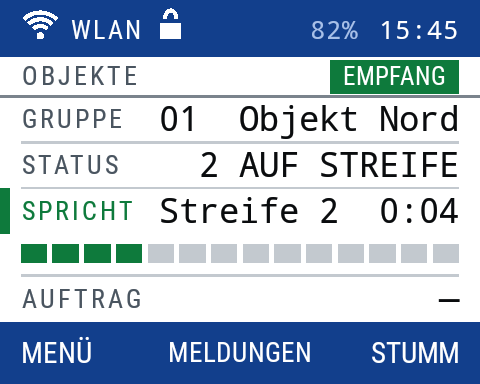
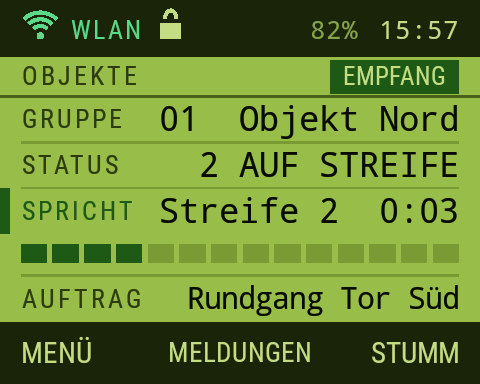
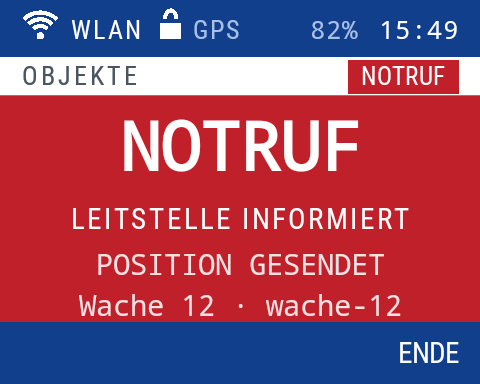
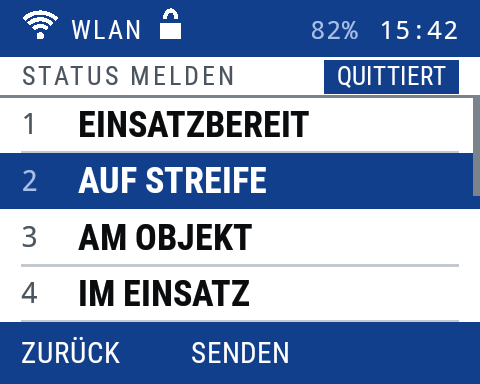
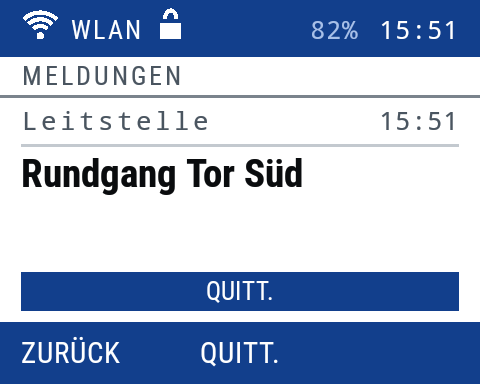
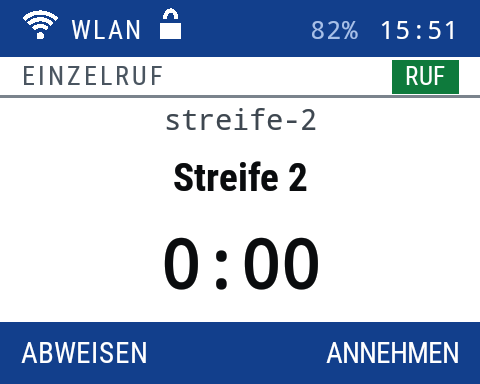
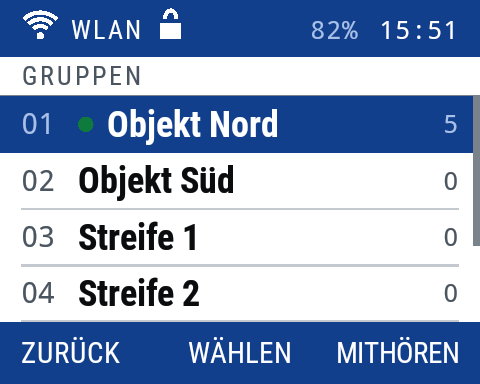
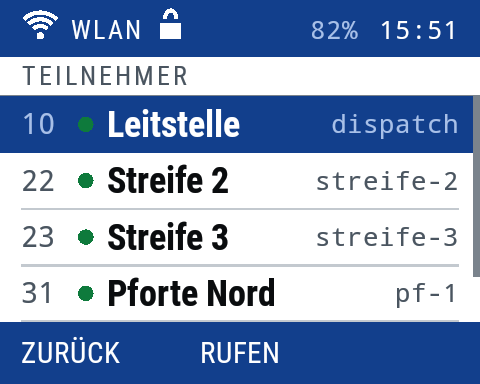
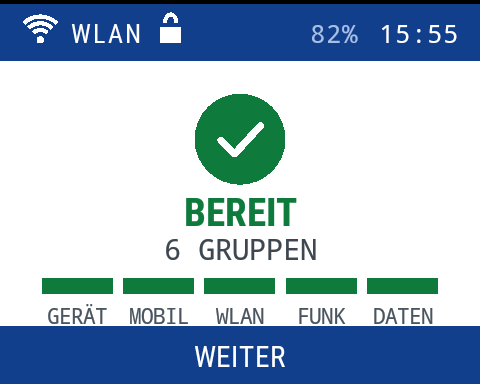
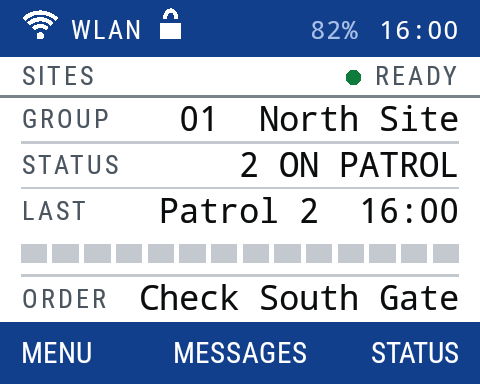
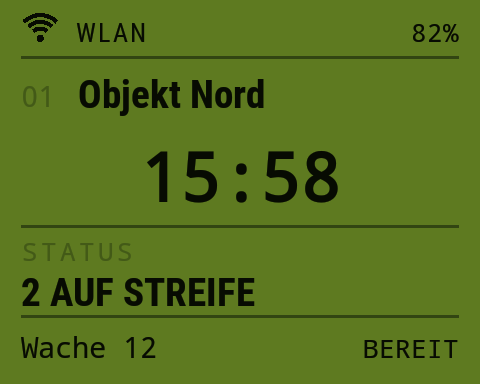
Main screen – Talk group, your status, who spoke last, the current order – plus network, battery and time.
Device AI-enhanced · Display: real captures of the appDesigned to your specification
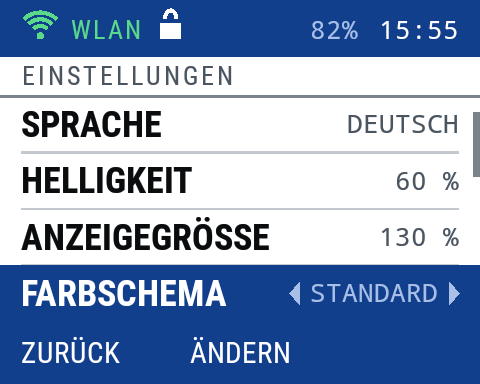
Every setting can be preset or locked centrally – it then stays the same on all radios and appears greyed out on the device.
- Standard or LCD color scheme
- German or English
- Brightness 20–100 %
- Display size 80–150 %
- Standby screen after 5 s to never
- Display off after 30 s to 30 min
- Four tone sets
- Tones and tone volume
- Volume 0–10
- Noise filter off, light, strong
- Voice processing
- Monitoring other groups
- Groups and status texts from your organization
Analogue, digital, Securo Funk
What makes the difference in a business's daily work.
| Analogue business radio | Digital business radio (e.g. DMR) | Securo Funk | |
|---|---|---|---|
| Range | Depends on power and terrain, large areas only with repeaters. | Depends on radio, terrain and your own repeater infrastructure. | As far as mobile networks or Wi-Fi reach – nationwide. |
| Infrastructure & licensing | Frequency assignment from the Federal Network Agency (PMR446 free but low power). | Frequency assignment, repeaters and their maintenance. | No frequency, no repeaters: radio, SIM, done. |
| Eavesdropping | Unencrypted – audible with any scanner. | Encryption depends on radio and equipment. | TLS-encrypted – a scanner hears nothing. |
| Who can join | Anyone with a radio on the same frequency. | Depends on programming. | Only registered radios with their own key – lost ones blocked in seconds. |
| Location & situation picture | Usually none. | GPS on many radios, situation picture only with extra software. | GPS, network and Wi-Fi, map with trail in the browser. |
| Dispatch | Desk radio at a fixed place. | Manufacturer software, usually installed. | In the browser – anywhere, no installation. |
| Setting up radios | Program every radio individually. | Programming by cable or software. | Groups, profiles, Wi-Fi and updates over the air – for all at once. |
| Talking with other companies | Same frequency – everyone hears everything. | Joint programming needed. | Share a talk group, with permissions and an end date. |
Range
Infrastructure & licensing
Eavesdropping
Who can join
Location & situation picture
Dispatch
Setting up radios
Talking with other companies
Made for everyone who works out there
Security companies
Site security, patrols and events on one network – with emergency priority and a live map.
Public order offices & municipalities
Talk city-wide without repeaters – field service, municipal works, events.
Police & authorities
Alongside BOS radio: administration, event situations and coordination with private services.
Warehousing & logistics
Warehouse Wi-Fi instead of dead spots, location per hall, groups per shift.
Events
Groups per area, partners with an end date, noise filter against stage noise.
Industry & facility
Plant security, building services and cleaning separately – broadcast to all when it counts.
Clubs & small teams
Your own radio network without a frequency application or hardware in the basement.
Your industry isn't listed?
Tell us where your people are on the move – we'll show you what your radio network looks like.
Frequently asked questions
Test the radios
Tell us how many radios you need and where your people are on the move. We quote price and delivery time – and provide test radios.