
HR
HR work without spreadsheet chaos: master data, contracts, proof and documents in one place — with a change log, GDPR anonymisation and traceable for inspectors.
Every feature
43 features, grouped by area of work. Every one of them exists in the product.
Employee records
Employee directory
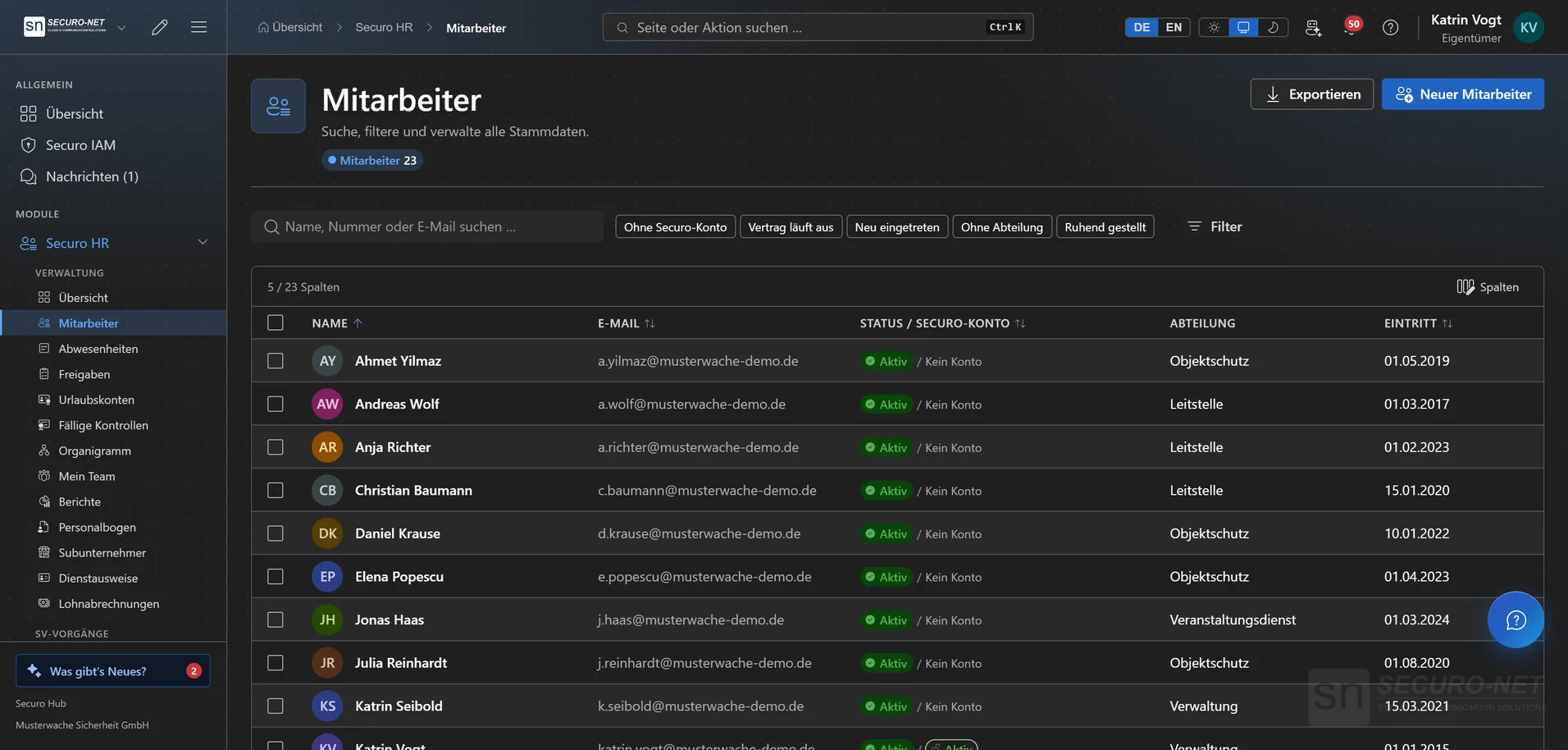
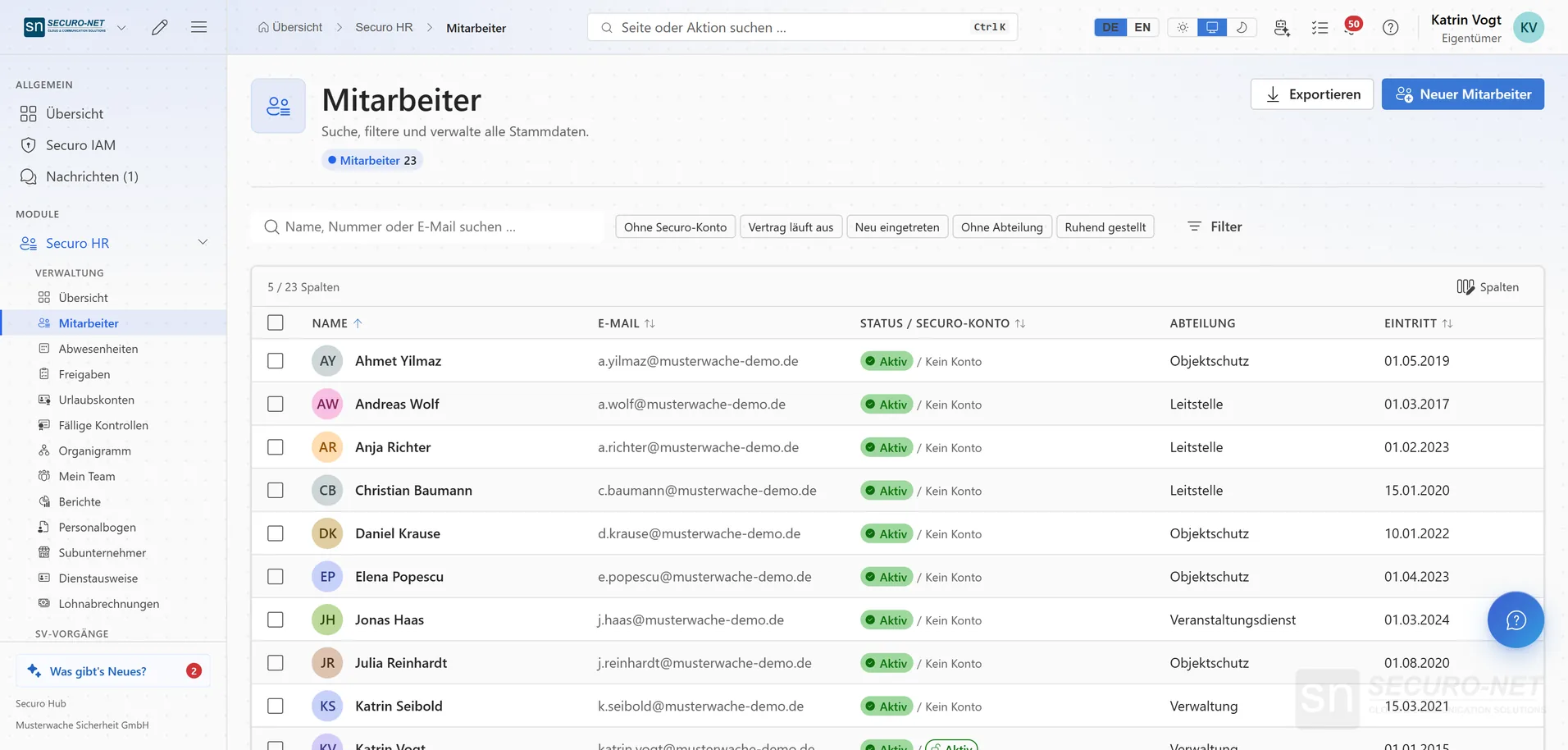
Everyone in your organisation in one list — with quick filters such as “No Securo account” or “Contract ending”. Your filters stay put, even when you open a profile in between.
Export to Excel or CSV
Exactly the filtered list as an Excel workbook or CSV, with columns — your own custom fields included — arranged by drag and drop. Every export is recorded in the change log; bank details, tax ID and social-security number are never offered.
Bulk actions
Create Securo accounts, reset passwords, set department or cost centre, put people on hold or end employment — for many at once. You see beforehand how many will really be processed; then it runs with a progress bar.
Digital personnel file
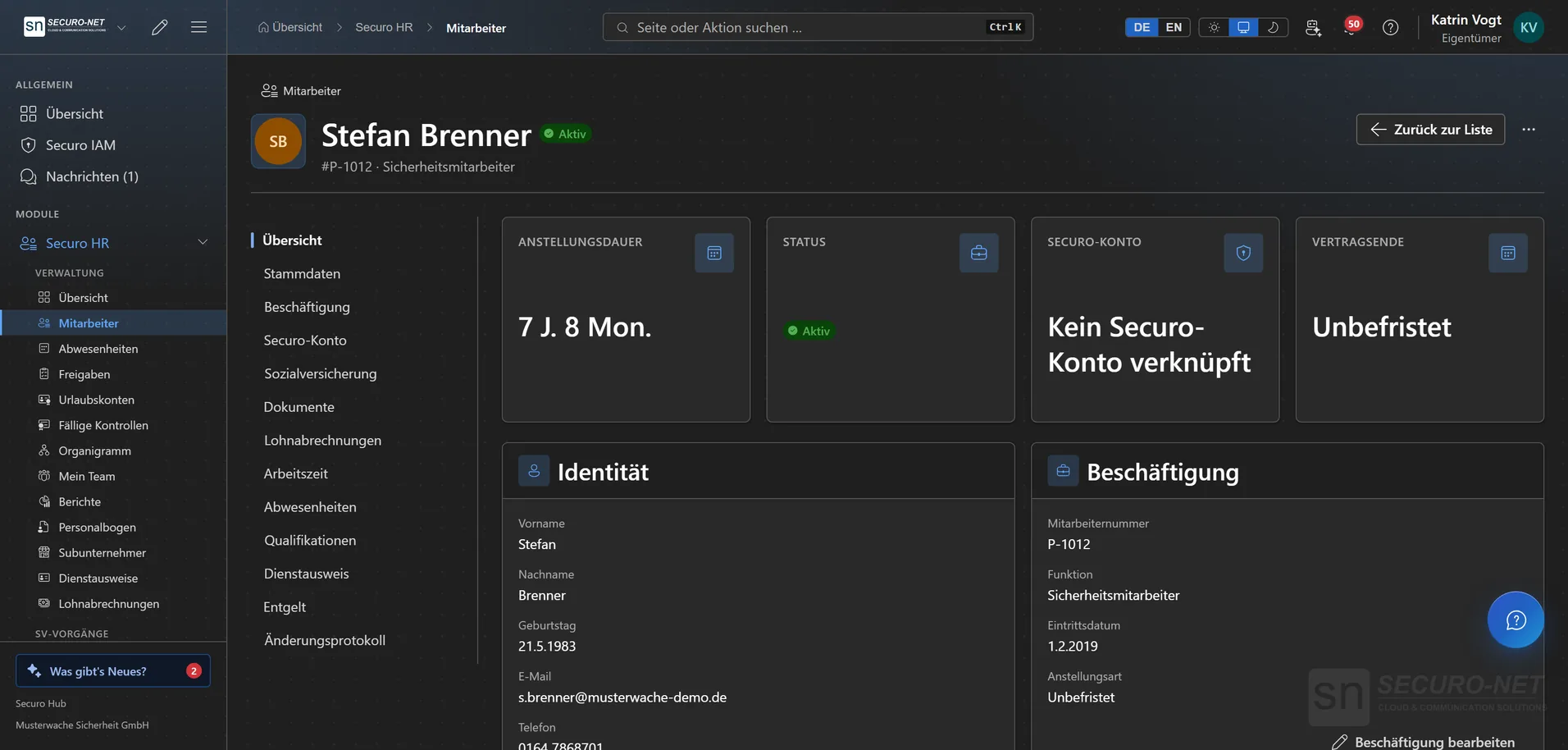
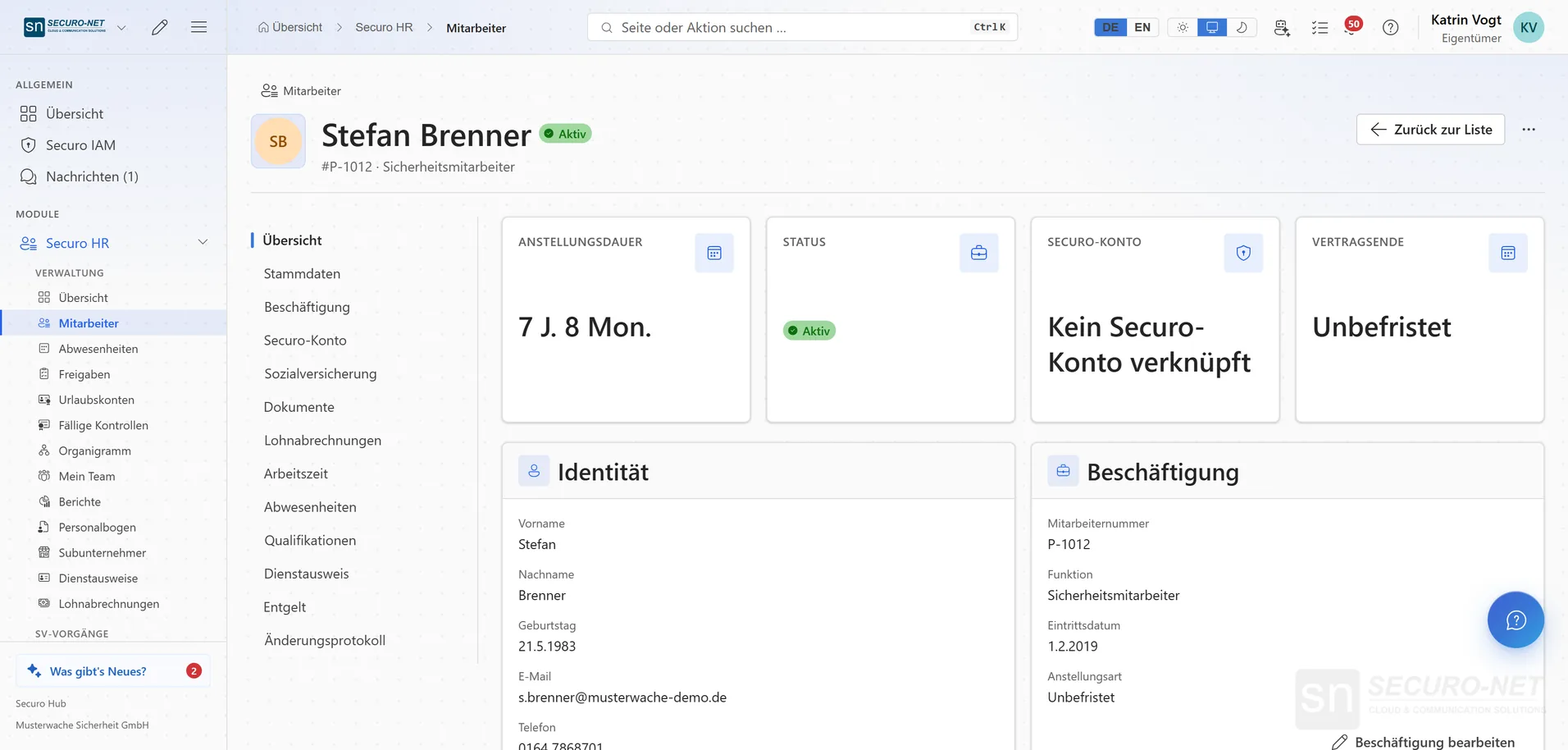
Overview, master data, employment, Securo account, documents, qualifications, working time and change log of one person — in tabs instead of folders. Your own custom fields live in the “Custom” tab.
On hold, off-boarded, rehired
“Set inactive” for parental leave, “Off-board” on the leaving date, “Rehire” with a new start date — the earlier employment stays in the change log. “Anonymize” removes personal data irreversibly, Securo account included.
Securo account from the personnel file
The list shows employment and hub access side by side — “Active / Deactivated” for someone who is back at work but locked out. You restore the access right there in the file.
Employee package at a glance
Only active employees count — inactive and off-boarded ones do not. When the package runs low, a notice appears above the list, two seats of buffer remain, and “Increase employee package” takes you straight to the subscription.
Master-data requests
Employees request changes to address, phone, name and bank details themselves. You see current versus requested and approve.
Org chart
Your structure at a glance: departments with their lead, cost centre and headcount.
Org structure, holidays & custom fields
Departments up to ten levels deep, cost centres and holidays in one place — country and state determine the public holidays. Custom fields such as text, date or choice appear in every personnel file.
Absence & leave
Leave, sickness & special leave
All absences for your team in calendar, list and approvals: request, filter, edit. When you enter one for someone else with approval rights, “Approve right away” sets it to approved immediately.
Absence calendar
Month, quarter or year as a bar chart, with remaining leave next to each name. Days someone does not work anyway are hatched; the row underneath counts how many are away at once and changes colour at your limit.
Requests with a live preview
While you fill it in, the request shows the working days with the reasoning (weekend, holidays by name), the leave balance afterwards and who else in the department is away. Half days via “From midday” and “Until midday”.
Capacity & blackout periods
Decide how many people may be off at the same time — for the whole organisation or per department, as a warning or a block. No leave can be taken in blackout periods; sick notes are never affected by either.
Part-time patterns & weekly hours
A share per weekday — 1, 0.5 or 0. On Mon/Wed/Fri a week off costs three days instead of five, and 30 days of full-time entitlement become 18. Contractual weekly hours set the target for the time account.
Leave balances
Entitlement, carry-over, reserved and used days per employee — plus corrections with a mandatory reason. “Prepare the year” sets up next year’s balances, and anyone who falls sick during approved leave gets the days back.
Approvals in one list
Absence and master-data requests land in one inbox. Managers decide without clicking through three pages.
Self-service for employees
Request leave, see the balance, track requests — on the phone, without paper and without asking the office. If a sick note needs proof, the certificate is photographed right in the request.
Absences in your own calendar
Via calendar subscription in Outlook, Apple or Google — or through the Microsoft 365 connection straight into Outlook as a separate “Securo – Absences” calendar. It shows the type, never the reason.
Qualifications & proof
Qualification catalogue
Prepared types such as first aid or a driving licence plus your own, each with mandatory fields, default validity and check cycle. The categories “Security & guarding” and “Government clearances” come with the licence “Branche · Sicherheitsdienst (Deutschland)”.
Qualifications per employee
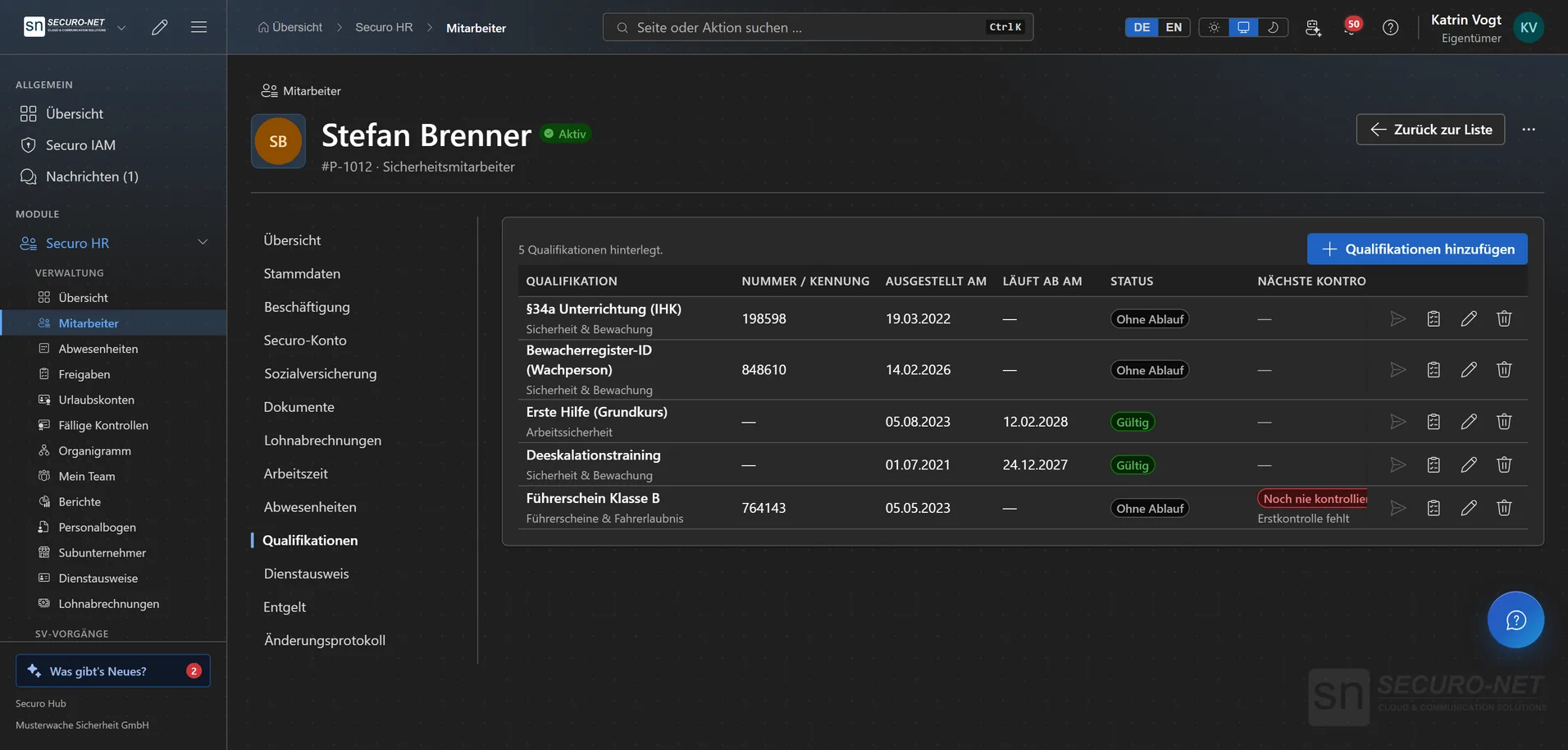
Tick several qualifications at once and enter the same issue date with “Apply to all” — each one calculates its expiry from its own validity. The status reads “Valid”, “Expiring soon” or “Expired”.
Due checks
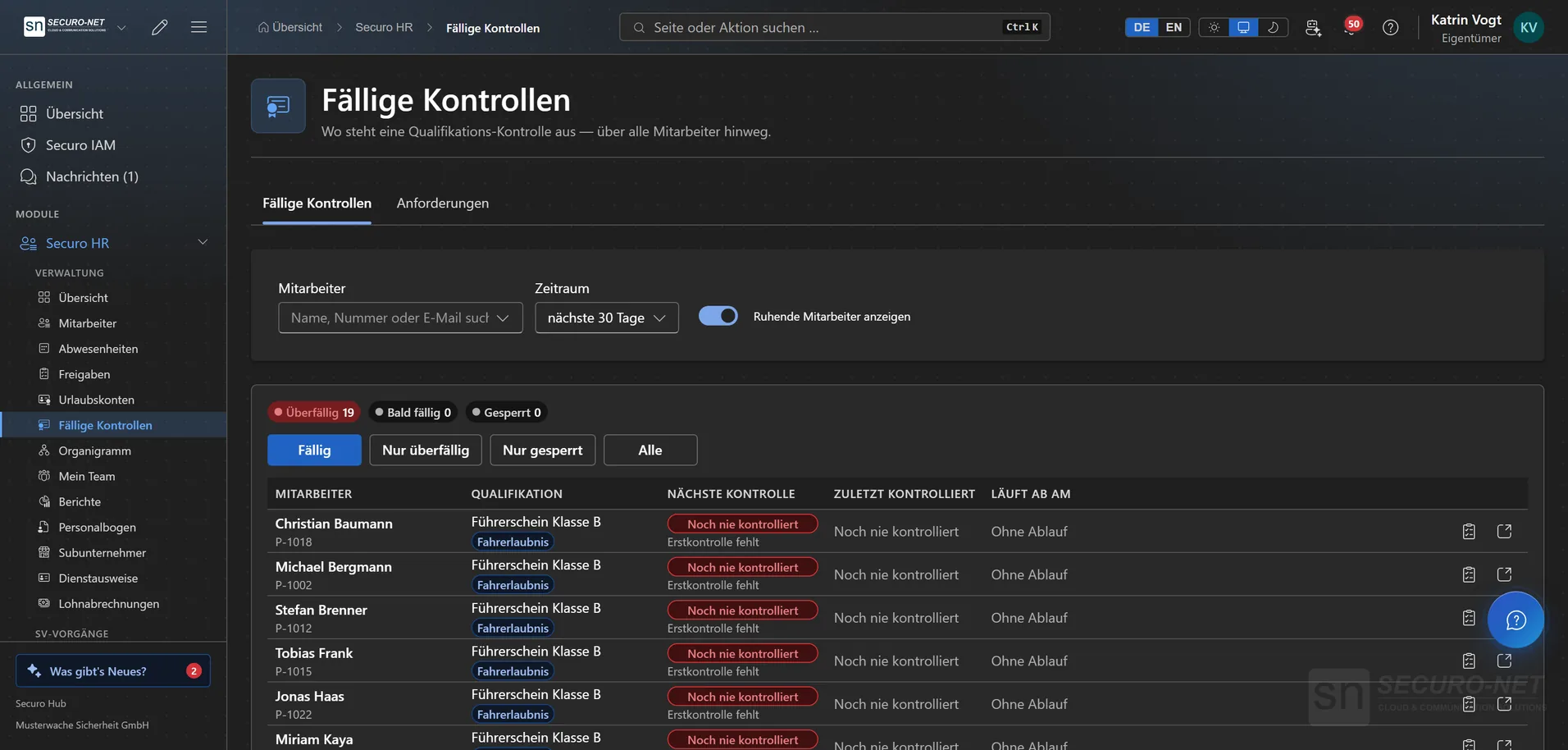
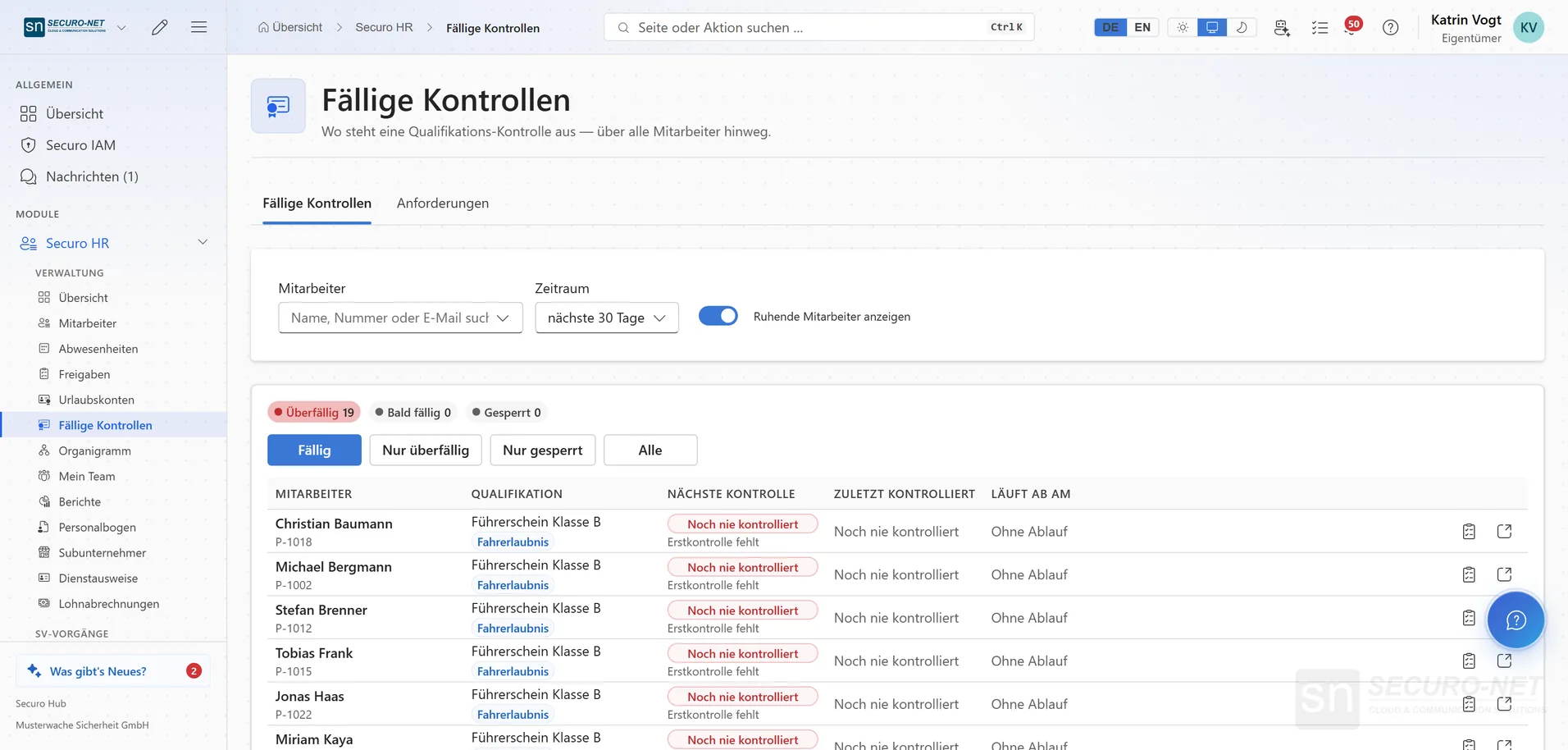
Proof that has to be re-presented at intervals — a driving licence, for example — shows up with its date; anything never checked sits in red at the top. A due check stops nobody; blocking is a deliberate decision with a reason.
Request proof
Ask one person or many for their driving licence or residence permit — they get a message on their phone. You approve or reject with a reason; the “Undeliverable” tab shows whom the hub could not reach.
My proofs on the phone
Employees photograph the requested proof straight from the camera and enter number and expiry date. Only your approval writes the details into the personnel file.
ID cards under § 18 BewachV
Design, issue, block and reissue credit-card format ID cards — the preview matches the print exactly. Add-on “ID cards”, requires Securo HR.
ID card on the phone
Your own badge full screen, with a QR code for inspections. Whoever scans it lands on a verification page served by Securo — not by the employee’s device — showing validity, issuer and the company’s guard register number.
Recruiting & onboarding
Job postings
Drafts, published roles and the archive, with descriptions written in Markdown. On saving, the hub flags equal-treatment pitfalls under German law (AGG), such as a missing (m/f/d) marker in the title.
Applications with a pipeline
Every application carries a unique reference and moves through received → screening → interview → offer → hired or rejected. A rejection requires a reason.
Your own careers portal
A public careers page in your colours, with your acknowledgement, your privacy notice and your retention period of 1 to 24 months. The job list can be embedded in your own website with a widget.
Recruiting metrics
Active roles, applications in the last seven days, ongoing processes and the average time to hire.
Personnel form by link
New hires enter their own master data and upload documents through a personal link, valid for 1 to 90 days, without an account of their own. “Check details and create” carries everything pre-filled into the personnel file.
Templates, SMS delivery & archive
Per template you decide which fields are required, optional or hidden and which documents are requested. It goes out by email or SMS; “Deactivate and archive” instantly invalidates a link sent to the wrong address.
Payroll documents & social insurance
Distribute payslips digitally
Upload the finished payslips from your payroll office as a ZIP or many PDFs at once. Securo matches them by file name and marks each suggestion “Confident”, “Review” or “Ambiguous” — you confirm before uploading.
My payslips
Every employee sees their payslips in chronological order and downloads them — months later too.
Immediate report & eAU
German social-insurance filings straight from the hub: the immediate report before employment starts and electronic sick-note requests, pre-filled from master data, with the health insurer’s response. The type selection shows how many your quota still allows.
Employer numbers & mandates
Register the employer number once and confirm the mandate with the activation code from the letter — after that, filings run.
External workforce
Subcontractors as a staffing source
Manage supplier companies with contracts and documents — kept apart from customers, because they supply people rather than buy services. Certificates such as liability insurance carry a “Valid until” date.
External workers
People from subcontractors with qualifications and documents — schedulable into shifts, but without an employment relationship with you. Only active ones count, against an allowance that grows with your employee package.
Partner sync with subcontractors
If your subcontractor runs Securo too, they share their people from their own personnel files — per person and per field, up to qualifications and proof files. On your side those fields show “Maintained by …” and are locked.
Reporting & self-service
My team
The manager's view of directly assigned staff, with key figures and upcoming events.
HR reports
Team-health metrics, upcoming birthdays and expiring contracts — filterable and exportable as CSV.
Log export with checksum
The HR change log as CSV or JSON Lines, filtered by period, area or employee — for privacy audits and external auditors. Every file carries a SHA-256 checksum that proves later it has not been altered.
My documents
Contracts, certificates and letters released by HR — viewable and downloadable at any time.
More views from HR
Screens from day-to-day operation — demo data, but no retouching afterwards.
Qualifications per employee
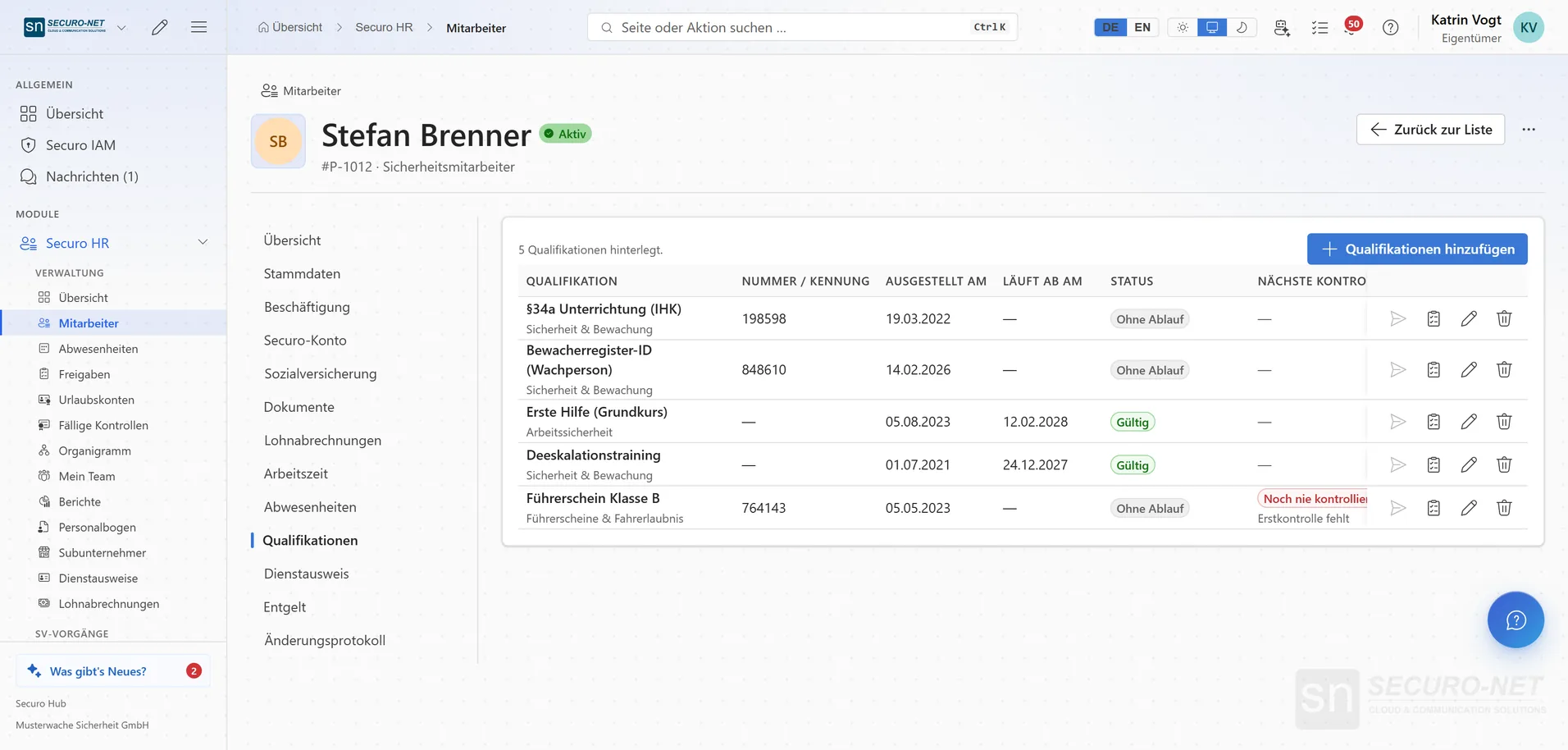
Expert certificate, first aid, driving licence and more — with number, issue and expiry date. The status shows what is valid, expiring soon or due for a check.
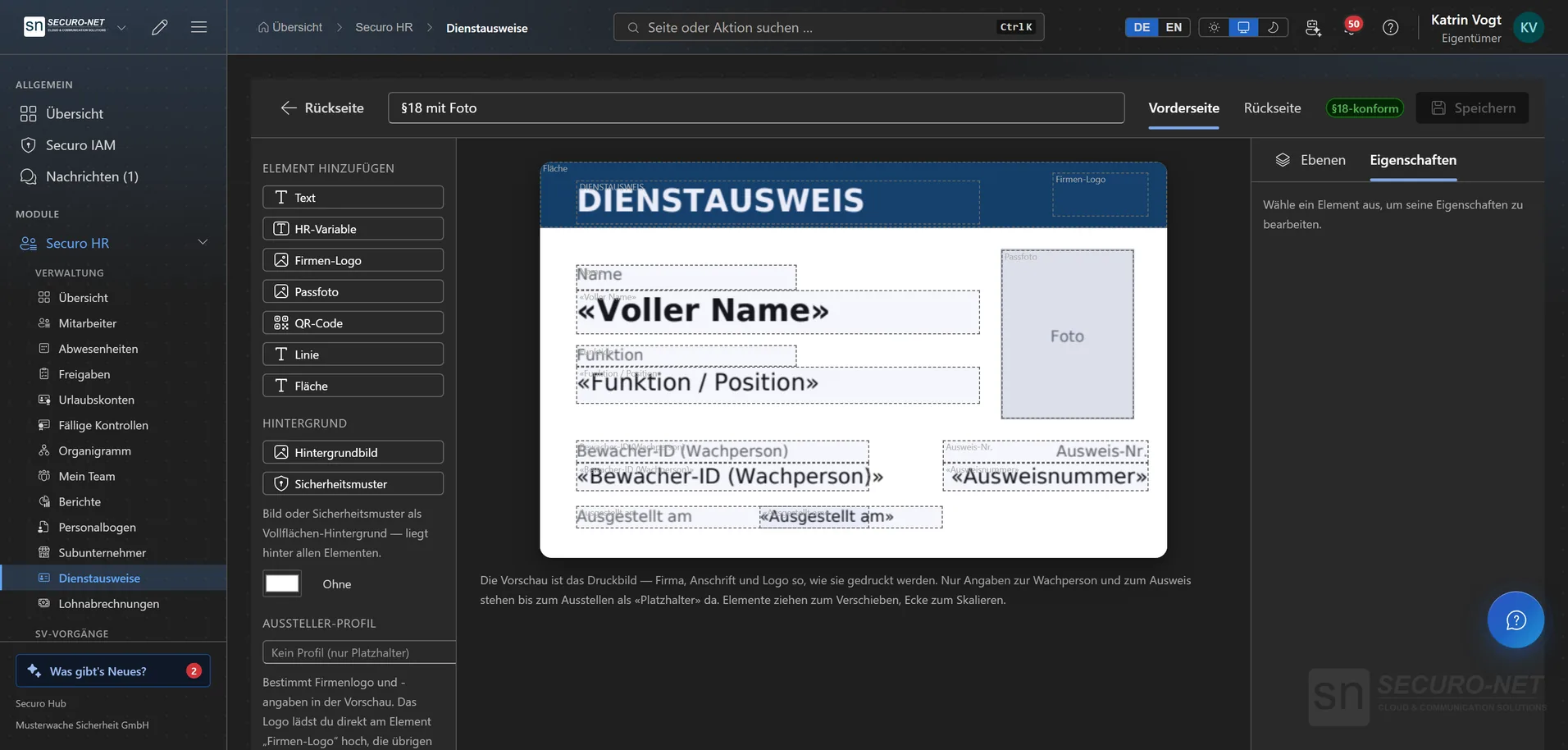
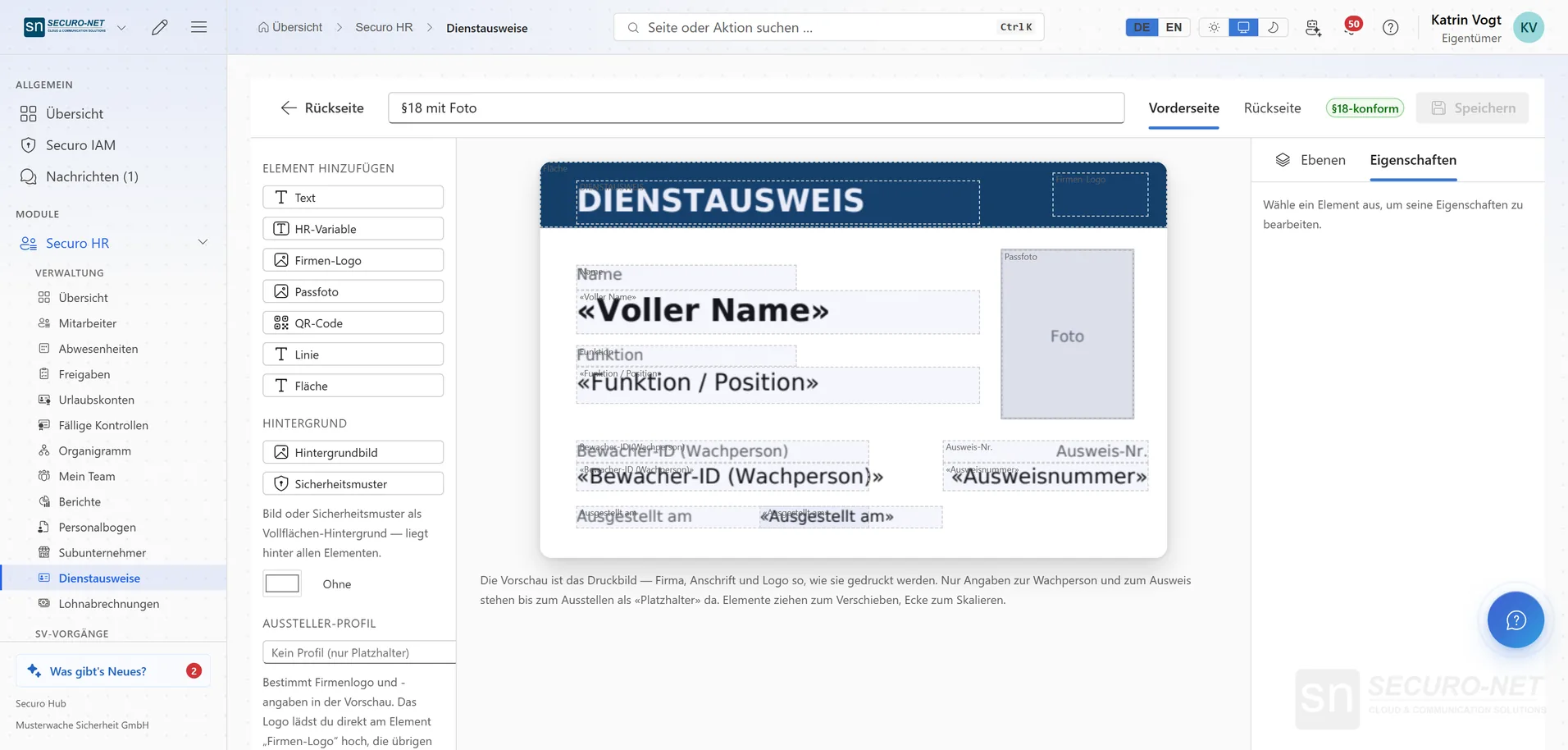
ID cards under § 18 BewachV
Design the credit-card format badge: place fields for name, function, guard ID and card number, photo and logo freely — the preview matches the print.
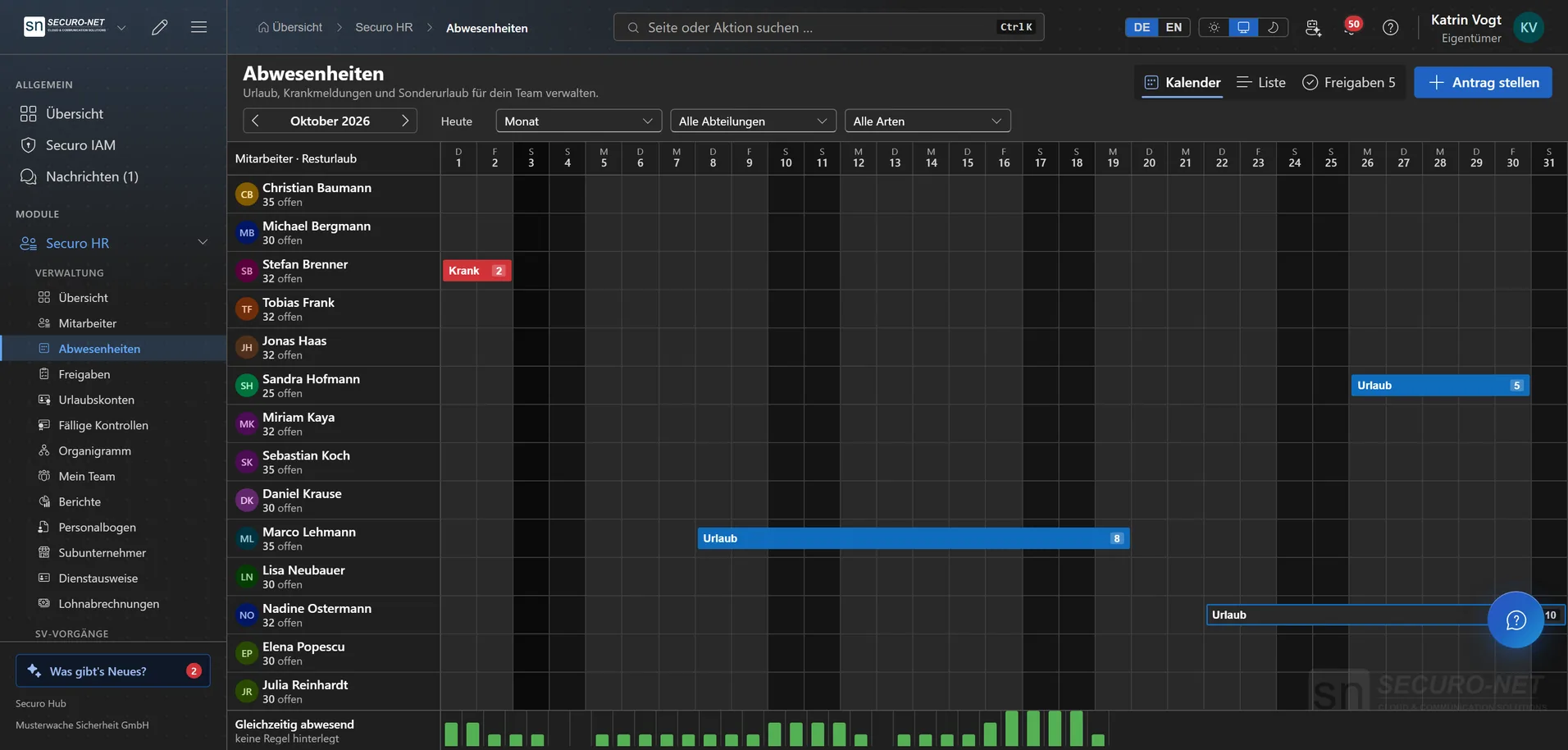
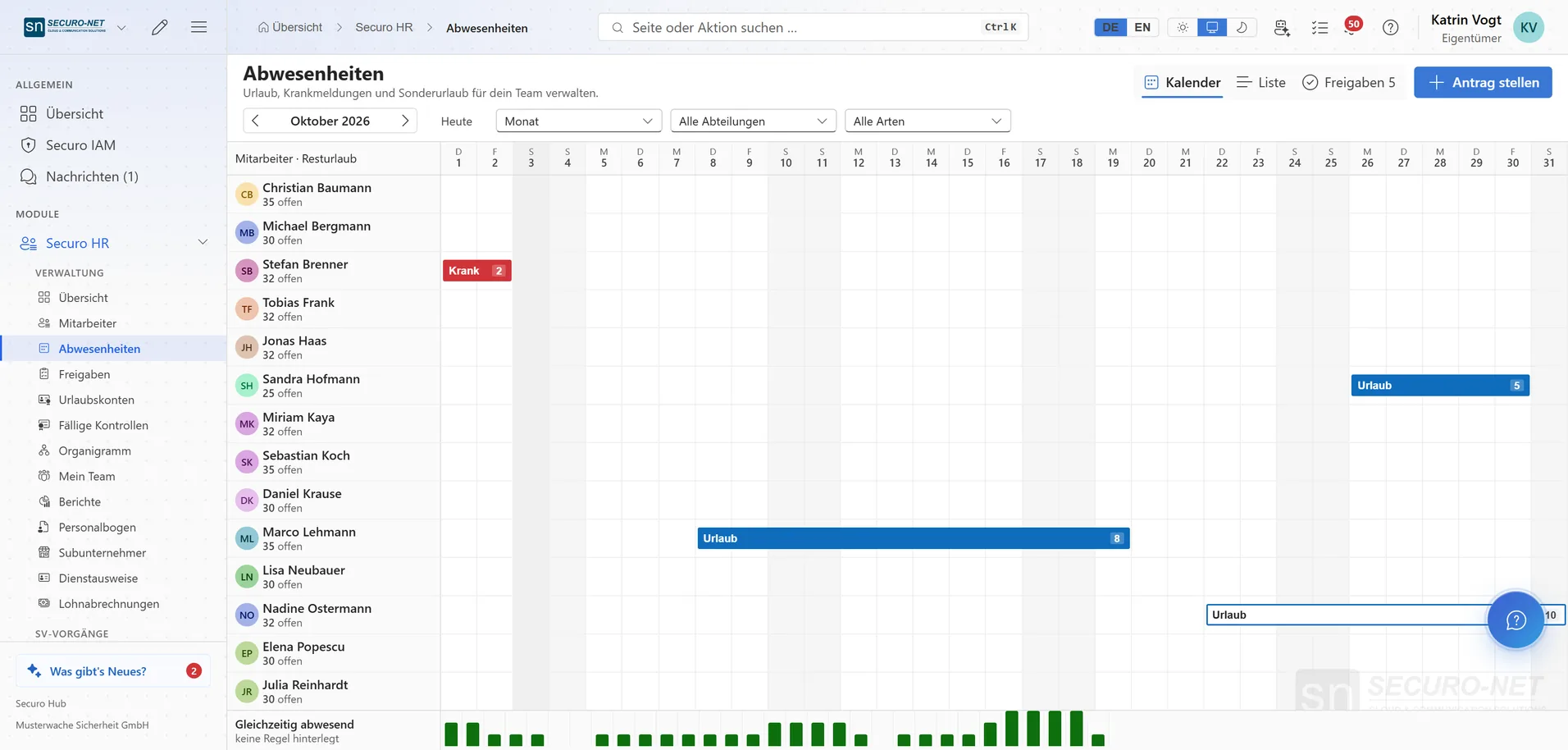
Absence calendar
Leave, sick notes and special leave for the whole team as a bar chart, weekends hatched. The bottom row counts how many are away at once.
Due checks
Proof that has to be re-presented at intervals — a driving licence, for example. Anything never checked sits in red at the top, nothing slips through.
Employee directory
All employees with status, Securo account, department and start date — with quick filters such as “No Securo account” or “Contract ending”.
Works well with
These modules share the same data — together they remove the double data entry.
Workforce
Shift planning, shift marketplace, time tracking and time accounts through to the hours statement for your client — with built-in checks under German working-time law.
Payroll
Gross wage calculation with tariffs, premiums and site rates — through to handover to your payroll office.
Guard control
GPS and NFC patrols, lone-worker protection and unbroken proof of service.
Part of Securo Hub
This module is part of the Securo Hub platform — one login, shared data, one design. Use it standalone or together with others.