
Workforce
From the schedule to the approved hour in one system: who works where and when is planned once, clocked once and reused from then on.
Securo Hub is the successor to Securo-Planer. The scheduling, time tracking and timesheets you know from Securo Planer live here – further developed and connected to every other module. Master data such as customers, locations and employees can be imported from the Planer.
Every feature
48 features, grouped by area of work. Every one of them exists in the product.
Shift planning
Drag-and-drop schedule
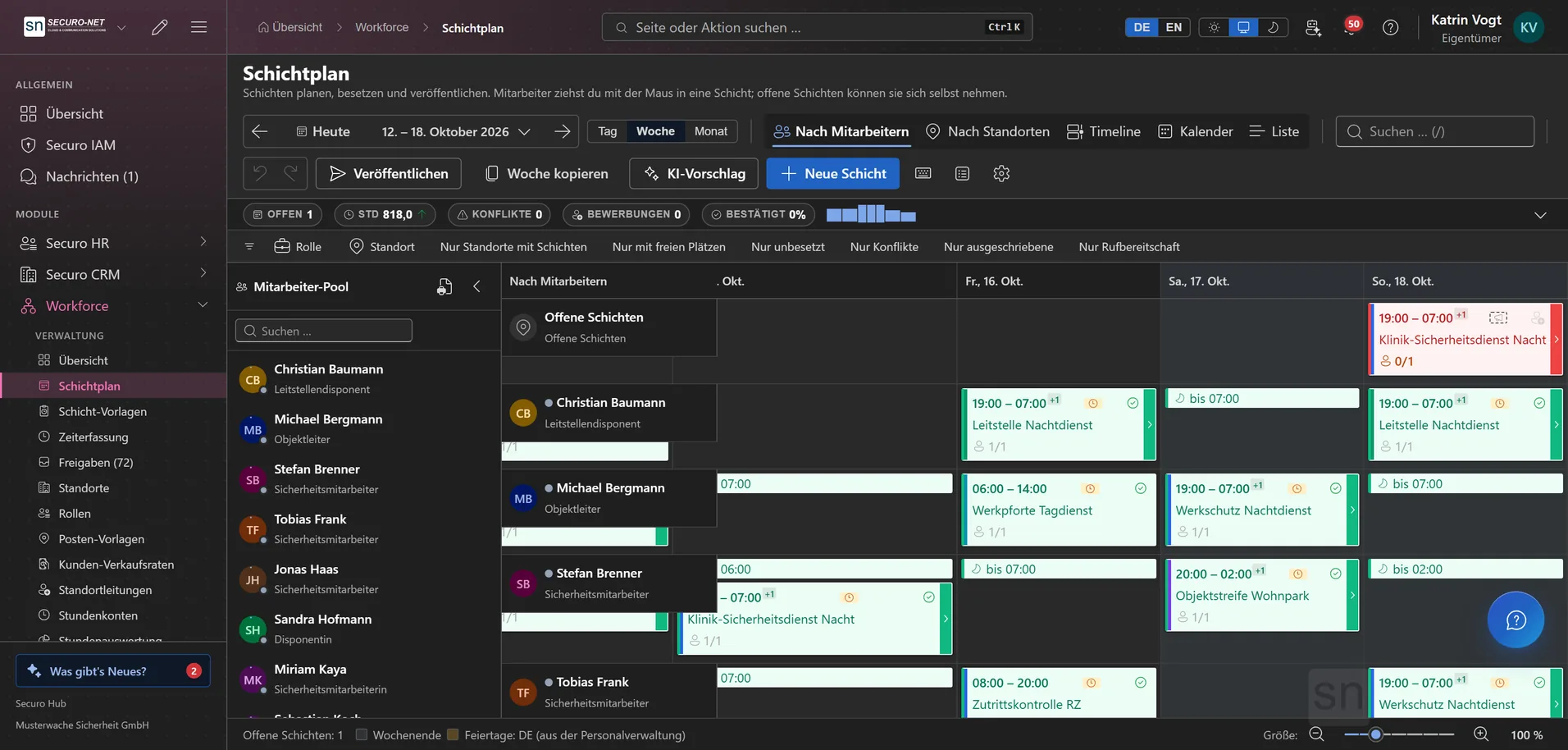
Create shifts, assign people by dragging or from the suggestion list — several at once —, copy weeks and publish the plan. Five views, from “By employee” to “Calendar”.
A plan that reads at a glance
Weekends and public holidays shaded by federal state, each employee's confirmation as a badge on the card, your own colours and a size from 70 to 200 % — your settings apply only to you.
Shift in detail
Key data, demand, assignments, briefing, applications and offers, plus the full change history. Punched times are corrected right on the assignment, without leaving the page.
Shift templates & series
Define recurring patterns once and generate up to a year of shifts in one go — skipping the location's public holidays if you like. A whole run can be taken back later.
Own times within a shift
Shifts carry a name like “Early shift”, a demand can have its own time (“2 stewards, 18:00–22:00”) and each person a different one. That time then counts for the time account, paperwork and billing.
Print and send schedules
Up to 150 employees at once: one combined PDF for the notice board, by email per person with a calendar file, or for signature via e-signature — with a live preview, running as a background job.
AI plan proposal
The AI proposes who takes which shift for a full week — with a goal such as “Fair distribution” or “Save costs”. A deterministic rule check flags conflicts; you adjust and accept. Requires Workforce Pro and a seat in the AI assistant.
On-call duty in the plan
On-call duty sits in the plan as a bar of its own, not as a shift — because it is not working time. A filter hides every shift and leaves only the standby bars.
Teams within a shift
Large deployments are broken down: "Gate A", "Gate B", with the shift lead above them. The team hangs on the demand, not on the person — whoever fills the line belongs to it. An org chart shows who reports to whom, phone numbers included.
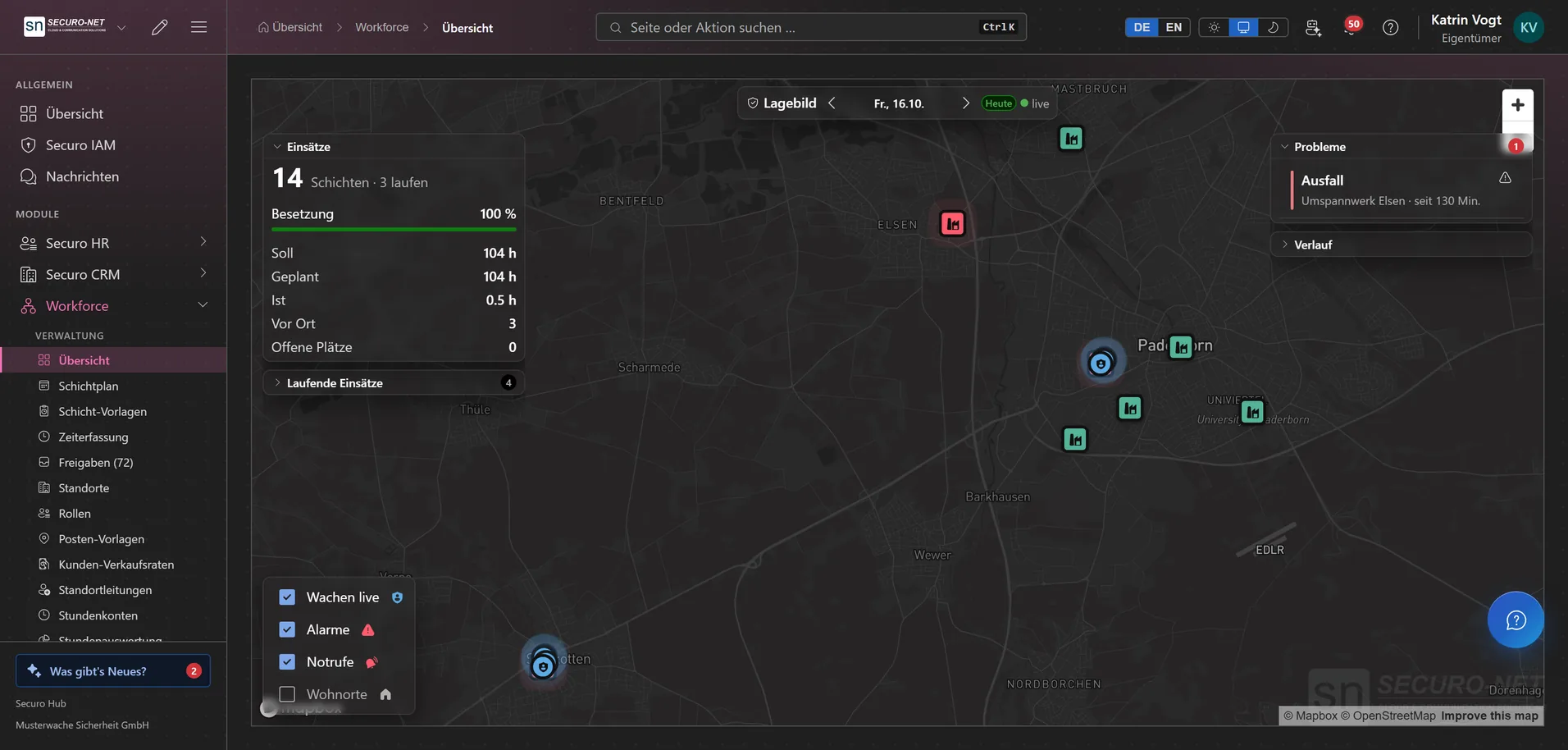
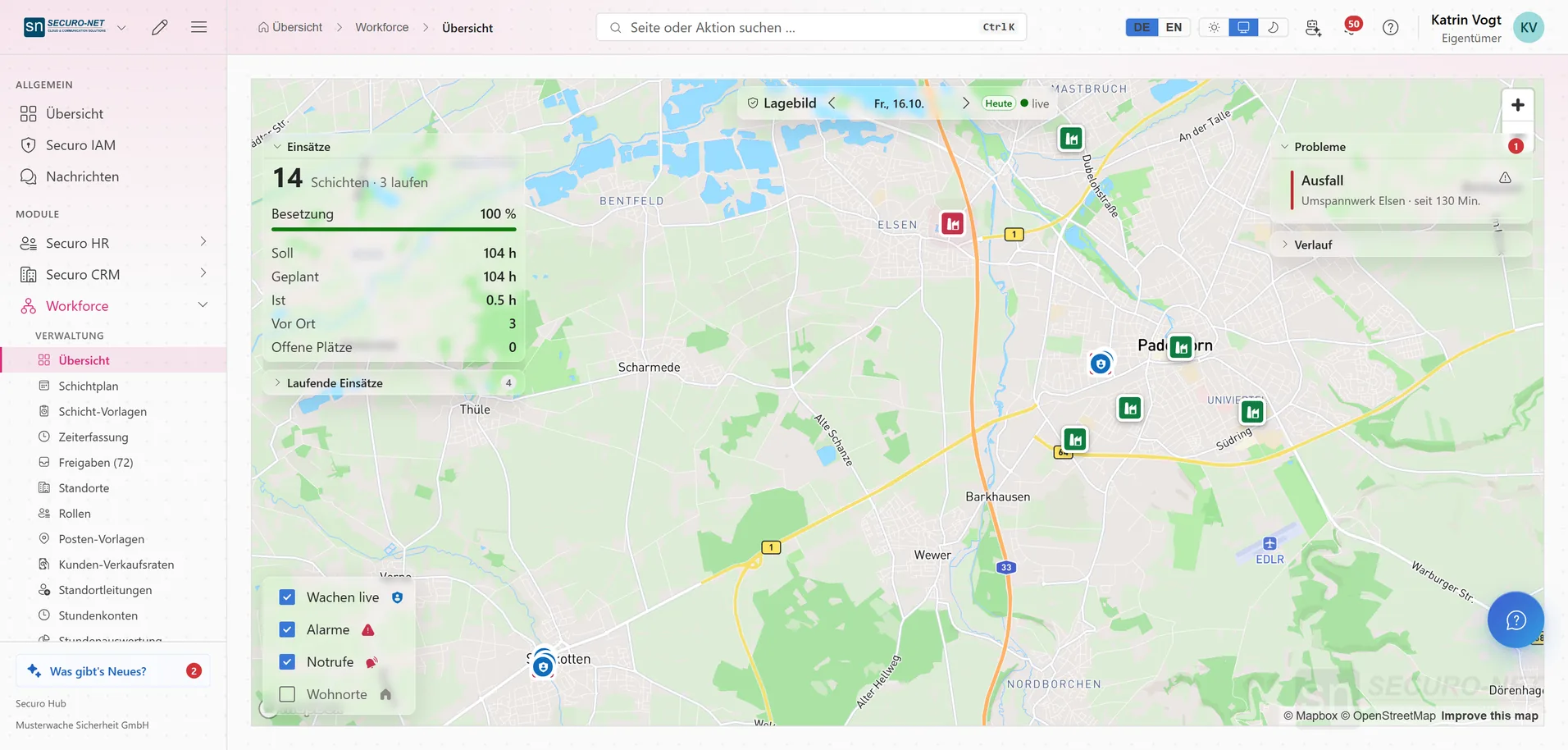
Situation board of the day
A map across every site: who is on duty, where someone is missing, what is open and how the last hour went — looking back up to seven days. For security companies; the page shows and leads you to where things are changed.
Staffing & self-service
Shift marketplace
Open shifts are posted — to everyone, only to suitable staff or to an invited group. Staff apply with a short note, and you decide with the suitability badge in view.
Ask directly instead of posting
You ask individual people with a deadline and a message; reminders go out manually or automatically. “Maybe” and a decline reason are configurable — and instead of scheduling straight away you can first only collect commitments.
Partner assignments
If you work as a subcontractor for a client who also uses Securo, you take over their assignments of your people into your own plan with one click, see what changed and fetch the times punched there.
My shifts
On their phone, staff see when and where they are on next — with a route to the right address —, confirm new assignments and start or end the shift. With a look back over the last 30 days.
Own schedule as PDF and in Outlook
Staff download their own schedule as a weekly list or monthly calendar — without internal notes and without sickness reasons. With Microsoft 365 the shifts also appear in their own Outlook calendar.
Availability
Staff record when they can work, want to work or are unavailable. Planning works with that rather than against it.
Sites & master data
Sites in a hierarchy
Branches, guarded properties, event venues and internal units — nestable, so large contracts map cleanly.
Location file
Customer, contract term, billing mode and the state that governs holidays, documents with an expiry traffic light, contacts with an escalation chain and the history of every change — in one file, saved once.
Several addresses, own clock-in fence
Main entrance, Gate 3, Warehouse South — each address with its own clock-in fence. The hub works out the map position from the address by itself; a site without an address simply gets a point.
Required staffing per site
What the site needs, regardless of the plan: per role the number of people, the time window and the weekdays — plus required certificates such as the expert examination and demands such as language, each as mandatory or preferred.
Security profile for guarded sites
Service types under DIN 77200-1, risk rating, response time and protection goals — plus what the site calls for: firearm, guard dog, first aider, fire safety watch, alarm and intervention instructions.
Location leads
Who is responsible for which location — as Location management, Assistant or with View access, time-limited if needed. A branch covers every location below it; what someone may do comes from their role.
Service instructions with acknowledgement
The hub writes the first draft from the site data, a second person approves, and the security officer confirms receipt on their phone — as § 17 (2) BewachV requires. With e-signature, also as a signature.
Keys & equipment
Keys, transponders, access cards, radios and codes per person and site — with a return date. Overdue items are reported to the location lead, and staff see under “My keys” what they still have to hand back.
Colour-coded roles
Security officer, carer, service — the roles in your business, colour-coded in the plan so gaps stand out.
Post templates
Reusable post names like “Fence A” or “Reception” — valid across sites or bound to one property, then assigned with a click.
Time tracking & accounts
Clock in on the phone
Clock in and out, record breaks — one big button, built for the field. Without a signal the page remembers the punch and books the time you tapped, not the time it arrived.
Punch correction & rounding
Snap early or late punches to the planned time — only within a tolerance window if you prefer — or round to 5, 10 or 15 minutes. The rules only trim, never add time, and the real punch stays visible.
Manage time entries
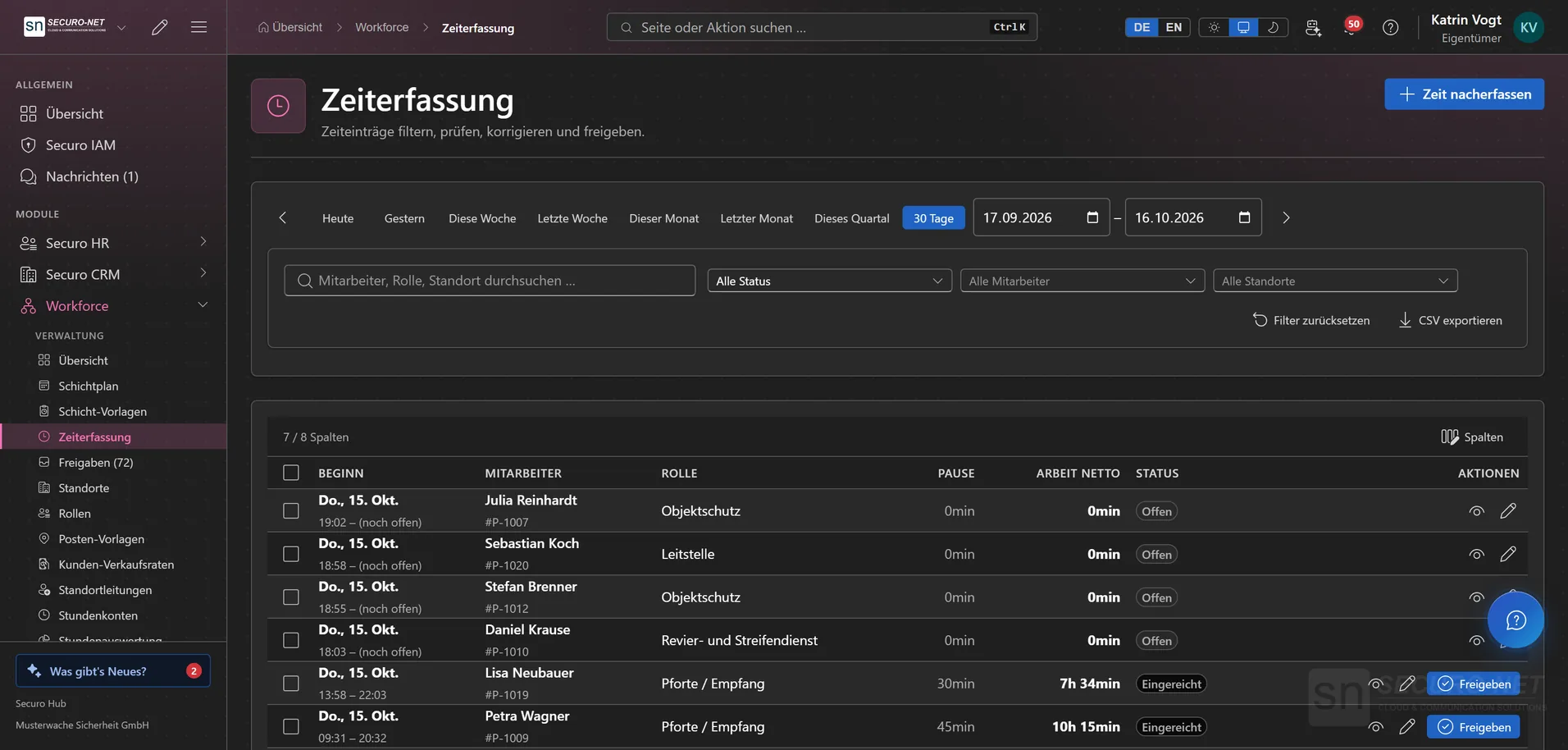
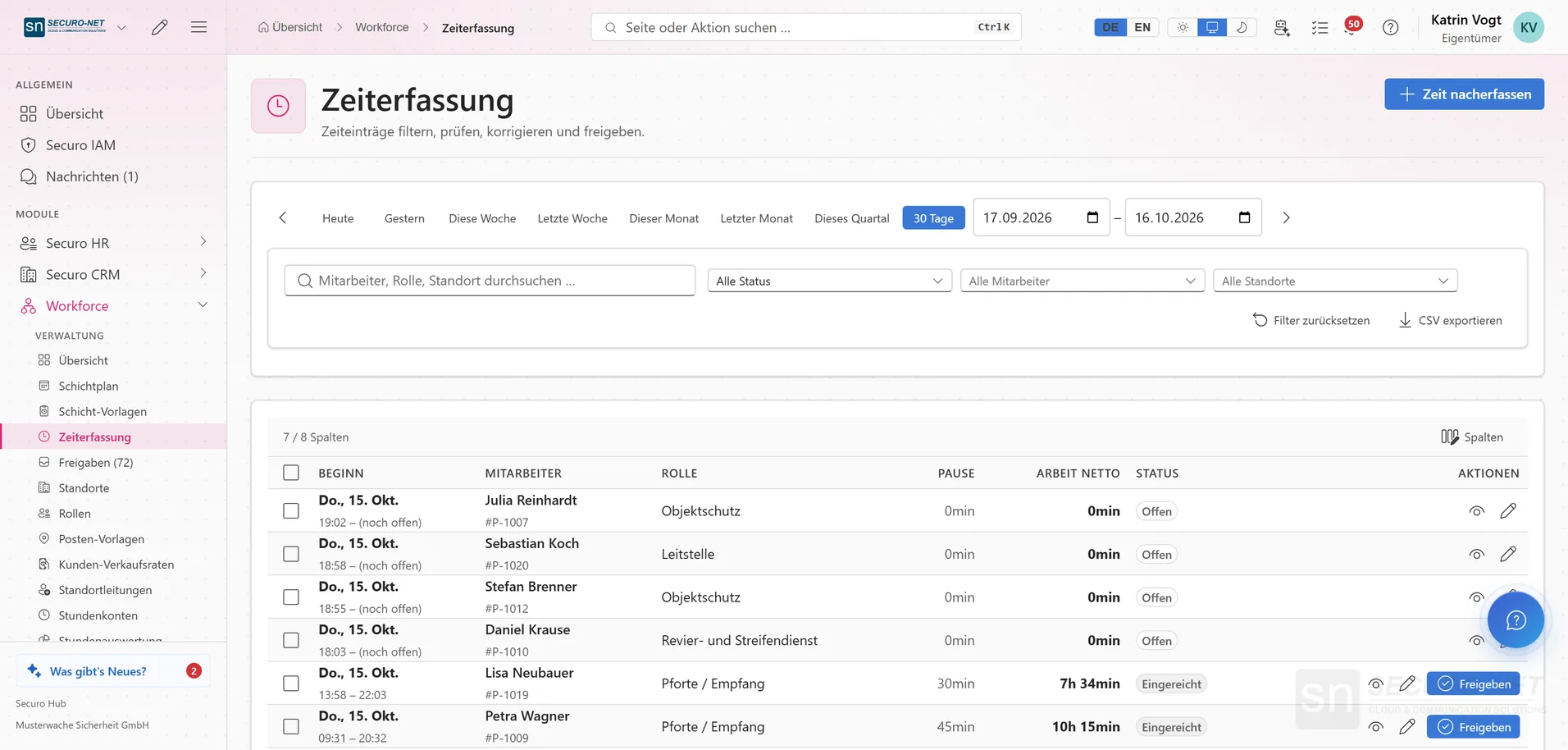
Filter, check, correct and approve all time entries — including times that were never submitted, in one go. Every correction shows its reason with old and new value on the entry; export as CSV.
Catch up on missed punches
Scheduled shifts without a punch show as “Not clocked” and can be confirmed as worked — several at once. For people who don't clock in themselves, you record the time for them.
My hours
Recorded working time week by week with the week's plus or minus. Depending on your settings, the time goes to approval automatically on clock-out — or staff submit their week themselves.
Time accounts
Flexitime and overtime per employee with balance and history — per day with target, actual and credited hours, so a disputed minus hour explains itself. Manual adjustments with Workforce Pro.
My time account
Plus and minus hours against target, split into flexitime and overtime. End-of-month arguments disappear.
Working-time law & approvals
Working-time checks in real time
Mandatory breaks, the 10-hour limit and 11 hours of rest are checked as soon as you assign someone, the 24-week average under § 3 ArbZG continuously. The breach shows up before it happens — without blocking clock-ins.
Approvals inbox
Time corrections, weekly approvals, applications, offers that need you again and working-time notices in one view — notices can be confirmed in bulk. A location lead sees only their own locations.
Company defaults
Break rules, weekly hours, what happens to a time after clock-out, whether clocking in is limited to assigned shifts, how offers can be answered, and custom fields — set once, valid everywhere.
Paperwork for the client
Hours statement per site
Every shift, every assignment and every employee with planned, actual and premium hours — as PDF, Excel or CSV, for several sites with subtotals. Names in full, as initials, as personnel number or left out.
Site report for the client
A PDF built like a kit: cover page with key figures, shifts with target/actual per person, premium-hours statistics, logbook entries, service instructions — sections of your choice, names optional. Locking can be undone.
Sheets straight from the roster
Staffing lists, proof of service, attendance sheets — generated from the plan instead of retyped, as Excel, PDF or CSV. Every sheet you hand out stays in the archive until its retention period ends.
Rebuild your client’s own form
Rebuild columns, header block and print layout without ever typing a cell reference. Qualifications appear as a cross, yes/no, number, expiry date or short code such as “SKP”, and the post comes straight from planning.
Fill in the client's Excel file
If the client sends their own form, upload it under “Own file” and just say from which row the names start and which column is what. Colours, borders and logo stay exactly as they were.
Send sheets and get them countersigned
A generated sheet goes by email to the site's contacts, for countersignature via e-signature or as an attachment to a letter. Below the dialog you see where it has already gone — failed attempts included.
Billing & reporting
Hours report
Per employee target, actual and credited hours, per site demand, staffed and actual — split into base, night, Saturday, Sunday and public-holiday hours. Export for the payroll office, as Excel or PDF, even without Payroll.
Period closure with countersignature
A closure freezes a period's figures with a checksum and later shows every row that has changed since. Your customer sees it in the customer portal and countersigns for their own sites.
Customer sales rates with surcharges
Hourly rates per customer, location and role, plus night, Saturday, Sunday and public-holiday surcharges as a percentage or a fixed amount. “Change price from …” sets an increase from a given date, and the preview works through an example.
Spot gaps in your price list
The “Without sales rate” tab and a badge in the location list, the location file and the CRM customer file show where no rate applies today. Every shift is billed at the rate that was valid on its day.
Paid breaks per location
Per location you choose “Unpaid – deducted”, “Paid – the client pays for it” or “Paid – for the employee only”. Pay, invoice and the hours report follow that choice; the mandatory break is still recorded.
Handover to invoicing & payroll
Approved times feed into the billing run and the wage calculation without a second entry — per location by actual hours, flat by planned hours or with a guaranteed minimum.
More views from Workforce
Screens from day-to-day operation — demo data, but no retouching afterwards.
Schedule by employee
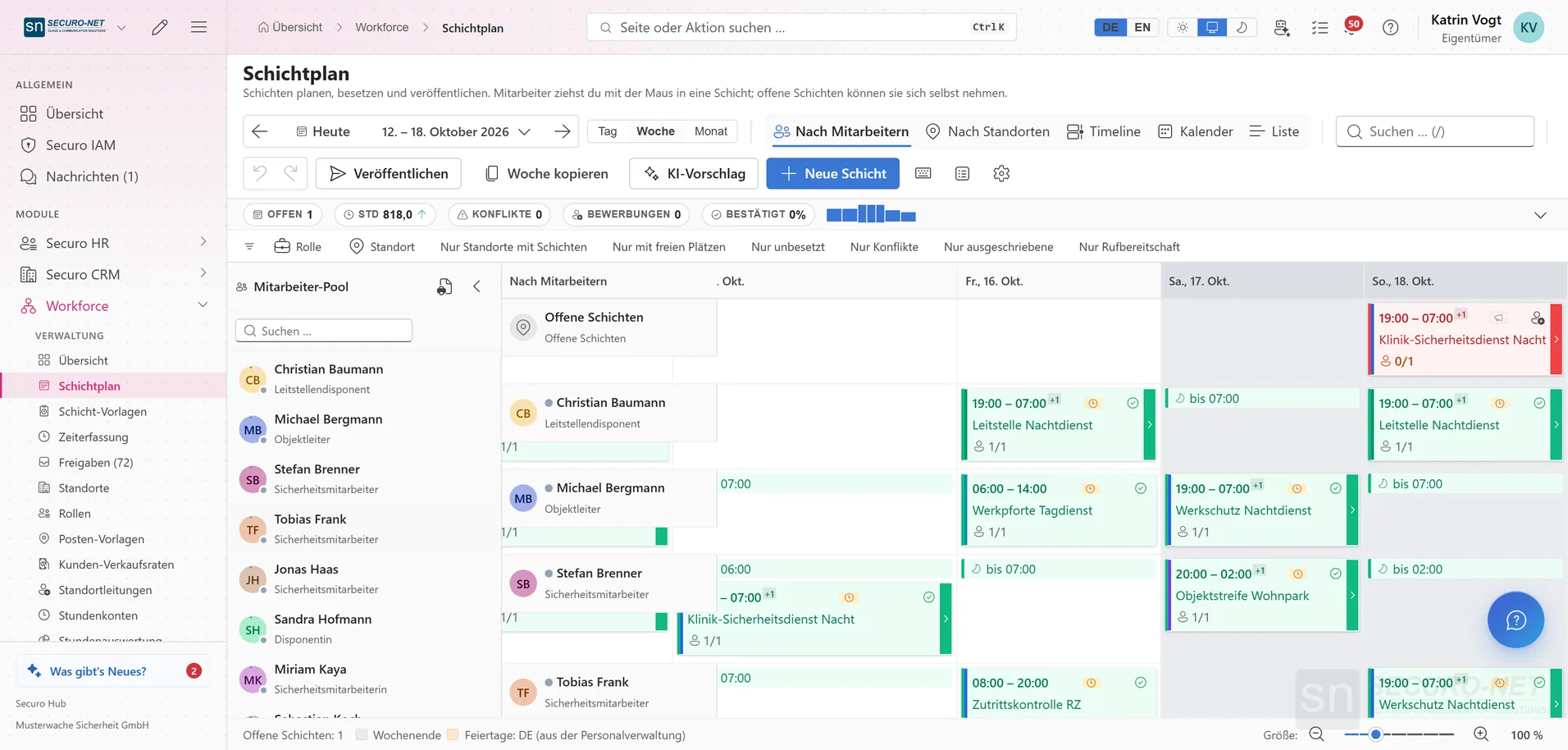
The week per employee with shifts, role colours and confirmations. Assign shifts by dragging or from the suggestion list and publish the plan once it is ready.
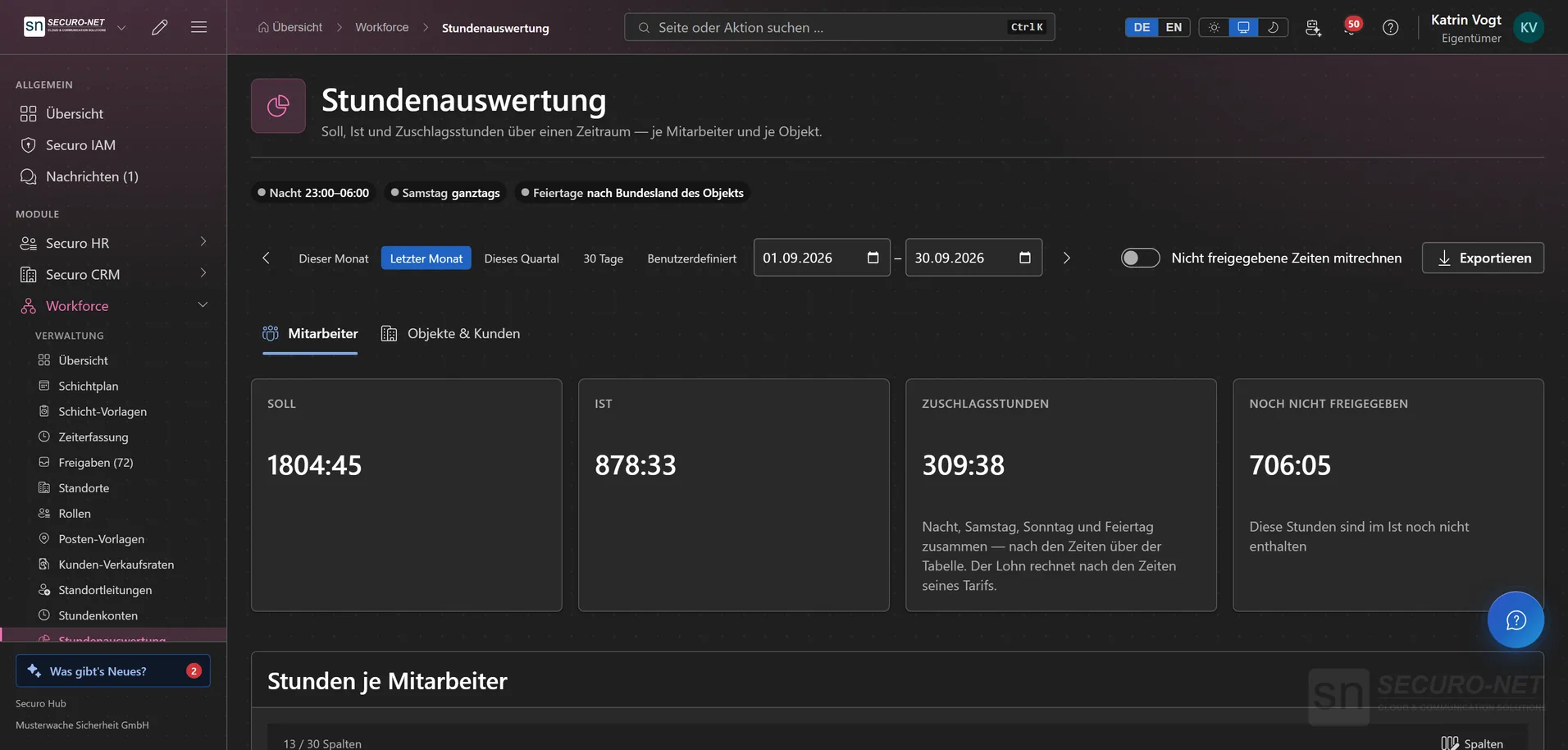
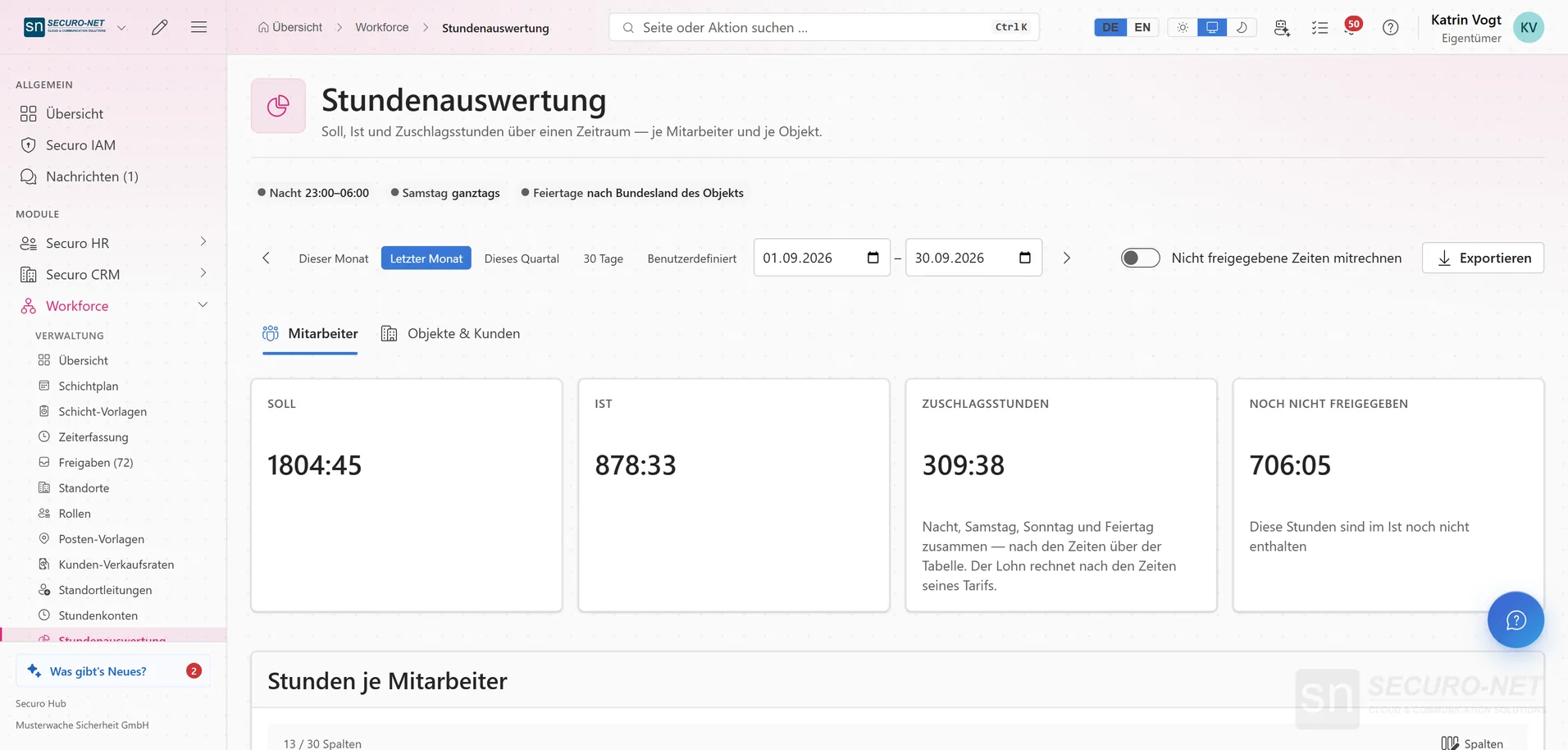
Hours report
Target, actual and premium hours for any period — per employee or per site and customer. Night, Sunday and holiday hours follow the actual times worked.
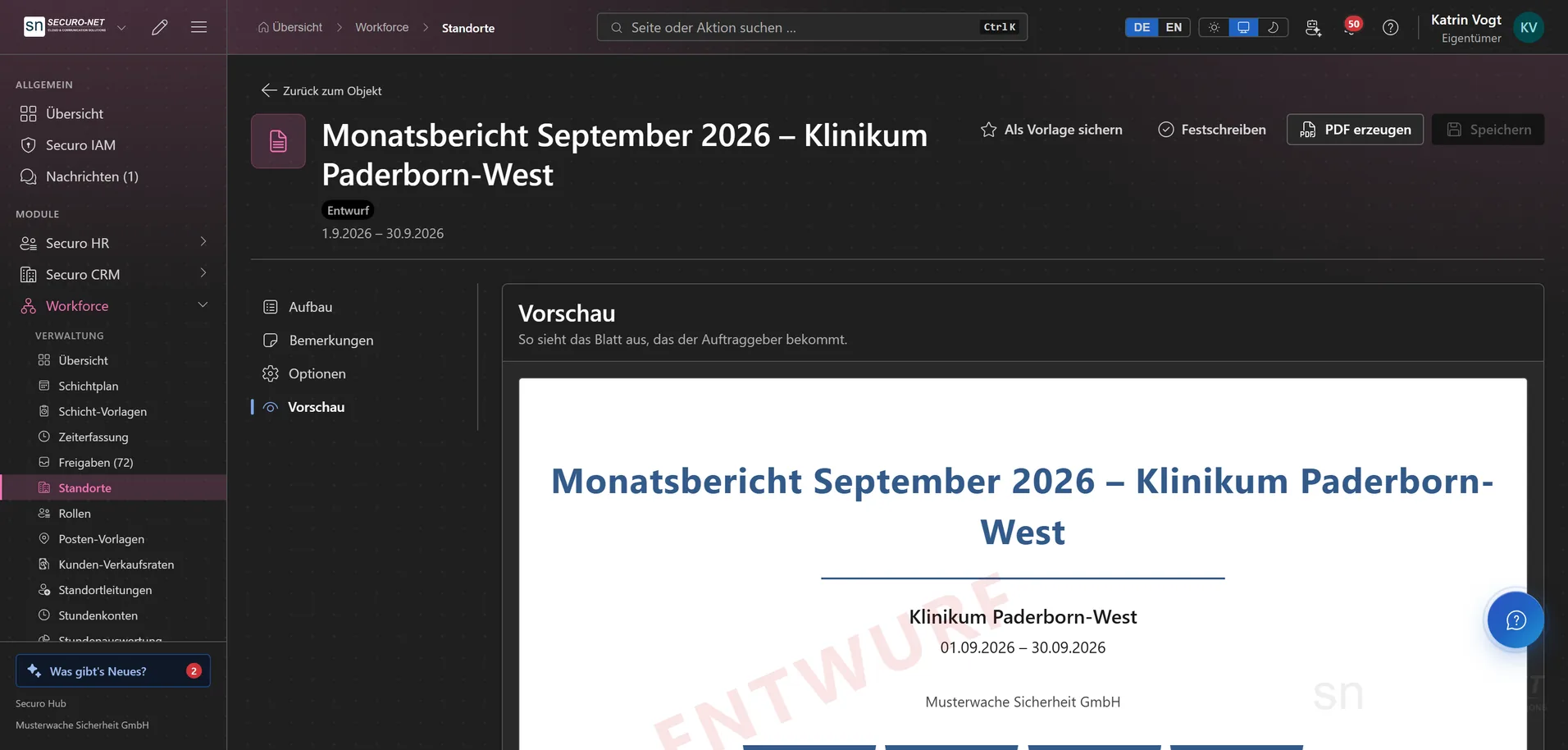
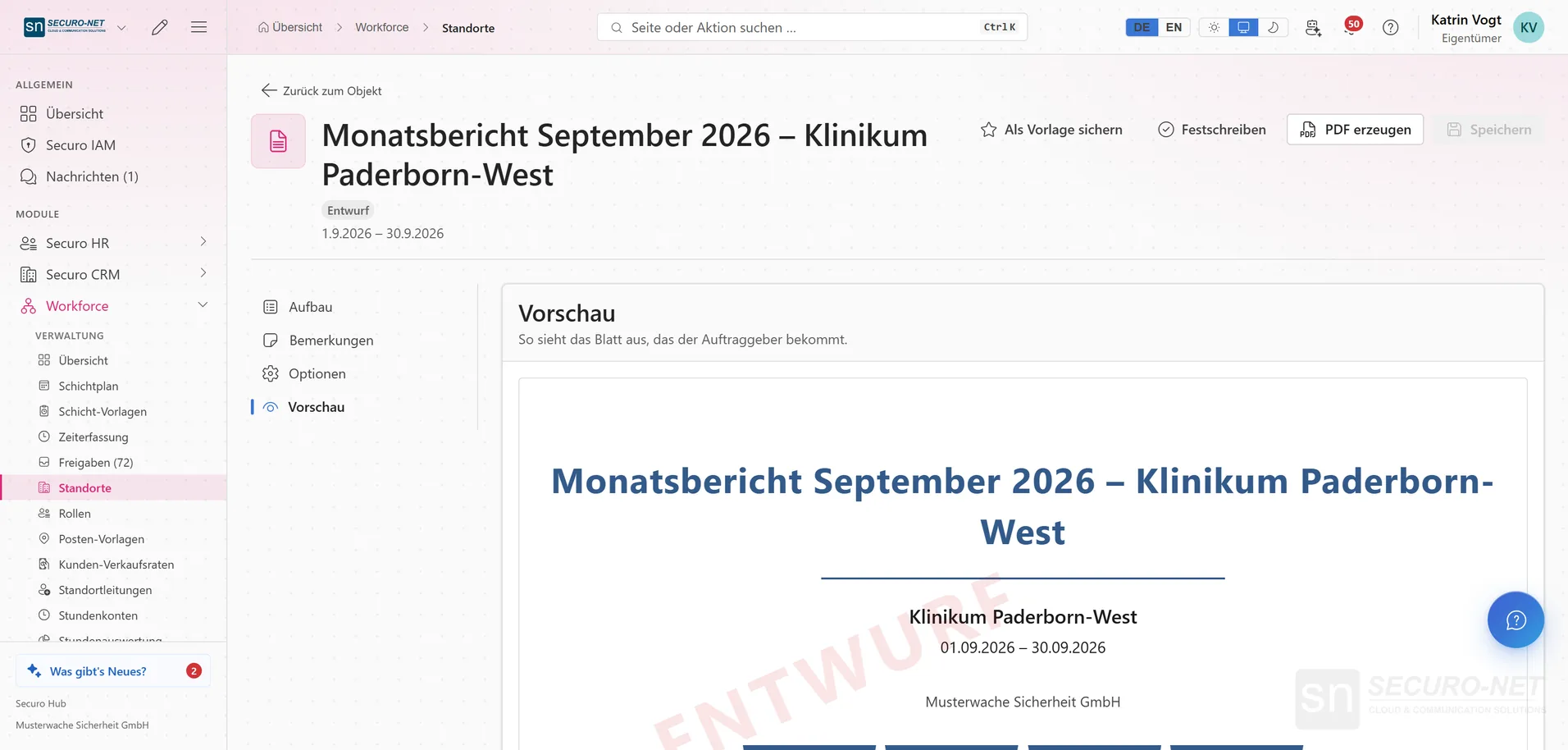
Site report for the client
The monthly report for a site is assembled from sections — cover, shifts, key figures, logbook — and checked as a PDF preview before it is locked.
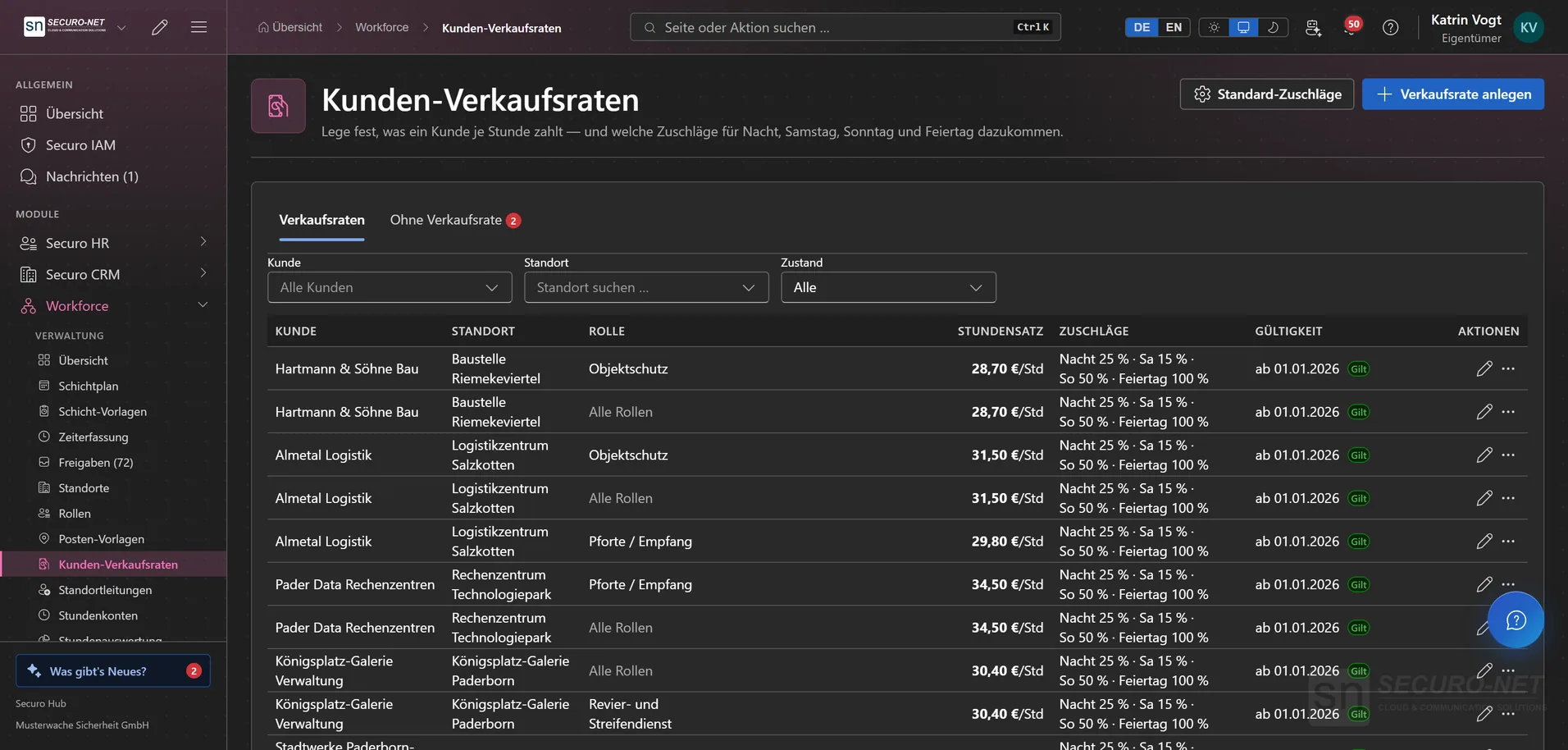
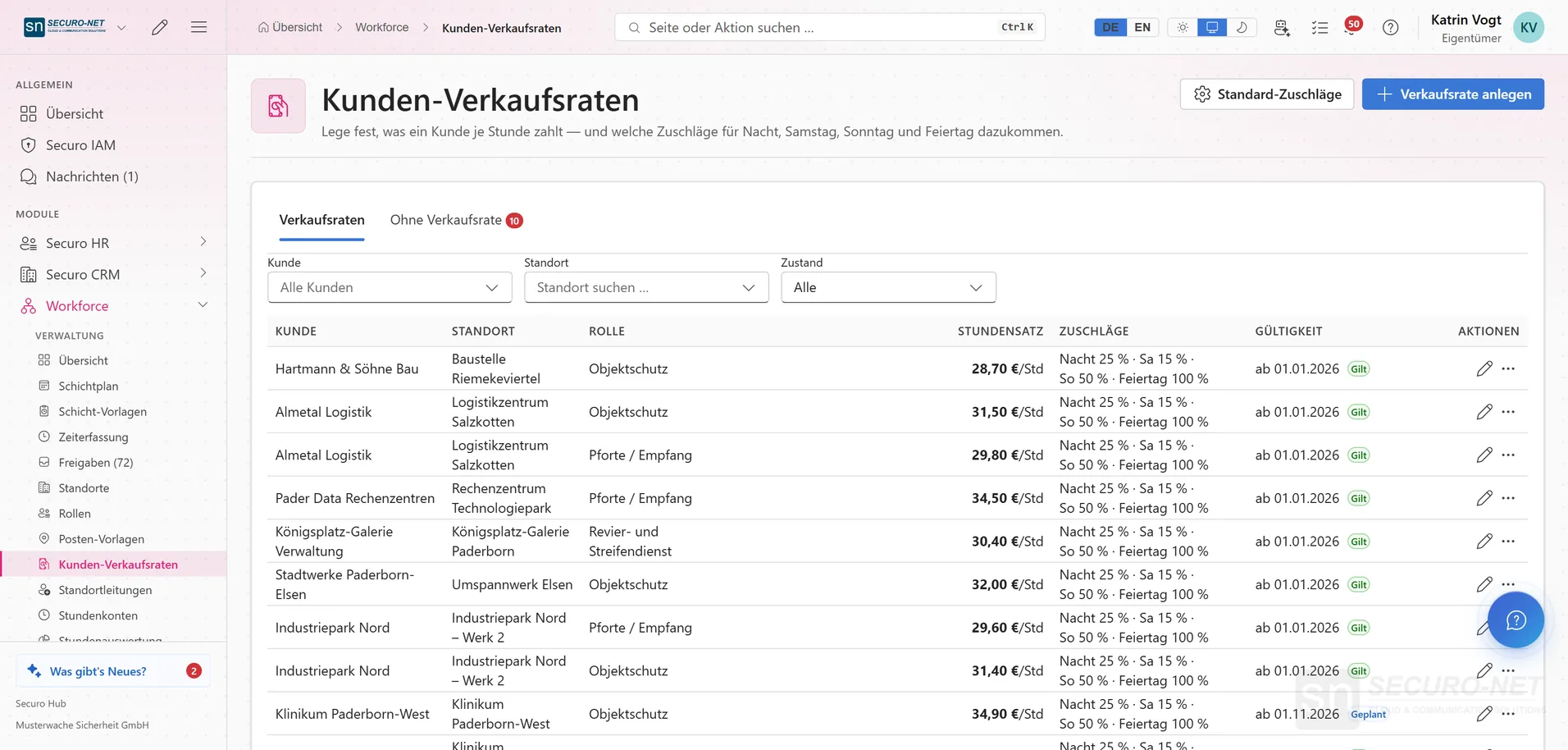
Customer sales rates with surcharges
Hourly rates per customer, location and role, plus night, Saturday, Sunday and holiday surcharges. A price increase from a set date appears in the list with its validity.
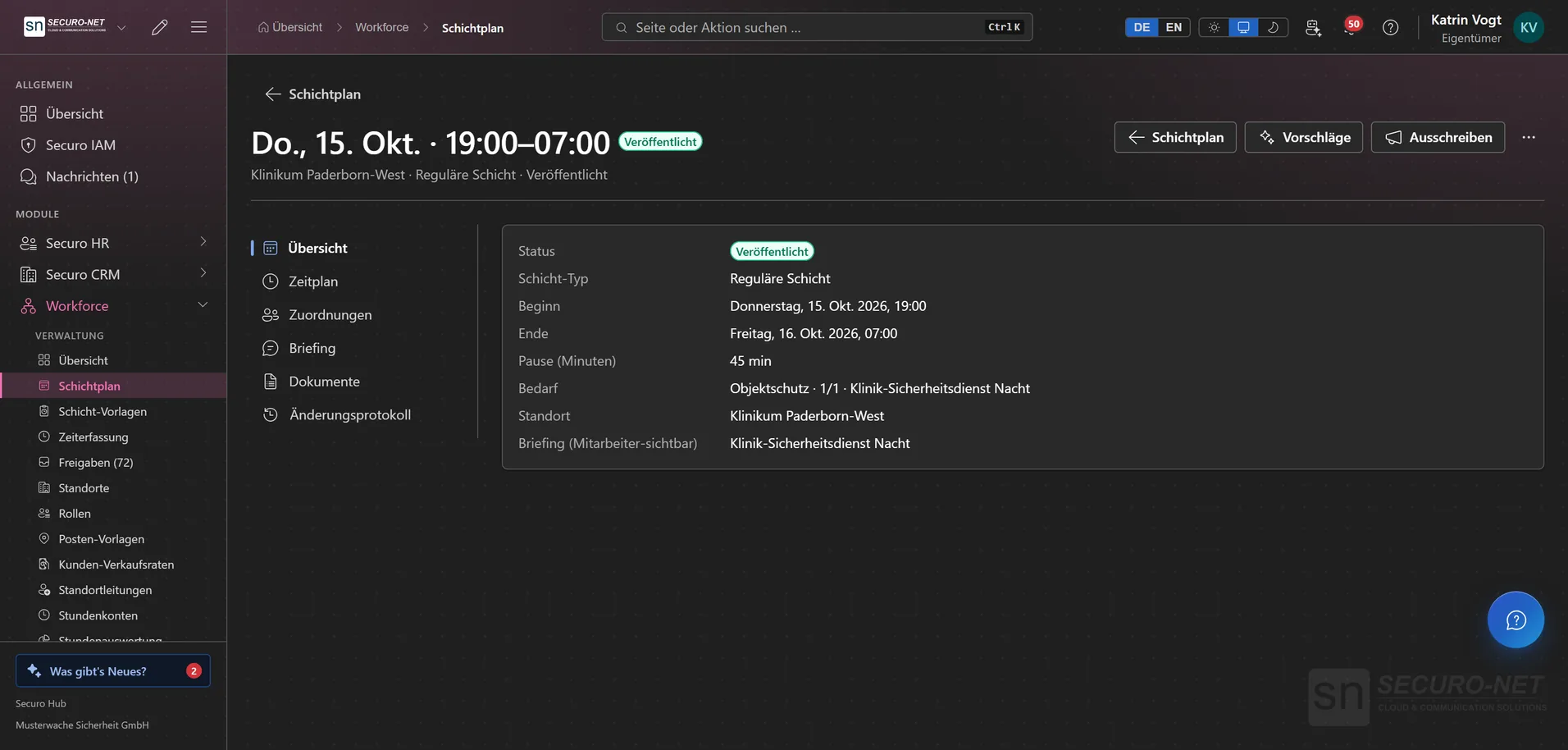
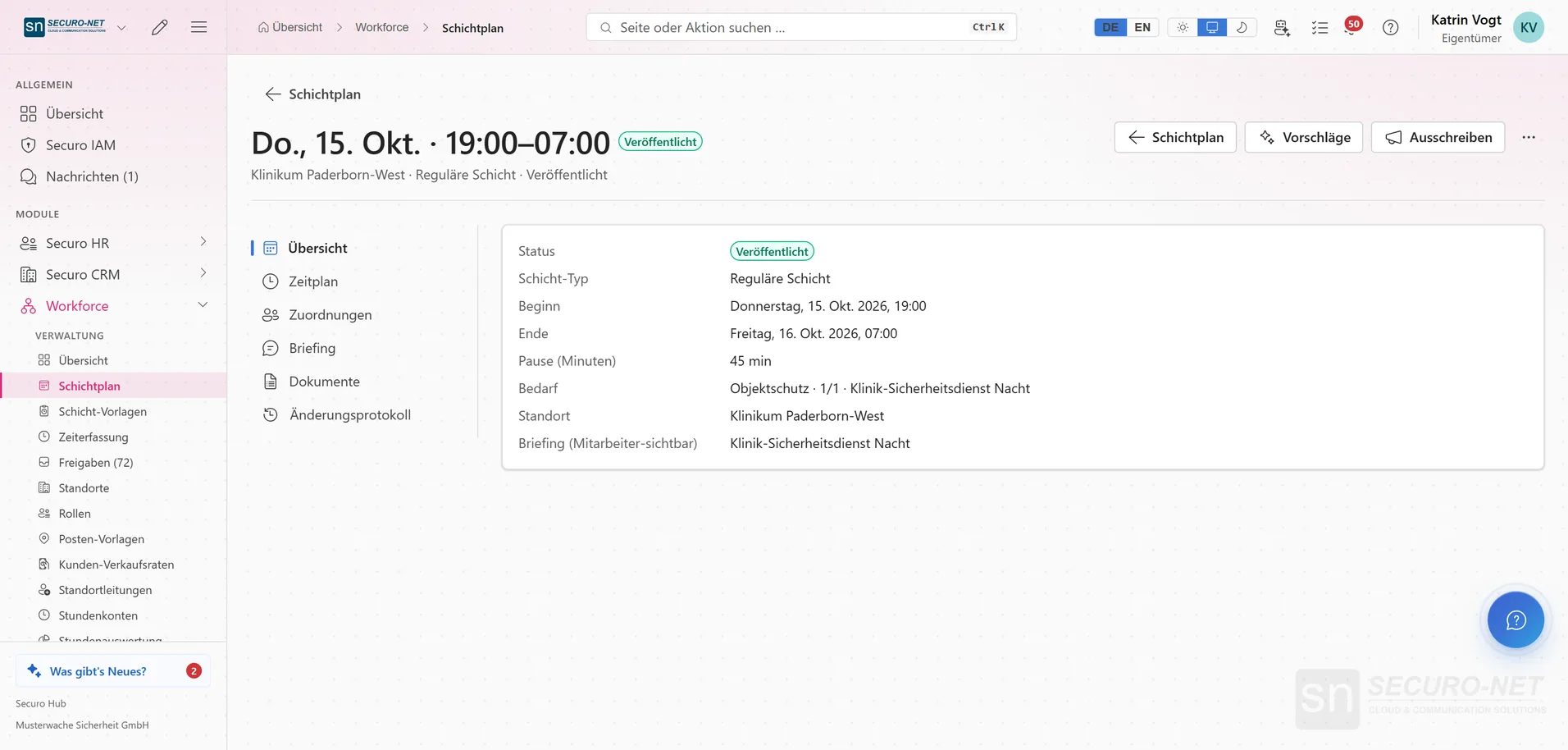
Shift in detail
A night shift with status, times, break, location and briefing — alongside tabs for demand, assignments, documents and change log.
Manage time entries
Every punch with role, break, net working time and status — night shifts in progress included. Check, correct and approve in one list.
Works well with
These modules share the same data — together they remove the double data entry.
HR
Personnel files, absences, qualifications, recruiting, payroll documents and social-insurance filings.
Payroll
Gross wage calculation with tariffs, premiums and site rates — through to handover to your payroll office.
Guard control
GPS and NFC patrols, lone-worker protection and unbroken proof of service.
Part of Securo Hub
This module is part of the Securo Hub platform — one login, shared data, one design. Use it standalone or together with others.